Choosing the best credit card terminals for small business in 2026 isn’t about buying the newest gadget—it’s about matching the right hardware to how you actually take payments. A busy checkout counter needs speed and durability. A restaurant needs tipping, tip adjustment, and quick receipt options.
A mobile vendor needs a reliable wireless credit card terminal with 4G/LTE fallback (or a smart plan for Wi-Fi vs cellular terminals). And if you’re upgrading from an older device, 2026 is the year to stop settling for “EMV-only” and make sure you’re covered for contactless/NFC payments, modern security, and real-world reliability.
This guide is built as a small business payment terminal comparison you can use to make a confident decision. I’ll explain the tradeoffs (not just the marketing), break down terminal types, and walk through costs—terminal leasing vs buying, monthly fees, and what impacts processing rates (interchange-plus vs flat-rate processing).
Then we’ll shortlist the top credit card terminals for small business in 2026 with pros/cons and best-fit use cases.
Quick overview: what a “credit card terminal” is (and how it differs from a POS)
A credit card terminal is the device that captures card payments in person—by dip (EMV chip), tap (NFC), or swipe (magstripe). In 2026, most “terminals” are really compact computers with secure card acceptance built in: touchscreen, PIN pad and signature capture, and sometimes a receipt printer.
A POS terminal vs card reader distinction matters because people use these terms interchangeably:
- A card reader is usually the payment acceptance hardware (often paired to a phone/tablet).
- A POS (point of sale) is the system that runs your checkout: items, taxes, modifiers, tips, inventory, employee permissions, reporting, and sometimes online ordering.
- A payment terminal can be standalone (basic checkout and batch functions) or integrated (works with a POS app or POS software stack).
Here’s the practical way to think about it: if you need robust business management features (inventory, menus, staff permissions, customer profiles), you’re choosing a POS first and a terminal second. If you already have a POS and just need compliant, reliable payments, you’re choosing a terminal that’s compatible with your processor or gateway.
Must-have terminal features in 2026 (what actually matters)
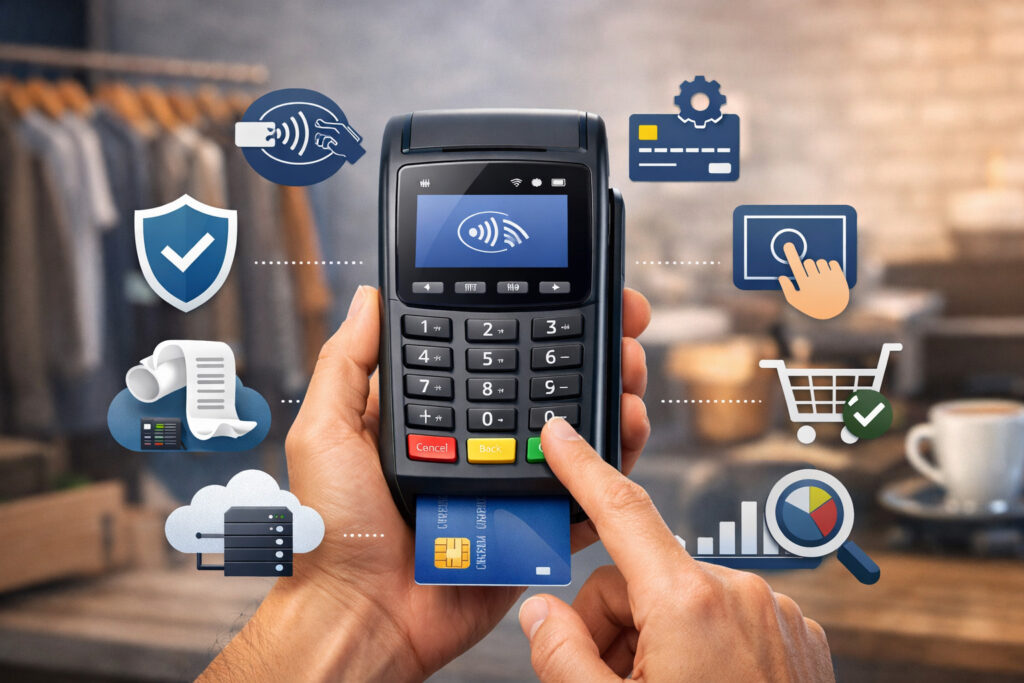
In 2026, the baseline is non-negotiable: EMV chip card reader + contactless/NFC payments + modern encryption. But the “best” hardware depends on details that show up in daily operations—speed, uptime, and how the device fits your workflow.
Payments acceptance basics: EMV + contactless, fast checkout, and refunds
At minimum, your device should accept:
- EMV chip (dip)
- Tap to pay (NFC wallets and contactless cards)
- Swipe (still useful for edge cases)
Speed is a real feature. The difference between a device that wakes instantly and one that lags adds up during rushes. If you run high volume, prioritize:
- Quick app load and responsive touchscreen
- Reliable reader performance (tap and chip consistency)
- Easy voids/refunds and receipt reprints
Tipping, tip adjustment, and receipts (especially for food service)
If you’re in food service, you’ll care about:
- Tip prompts and tip presets
- Tip adjustment (restaurants) for situations where tips are finalized after authorization
- Receipt workflow: printed, SMS/email, or both
- Split tender and partial refunds (common in real-life scenarios)
Toast Go® 2, for example, supports dip/tap/swipe and mobile wallets on the handheld, which is core for tableside workflows.
Security: encryption, tokenization, and tamper awareness
Modern terminals should support strong protections like end-to-end encryption and/or validated P2PE, and they should keep sensitive card data out of your POS app whenever possible.
Stripe, for instance, states that Terminal encrypts card data when it’s presented to the reader and tokenizes it so the POS app receives a token—not raw card data. And PCI SSC describes P2PE as protecting account data from the point of interaction to the secure point of decryption.
Connectivity that matches your reality (not your hopes)
Most “terminal frustrations” are actually connectivity frustrations. In 2026, you should plan for:
- Wi-Fi stability (signal strength where you take payments)
- Optional cellular fallback for mobility and resilience
- Clear offline rules (store-and-forward limits, risk of declines later)
Square’s support docs and announcements highlight offline payments across devices and the risk that offline payments can be declined once uploaded—meaning you carry that risk.
Terminal types explained (countertop, wireless, cellular, mobile readers, integrated vs standalone)
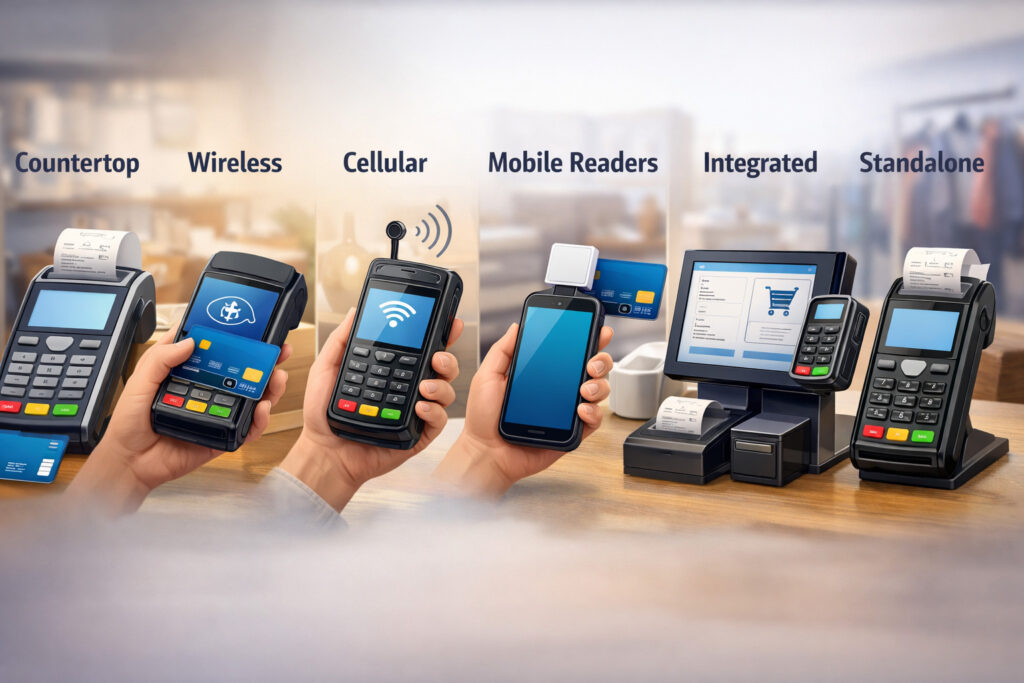
Terminal categories in 2026 are less about what the device looks like and more about (1) how it connects and (2) whether it’s part of a bigger POS ecosystem.
Countertop payment terminal
A countertop payment terminal is designed to live at the register. It’s usually powered all day, may support Ethernet, and often pairs with a separate POS screen or runs lightweight POS features itself.
Countertop setups shine when you need:
- Maximum uptime and consistent speed
- A stable connection (Ethernet is still the reliability champion)
- Clean cable management and fixed checkout flow
Examples in this guide include the Verifone P400 (a popular PIN pad style device) and the Ingenico Desk/5000 family. Verifone positions the P400 as supporting MSR, EMV, and NFC payments with PCI 5.x certification.
Ingenico’s Desk/5000 documentation emphasizes broad connectivity options (including Ethernet and Wi-Fi in variants) aimed at maximizing network availability.
Wireless terminals (Wi-Fi)
A Wi-Fi wireless terminal is built for mobility within your location: line-busting, curbside, tableside, or queue-based sales.
A Wi-Fi-first approach works if:
- You have strong access points where transactions happen
- You can control your network (business-grade Wi-Fi, not a single consumer router)
- You don’t regularly sell far from your Wi-Fi footprint
Wi-Fi wireless devices often feel faster than cellular because Wi-Fi latency is usually lower and more consistent—when signal strength is good.
Cellular/LTE terminals (true anywhere mobility)
A 4G/LTE payment terminal is built to run without relying on your Wi-Fi network. This matters for:
- Outdoor vendors
- Home services
- Deliveries
- Locations where Wi-Fi is unreliable or congested
Devices like the Verifone T650p are positioned as portable terminals with Wi-Fi and LTE in supported variants, aimed at mobility. And mobile terminal families like Ingenico Move/5000 are designed for on-the-go use cases.
Mobile card reader + phone/tablet-based options
A mobile card reader paired to a phone or tablet is still one of the most flexible setups for micro-merchants and service pros—especially when you need lightweight hardware and already use a smartphone for scheduling, invoicing, and customer communication.
In 2026, the big decision is: do you want a reader that depends on the phone for checkout, or a “smart reader” that can run checkout workflows on-device?
If your team is not tech-comfortable, a smart reader with a guided checkout can reduce errors. If you’re tech-forward and want maximum app flexibility, a phone/tablet-based setup can be ideal.
Integrated vs standalone terminals
- Standalone: can run transactions without a separate POS app; often simpler, but may be limited on reporting and inventory.
- Integrated: connects to a POS or software stack; better for unified reporting, fewer reconciliation headaches, and smoother refunds/voids.
Comparison table: terminal types by business use case
Below is a quick “what fits what” view—use it to narrow your shortlist before you get into device model names.
| Terminal type | Best for | Strengths | Tradeoffs | What to watch |
|---|---|---|---|---|
| Countertop payment terminal | Retail counters, reception desks, high-volume checkout |
|
|
|
| Wireless (Wi-Fi) terminal | Restaurants (tableside), line-busting, mobile within one site |
|
|
|
| Cellular/LTE terminal | Outdoor vendors, home services, deliveries |
|
|
|
| Mobile card reader + phone/tablet | Solo operators, service pros, appointment-based businesses |
|
|
|
| Smart reader (on-device checkout) | Growing businesses needing guided checkout flow |
|
|
|
| Integrated terminal (POS-connected) | Multi-location, reporting-heavy businesses |
|
|
|
Security & Compliance (PCI, P2PE/tokenization, Tamper Checks, Permissions)

Security is where many small businesses get overwhelmed—mostly because vendors explain it like a compliance exam. Here’s the plain-language version you can actually use to choose hardware.
PCI compliance and what you’re responsible for
PCI DSS is the security standard around card data. Even if you outsource payments to a processor, you still have responsibilities—like keeping devices secure, controlling staff access, and not storing card numbers where they don’t belong.
If your terminal and payment flow are designed well, your compliance effort is typically smaller. For example, Stripe states that card data is encrypted at the reader and tokenized so your POS app receives a token rather than sensitive card info.
P2PE vs “standard encryption”
P2PE is a validated approach where card data is protected from the moment it’s captured until it reaches a secure decryption environment. PCI SSC’s definition emphasizes that account data is unreadable until it reaches the secure point of decryption.
Not every business needs validated P2PE, but it’s valuable when:
- You want to reduce exposure if devices or networks are compromised
- You’re in a higher-risk environment (many staff, many endpoints, lots of turnover)
- You want simpler compliance scope where supported
Tokenization: why it matters for refunds, subscriptions, and fraud tools
Tokenization swaps the real card number (PAN) for a surrogate value (a token). PCI SSC’s tokenization supplement explains that storing tokens instead of PANs can reduce the amount of card data in your environment and potentially reduce PCI effort.
In day-to-day terms, tokenization supports:
- Safer customer profiles (without storing real card numbers)
- Easier recurring billing (when supported by your processor/gateway)
- Cleaner integrations with fraud tools and chargeback workflows
Device tamper checks and user permissions
Hardware security isn’t only “encryption.” You should also ask about:
- Tamper detection (alerts if a device is opened or altered)
- Remote device management (push updates, revoke devices)
- Employee permissions (who can refund, who can void, who can change tips)
Connectivity and reliability: choosing Wi-Fi vs cellular, plus offline mode reality
Connectivity is where good buying decisions become great operations. The trick is matching terminal connectivity to your environment—not your best-case scenario.
When Wi-Fi terminals win
Choose Wi-Fi-first if:
- Transactions happen mostly indoors
- You can install business-grade access points
- You want low latency and consistent speed
- You can control network congestion (guest Wi-Fi separated from POS traffic)
Wi-Fi terminals are usually the best “value mobility” choice because you avoid recurring cellular costs while still supporting tableside, line-busting, and roaming payments.
When cellular/LTE terminals win
Choose cellular-first if:
- You sell in multiple spots with no predictable Wi-Fi
- You do home service calls
- You operate outdoors or in temporary locations
- You need resilience during Wi-Fi outages
Devices like the Verifone T650p are designed for portability with Wi-Fi/Bluetooth and security requirements like PCI-PTS SRED mentioned in installation documentation.
Offline mode / store-and-forward: treat it like a last-resort tool
Offline mode (often called store-and-forward) can save sales during outages, but it creates risk: you might accept a payment that later declines when uploaded.
Square’s documentation explicitly warns you won’t get real-time decline notifications while offline and that you’re responsible for expired, declined, or disputed payments accepted offline.
Use offline mode when:
- You have a short outage and you’re willing to take on that risk
- Average tickets are small enough that occasional declines won’t crush margins
- You have policies for higher-risk situations (e.g., ask for another payment method)
Costs explained clearly: buying vs leasing, monthly fees, and what affects processing rates
If you want to lower long-term costs, don’t obsess over the sticker price of the terminal. The bigger money is in (1) processing rates and (2) recurring fees.
Purchase price vs leasing (and why leasing often disappoints)
Buying hardware usually wins if you plan to keep it longer than a year. Leasing can make sense in a few cases (tight cash flow, bundled service agreements with easy swaps), but it’s also where small businesses get trapped.
Common leasing pitfalls:
- Non-cancelable terms even if you close or switch providers
- Equipment buyout costs that exceed the device’s real value
- Bundled “support” that isn’t actually responsive
If you lease, demand:
- Clear total cost over the full term
- Swap/upgrade terms in writing
- A clean exit clause if service quality fails
Monthly fees: what’s normal, what’s negotiable
Expect recurring fees such as:
- Software subscription (if you use a POS platform)
- Gateway fees (if you use a separate payment gateway compatibility layer)
- PCI fees (sometimes monthly, sometimes annual)
- Statement/account fees (varies by provider)
- Support fees (sometimes bundled into subscriptions)
You don’t need to accept every fee by default. Some are negotiable, some can be removed, and some are tradeoffs for better support or better fraud tools.
Processing costs: interchange-plus vs flat-rate processing
Two common pricing models:
- Interchange-plus: you pay the card network’s interchange + a fixed markup. Often better at scale and for higher-ticket businesses.
- Flat-rate: simple and predictable; can be good for smaller volumes or businesses that value simplicity over optimization.
Rates vary because of:
- Card type (rewards vs basic)
- How the transaction is accepted (chip/tap vs keyed)
- Risk profile and chargeback history
- Industry and average ticket size
- Fraud controls and verification steps
Scoring framework: how to compare small business credit card terminals (without getting lost)
To make this a real small business payment terminal comparison, use a simple scoring rubric. Rate each device 1–5 in these categories and total it up.
The 6-category terminal scorecard
- Price & total cost (hardware + expected monthly fees)
- Durability (build quality, battery longevity, spill resistance where relevant)
- Connectivity (Ethernet/Wi-Fi/cellular options; stability; roaming behavior)
- Security (PCI certifications, encryption/tokenization approach, device management)
- Integrations (POS ecosystem, gateway options, developer tools if needed)
- Support (warranty, replacement speed, training resources, real support access)
How to weight the categories
Most small businesses do well with this weighting:
- Retail counter: Connectivity + durability + integrations slightly higher
- Restaurants: Durability + tipping workflows + support higher
- Mobile vendors: Connectivity (cellular) + battery + offline rules higher
- Multi-location: Integrations + device management + support higher
Shortlist: Best Credit Card Terminals For Small Business
Below is a balanced shortlist of widely used options in 2026. I’m including both classic terminal families and modern smart readers—because “best” depends on whether you want a standalone payment device, a POS ecosystem, or a developer-friendly integration.
| Terminal | Best for | Connectivity | Pros | Cons |
|---|---|---|---|---|
| Verifone T650p | Mobile + on-site roaming | Wi-Fi, Bluetooth, LTE variants | Portable, modern smart terminal capabilities | Can be more complex to deploy than basic readers |
| Verifone P400 / P400 Plus | Countertop PIN pad with POS integration | Ethernet/USB options; variants exist | Common integration target; strong security positioning | Typically needs a POS or host system |
| Ingenico Desk/5000 | Countertop stability | Ethernet; variants support multiple network options | Built for uptime; good “fixed register” fit | Less mobile; platform depends on provider |
| Ingenico Move/5000 | Tableside + roaming | Wi-Fi, Bluetooth, cellular options | Designed for mobility; strong on-site use cases | Still needs good device management for fleets |
| PAX A920 Pro / A920Max | Mobile smart terminal | 4G + Wi-Fi + Bluetooth options | All-in-one feel; screen + printer in many configs | App ecosystem varies by provider |
| Clover Flex (and Flex with printer) | Small retail + service + line-busting | Wi-Fi; optional LTE on some configs | Built-in printer (Flex); strong small business workflow | Often tied to specific merchant service setups |
| Square Terminal | Simple all-in-one counter + portable | Wi-Fi; offline mode support | Easy setup, built-in receipt printing | Ecosystem lock-in; offline risk rules matter |
| Stripe Reader S700 / S710 | Developer-friendly smart reader | S700 Wi-Fi; S710 cellular variant | Customizable checkout; strong SDK ecosystem | Best value when you have software/dev needs |
| BBPOS WisePOS E (Stripe Terminal) | Countertop + hybrid handheld | Internet-connected (networked via your POS/device setup) | Mature docs; customizable UI | Usually tied to Stripe Terminal architecture |
| Toast Go® 2 | Restaurants (tableside) | Wi-Fi handheld | Restaurant-centric workflow; durable handheld positioning | Designed for Toast ecosystem |
| PayPal Terminal | Simple in-person payments + POS add-ons | Printer/dock support on network | Straightforward setup; accessory ecosystem | Peripheral compatibility rules can be limiting |
| SumUp Solo | Micro-merchant + mobile | Built-in SIM + Wi-Fi | Standalone feel; quick setup | Best for simpler needs vs deep integrations |
Terminal-by-terminal breakdown (best for, features, pros/cons, pricing notes, compatibility)
1) Verifone T650p
Best for: mobile vendors, service businesses on the move, and locations that need a portable smart terminal.
Key features (what stands out):
- Portable “smart terminal” style hardware
- Connectivity options including Wi-Fi and LTE variants (depending on configuration/provider)
- Designed with modern device management concepts (remote monitoring/updates referenced in installation documentation)
Pros:
- Strong fit for mixed environments: counter + roaming
- Modern form factor and app-capable approach
- Good choice if you want one device that can handle multiple workflows
Cons:
- Deployment is more involved than a basic reader
- Pricing and software experience vary significantly by provider
Pricing model notes: Avoid assuming a single retail price. This model is often sold through providers with bundled software, support tiers, or service plans.
Integration/compatibility notes: Usually provisioned through specific acquiring platforms; ask about gateway support and how updates are managed.
2) Verifone P400 / P400 Plus
Best for: retail checkout counters and service desks using an integrated POS where you want a familiar PIN pad flow.
Key features:
- Positioned to accept MSR, EMV, and NFC payments with PCI 5.x security certification
- Designed for integrated checkout experiences (common with POS systems that support Verifone integrations)
Pros:
- Mature footprint and common integration target
- Familiar customer experience: dedicated PIN pad flow
- Strong option when you already have a POS and need a dependable payment acceptance device
Cons:
- Usually not a “full POS” by itself
- Power and cable setup can be specific (installation guide details external power requirements for full features)
Pricing model notes: Often bundled or rented as part of a merchant services agreement; compare total costs, not just device cost.
Integration/compatibility notes: Confirm your POS supports your exact model and firmware level. Small mismatches can create big deployment delays.
3) Ingenico Desk/5000
Best for: fixed checkout counters that need stability and strong connectivity options.
Key features:
- Designed to connect across a wide range of networks (documentation emphasizes maximizing network availability)
- Countertop-first design with a “live at the register” posture
Pros:
- Great “set it and forget it” counter device
- Strong choice when you want consistent performance at one register
- Often fits traditional merchant account environments well
Cons:
- Not designed for roaming payments
- Features vary by configuration/provider (so confirm what you’re actually getting)
Pricing model notes: Typically offered through providers with different software stacks; avoid comparing it as if it’s a single standardized retail product.
Integration/compatibility notes: Ask whether you’re running it standalone, semi-integrated, or fully integrated with your POS—and what that means for refunds and reporting.
4) Ingenico Move/5000
Best for: restaurants (tableside), line-busting, and businesses that want mobility inside and sometimes outside the location.
Key features:
- Positioned as a companion for mobile businesses
- Documentation highlights wireless options and automatic network switching between wireless modes in some solution stacks
Pros:
- Purpose-built for mobility
- Works well for tableside or queue-based payments when configured correctly
- Typically strong battery-first design
Cons:
- Like any fleet device, it needs good operational controls: charging routines, spares, and user permissions
- Integration depth depends heavily on provider/POS
Pricing model notes: Often bundled; the total cost depends on connectivity plans and support.
Integration/compatibility notes: For restaurants, confirm tipping workflow compatibility (tip prompts, tip adjust, receipt printing).
5) PAX A920 Pro / A920Max
Best for: mobile-first retail, service businesses, and merchants who want an all-in-one smart terminal with screen + payment acceptance.
Key features:
- PAX provides comparisons across A920 models and highlights differences intended to help choose between variants
- A920 Pro datasheet indicates configurations including 4G + Wi-Fi + Bluetooth (exact config varies)
Pros:
- “One device does most things” vibe: good for small teams
- Strong for on-the-go checkout with a more guided interface than basic readers
- Often available with built-in printer configurations (provider-dependent)
Cons:
- App experience differs depending on the provider’s software and restrictions
- Not all providers support the same integrations or feature set
Pricing model notes: Treat it like a platform device. Hardware cost is only part of the total; software and processing model will drive long-term cost.
Integration/compatibility notes: Ask how refunds, tips, and offline mode work in your provider’s build—not in generic marketing terms.
6) Clover Flex (and Flex with built-in printer)
Best for: small retail, quick-service, and service businesses that want a portable device with a polished small-business workflow.
Key features:
- Clover’s own Flex page notes Flex has a built-in receipt printer (while Flex Pocket is digital-only receipts)
- Specs documents commonly reference Wi-Fi and optional LTE in some configurations
Pros:
- Built-in printer is a real operational win for many merchants
- Good “walk around the store” device for line-busting
- Strong day-to-day workflows when you want a cohesive small-business UI
Cons:
- Often tied to specific merchant service ecosystems
- Costs can rise with subscriptions, add-on apps, and support packages
Pricing model notes: Compare the total monthly spend (software + processing + device) vs a merchant account + separate terminal route.
Integration/compatibility notes: Confirm what data exports are available if you ever switch systems.
7) Square Terminal
Best for: simple, fast setup for retail/service businesses that want an all-in-one device with built-in receipt printing and a straightforward workflow.
Key features:
- Square markets Terminal as a portable, all-in-one device
- Square’s support documentation covers offline payments and configuration/permission requirements
Pros:
- Easy to deploy and train staff on
- Great for pop-ups, queues, and lightweight counter setups
- Hardware + software experience is cohesive
Cons:
- Ecosystem lock-in can be real if you grow into complex needs
- Offline mode carries risk (declines after upload; you’re responsible)
Pricing model notes: Don’t focus only on device price—evaluate processing pricing model and add-ons you’ll need for your workflow.
Integration/compatibility notes: If you rely on niche accounting/inventory tools, confirm integrations before you buy hardware.
8) Stripe Reader S700 / S710
Best for: businesses that want a customizable checkout flow, or software-led businesses building their own POS experience.
Key features:
- Stripe describes S700 as an Android-based smart reader running on Wi-Fi and points to a cellular-capable model variant for businesses needing cellular
- Stripe provides product sheets and documentation around supported integrations and SDKs
Pros:
- Strong developer ecosystem and customization
- Great if you want your own branded flow or specialized workflows
- Can reduce exposure by keeping card data encrypted/tokenized in Stripe’s flow
Cons:
- Overkill if you just need a simple terminal
- Best value comes when you actually use the platform capabilities
Pricing model notes: Hardware is only part of the story; factor in your software development/maintenance or vendor costs.
Integration/compatibility notes: Ideal when you’re already using Stripe’s payments stack and want in-person to match online reporting.
9) BBPOS WisePOS E (Stripe Terminal)
Best for: countertop and hybrid countertop/handheld setups where you want a smart reader experience with Stripe Terminal integrations.
Key features:
- Stripe documentation describes WisePOS E as a reader compatible with Stripe Terminal integrations across multiple SDKs
- Stripe’s device page positions it for countertop and handheld use accepting chip, swipe, and contactless
Pros:
- Mature documentation and integration options
- Can be a clean fit for modern POS apps
- Solid “smart reader” UX
Cons:
- Typically anchored to Stripe Terminal architecture
- Requires reliable networking as part of the setup
Pricing model notes: Compare as part of a full payments + software stack, not as a generic stand-alone terminal.
Integration/compatibility notes: If you’re using a third-party POS, confirm they support your exact reader model and workflow.
10) Toast Go® 2
Best for: restaurants that need tableside ordering and payment with tipping workflows.
Key features:
- Toast documentation describes dip/tap/swipe support and mobile wallet acceptance on Toast Go 2
- Toast network connection requirements emphasize handheld wireless needs and list Toast Go devices in their connection guidance
Pros:
- Restaurant-first workflow focus
- Supports fast tableside payments and modern contactless expectations
- Designed to reduce trips back to the terminal and speed up turns
Cons:
- Best inside the Toast ecosystem
- Like any restaurant tech, success depends on Wi-Fi design and staff training
Pricing model notes: Usually part of a broader restaurant POS subscription and processing agreement; compare total monthly cost.
Integration/compatibility notes: If you have multiple locations, ask about device management and replacement logistics.
11) PayPal Terminal
Best for: small sellers who want a simple device and optional accessories like printer/dock within supported rules.
Key features:
- PayPal help resources cover connecting Terminal to printer and dock accessories
- Zettle/PayPal materials describe printer/network relationships and accessory limitations
Pros:
- Simple path to getting started
- Accessory ecosystem can support receipt needs
- Good for straightforward in-person acceptance
Cons:
- Peripheral compatibility can be limited compared with open POS ecosystems
- May not be ideal for complex inventory/menu management without a stronger POS layer
Pricing model notes: Verify subscription vs processing-only costs based on the setup you choose.
Integration/compatibility notes: If you need barcode scanning or specialized peripherals, confirm support first.
12) SumUp Solo
Best for: micro-merchants, solo operators, and mobile sellers who want a standalone reader feel.
Key features:
- SumUp highlights that Solo supports digital receipts and reports directly from the reader
- Independent reviews describe built-in SIM/4G connectivity and Wi-Fi capability (verify your local availability through your provider)
Pros:
- Very simple setup and operation
- Standalone experience without needing a phone for every step
- Good for quick, lightweight checkout
Cons:
- Not designed for deep integrations or complex POS workflows
- Best for simpler catalogs/services rather than full inventory-heavy operations
Pricing model notes: Avoid assuming exact device pricing—plans and bundles vary.
Integration/compatibility notes: If you plan to grow into multi-location or advanced reporting, confirm export and migration options.
Use-case recommendations (pick the right terminal for how you sell)
Best for retail checkout counter
For a fixed checkout counter, prioritize:
- Ethernet (or rock-solid Wi-Fi), fast wake, and predictable flow
- Comfortable customer-facing interaction
- Easy refunds and end-of-day settlement
Strong fits from this guide:
- Ingenico Desk/5000 for traditional countertop stability
- Verifone P400/P400 Plus when you need a PIN pad that integrates cleanly with your POS
- Square Terminal if you want a simplified all-in-one approach with fast deployment
Best for restaurants (tipping, tip adjust, receipts)
Restaurants need a terminal strategy, not just a device:
- Tableside payments reduce wait time and increase table turns
- Tipping prompts must match your service model
- Receipts matter (printed and/or digital), especially at dinner rush
Strong fits:
- Toast Go® 2 for restaurant workflows and handheld operations
- Ingenico Move/5000 style mobility for tableside where supported by your provider
- Clover Flex can work well for quick-service or counter-service setups where you still want portability and receipts
Best for mobile vendors and home services
Mobile sellers need:
- 4G/LTE reliability and strong battery behavior
- A plan for dead zones (secondary carrier options, offline rules, or tap-to-pay fallback)
- Fast receipts (SMS/email) and optional printing
Strong fits:
- Verifone T650p for portable smart-terminal workflows with Wi-Fi/LTE variants
- PAX A920 Pro/A920Max for smart terminal portability with 4G/Wi-Fi options
- SumUp Solo for ultra-lightweight standalone usage (verify connectivity options in your market)
Best for multi-location or growing businesses
Growth adds complexity:
- You need consistent reporting across locations
- You need device management (updates, replacements, permissions)
- You need integrations (accounting, inventory, loyalty, online ordering)
Strong fits:
- Integrated ecosystems like Clover or Toast (when their business tools match your needs)
- Stripe Terminal devices (S700/WisePOS E) if you’re building or using software-led systems and want unified online/in-person reporting
- Traditional terminal fleets (Ingenico/Verifone) with strong provider support and estate management options
Mistakes to avoid (leasing traps, proprietary lock-in, hidden fees, outdated devices)
This is where most “bad terminal decisions” happen. Avoid these common traps:
1) Leasing a terminal without understanding total cost
Leases often look small monthly—but the total can exceed the device value several times over. If you can’t cancel cleanly or you owe a buyout even after switching providers, you’re not leasing a tool—you’re financing a trap.
What to do instead: Ask for the full lease schedule and total cost in writing. If the provider won’t provide it, walk away.
2) Proprietary lock-in without a plan
Some platforms are fantastic—until you outgrow them or need an integration they don’t support. Lock-in is not automatically “bad,” but it is a decision.
What to do instead: Ask what happens if you switch providers: can you reuse hardware? can you export data? how painful is migration?
3) Hidden recurring fees (PCI, gateway, statement, support)
Recurring fees can quietly exceed hardware costs over time. Watch for:
- PCI fees (monthly or annual)
- Gateway fees
- Statement/account fees
- Support or “non-cash adjustment” add-ons (ask what they are)
4) Buying outdated EMV-only devices
If a device does chip but not tap, it’s behind customer expectations in 2026. Tap reduces friction and often speeds checkout.
5) Ignoring offline risk rules
Offline mode can help, but it can also create losses. Square’s documentation makes the risk explicit: offline payments can be declined later and you’re responsible.
Step-by-step buying process (assess → compare → test → negotiate → deploy → train)
Step 1: Assess how you take payments today
Write down:
- Where payments happen (counter, table, outside, on-site visits)
- Average ticket size and busiest hours
- Receipt requirements
- Tipping needs and refund patterns
- Staff count, turnover, and permission needs
Step 2: Choose your “system direction” first
Decide which of these you are:
- POS-first: you need a full POS platform, then pick terminals that match it
- Payments-first: you have software already and need compatible terminals + gateway
- Hybrid: you want a simple POS now but need room to grow
Step 3: Shortlist 2–3 terminal paths (not 10 devices)
Use the comparison tables and pick:
- One “safe and stable” option
- One “mobile and flexible” option
- One “integration-forward” option (if relevant)
Step 4: Test connectivity in real conditions
Before you sign:
- Test Wi-Fi at the far corners where payments happen
- Test cellular in your real service areas
- Ask how offline mode behaves and what limits apply
Step 5: Compare offers apples-to-apples
Get a written breakdown of:
- Hardware cost (buy/lease/rent)
- Monthly software/gateway/PCI/support fees
- Processing pricing model and any added surcharges
- Contract length and exit terms
- Replacement policy and turnaround time
Step 6: Negotiate the right things
Negotiate:
- Waived or reduced monthly fees
- Better replacement terms
- A pilot period
- Clear support SLAs (especially for multi-location)
Step 7: Deploy with a plan
Deployment isn’t just plugging it in:
- Set up staff permissions
- Train refunds/voids and tip workflows
- Label devices and create a charging routine
- Document a “what to do if it fails” checklist
Step 8: Train staff like it’s a revenue system (because it is)
Training reduces:
- Checkout delays
- Incorrect refunds
- Disputes caused by bad receipts or confusing flows
- Security issues from shared credentials
FAQs
Q1) Should I buy or lease a credit card terminal?
Answer: Buying usually costs less over time and gives you flexibility. Leasing only makes sense when the lease includes meaningful service guarantees (fast replacements, upgrades, easy cancellation) and the total lease cost is reasonable. If you can’t see the total cost in writing, leasing is a high-risk move.
Q2) Do I need a terminal if I already have a POS?
Answer: If your POS already accepts payments, you still need payment hardware—either a compatible terminal/PIN pad or a card reader that pairs with your POS. The key question is compatibility: your POS may only work with certain devices or processors. Integrated setups reduce reconciliation headaches.
Q3) What is the best terminal for a mobile small business?
Answer: Look for a 4G/LTE payment terminal or a smart reader with reliable cellular options, strong battery behavior, and clear offline rules. Devices like portable smart terminals (e.g., Verifone T650p variants) and smart terminal families (e.g., PAX A920 series) are designed for mobility.
Q4) Are all terminals compatible with any processor?
Answer: No. Compatibility depends on certifications, firmware, gateway support, and your provider’s platform. Some ecosystems are closed by design. Always verify “payment gateway compatibility” and ask if the hardware can be reprogrammed if you switch.
Q5) What security features should I look for?
Answer: Prioritize:
- EMV + contactless
- Strong encryption and tokenization
- Optional validated P2PE if you want maximum protection
- Device management and user permissions
Stripe notes that Terminal encrypts at the reader and tokenizes card data so your app receives a token rather than sensitive data.
Q6) What is P2PE and does it matter?
Answer: P2PE (point-to-point encryption) protects card data from capture to secure decryption. PCI SSC describes it as cryptographically protecting account data from the point where you accept the card to the secure point of decryption.
It matters most if you want to reduce exposure and simplify compliance scope in supported implementations.
Q7) How do contactless payments work?
Answer: Contactless uses NFC to transmit payment credentials securely when the customer taps a card or mobile wallet. Your terminal must support NFC and be properly certified/configured. Customers increasingly expect “tap to pay,” and it can speed up checkout.
Q8) Can terminals work without the internet?
Answer: Some can process in an offline “store-and-forward” mode, but there’s risk. Square warns that offline payments can be declined after you reconnect, and you’re responsible for those outcomes. Treat offline as emergency mode, not normal operations.
Q9) How do I lower processing costs with the right terminal?
Answer: Hardware doesn’t change interchange, but it can help you:
- Reduce keyed transactions (use chip/tap instead)
- Improve checkout accuracy (fewer disputes)
- Use integrated flows that reduce manual errors and refund confusion
Then negotiate pricing model fit: interchange-plus vs flat-rate processing based on volume and ticket size.
Q10) What fees should I watch for in a merchant account?
Answer: Common recurring fees include:
- PCI fees
- Gateway fees
- Statement/account fees
- Support fees
Also watch for lease costs, termination fees, and add-ons you didn’t request.
Q11) Do I need a receipt printer in 2026?
Answer: Not always. Digital receipts are often enough for service businesses and mobile vendors. Retail and restaurants still benefit from printing—especially for returns, tips, and customer expectations. Devices like Clover Flex differentiate between models with built-in printing vs digital-only receipts.
Q12) What’s the difference between a smart terminal and a basic reader?
Answer: A basic reader depends on a phone/tablet for checkout. A smart terminal can run checkout flows on-device, often with a touchscreen and sometimes a printer. Smart terminals reduce “two-device juggling,” but they cost more and require good device management.
Q13) Is Wi-Fi or cellular better?
Answer: Wi-Fi is usually faster and cheaper if your coverage is strong. Cellular is more reliable for true mobility and locations where you don’t control the network. Many businesses use both: Wi-Fi as primary, cellular as backup.
Q14) Do I need tokenization if I don’t store card numbers?
Answer: Tokenization still helps because it keeps sensitive card data out of your systems during processing. PCI SSC notes that storing tokens instead of PANs can reduce card data in your environment and potentially reduce PCI effort.
Q15) What’s the biggest “hidden problem” with terminals?
Answer: Support and replacements. When a device fails, downtime costs more than the terminal. Ask about replacement turnaround time, spare device strategy, and who you call when payments stop.
Conclusion
The best credit card terminals for small business in 2026 are the ones that match your workflow, handle real connectivity conditions, and keep you secure without creating operational headaches.
Start with how you sell (counter, tableside, mobile, multi-location). Choose the terminal type that fits that reality. Then pick a device model and provider that delivers reliable support, clear fee structure, and the integrations you need.