By getcreditcardterminals February 18, 2026
Choosing payment hardware used to be simple: pick a countertop credit card terminal, plug it in, and start taking cards. In 2026, it’s less straightforward.
You’re balancing EMV and contactless payment support, LTE reliability, POS compatibility, security requirements like PCI compliance, and the fine print in merchant services contract terms—while trying to keep monthly costs predictable.
That’s why the buy vs lease credit card terminal decision still matters. You’ll see “$0 down” offers everywhere, and you’ll also hear that leasing is “never” a good idea. The truth is more practical than either extreme.
A credit card terminal lease vs buy choice depends on cash flow, how often you upgrade, whether you might switch processors, and whether the lease is effectively a non-cancelable equipment lease with expensive early termination fees (ETF).
This guide gives you a clear, buyer-focused lease vs own credit card machine comparison, with real-world scenarios and transparent cost math. By the end, you’ll know when buying vs leasing payment terminals for small business makes sense—and what to avoid.
What “Buying” a Credit Card Terminal Means in 2026
When you buy a terminal, you pay upfront (or through your own financing) and you own the hardware. That ownership is more than a receipt—it affects your flexibility, long-term costs, and ability to change your payment setup.
A purchased terminal can be a simple countertop credit card terminal for checkout, a wireless/LTE credit card machine for line-busting and delivery, or a smart terminal that supports apps and POS integrations.
Buying usually means you can choose where the device is sourced (from your processor, a reseller, or an authorized distributor) and how it’s configured.
Ownership also changes the power dynamic with your processor. Many providers will support only certain models, but with a purchased device you often have more options to reprogram or redeploy it when you negotiate rates or move to a different provider.
That matters when your business evolves—new locations, new POS software, or new pricing needs like flat-rate vs interchange-plus pricing.
Upfront purchase: what you’re actually paying for
The sticker price on a terminal is only part of the purchase cost. You’re paying for the hardware, plus the capabilities you need today and the flexibility you’ll want later.
Common one-time costs when buying include:
- Hardware cost (device + accessories like stands, chargers, docking base)
- Optional warranty or extended coverage
- Setup / boarding fees (sometimes waived, sometimes not)
- Integration work if the terminal connects to a POS, kiosk, or online ordering stack
In 2026, pricing varies widely based on security level and features like LTE, printer, camera/scanner, and app ecosystem. That’s why “the cheapest terminal” can be expensive if it doesn’t match your workflow or can’t stay supported through the next upgrade cycles for payment terminals.
Buying also makes you responsible for repairs outside warranty, but you can often manage that risk with a spare device or a low-cost replacement plan.
Ownership benefits: control, resale value, and flexibility
Owning your terminal usually improves your control over:
- Total cost of ownership (TCO): Your cost curve often drops after month one.
- Upgrade timing: You can upgrade when it’s operationally necessary—not when a contract ends.
- Device allocation: Move hardware between locations, vehicles, or seasonal sites.
- Fallback strategy: Keep a backup terminal for outages, events, or peak season.
Purchased devices can also retain some value (or at least reduce replacement cost) depending on model and demand. While terminals aren’t “investments,” ownership can reduce waste: a device that still meets EMV/contactless and security standards can remain useful even if you switch processors.
Processor flexibility: what’s realistic (and what isn’t)
Many small businesses buy because they want the option to switch processors later. That can be a smart reason—but it’s not automatic.
A few realities:
- Some terminals are locked to a processor or platform and can’t be reused elsewhere.
- Some can be “re-boarded,” but only if the new processor supports that model.
- Security approaches like P2PE and tokenization can improve security but may also limit portability if the solution is proprietary.
So “buying” can reduce lock-in, but you still need a compatibility check. If you run a POS, confirm the terminal can connect in the way your system requires (cloud, Bluetooth, Ethernet, USB, or Wi-Fi), and whether the POS vendor certifies the model.
What “Leasing” a Credit Card Terminal Means (And Why It’s Often Misunderstood)
Leasing sounds simple: pay a monthly amount instead of buying hardware upfront. In practice, leasing can mean two very different things:
- True equipment lease: A third-party financing agreement where you rent the terminal over a fixed term—often 36–48 months—and you may not be able to cancel.
- Processor-provided rental: A month-to-month “terminal rental vs purchase” arrangement where the provider supplies the device and you return it if you leave.
This guide’s biggest warning is about the first category: the classic equipment lease that behaves like a non-cancelable equipment lease. These agreements can outlive your processing relationship and may continue even if you close your business.
That doesn’t mean all leasing is bad. It means you must identify what kind of lease you’re being offered, what happens if you switch processors, and whether the lease is independent of your merchant account.
Fixed-term equipment lease: the typical structure
A fixed-term lease is usually a set payment every month. The pitch is “low upfront cost.” The trade-off is a long commitment and a total cost that often exceeds the purchase price by a wide margin.
What you’ll typically see:
- Term length: 36–48 months
- Monthly payment: a flat equipment payment (sometimes plus insurance/coverage)
- Requirements: keep processing active, maintain PCI, and follow return/maintenance rules
- End-of-term options: return, buyout, renew, or keep paying (varies by contract)
Some leases also include extra services, but you should confirm what’s actually included. “Support” might mean phone support only—while replacement shipping, batteries, printers, or accessories could still be on you.
Non-cancelable clauses: what they mean in real life
The phrase “non-cancelable” is the centerpiece of lease risk. It means you’re obligated to pay for the full term even if:
- Your business closes
- You change processors
- The terminal becomes outdated
- The device is lost, stolen, or damaged (often you still pay)
Some contracts allow early termination but require you to pay the remaining payments—essentially an ETF in another form. Others add fees beyond the remaining balance.
This matters because hardware needs can change quickly in 2026. You might adopt a new POS, move to handhelds, add QR ordering, or require a different security approach. A lease can turn a straightforward upgrade into a contractual headache.
Typical 36–48 month contracts: why they persist
Lease contracts are long because it makes the monthly payment look small. It’s a psychology and budgeting play: a $35 monthly payment doesn’t feel like much until you multiply it by 36 or 48 months.
Leases also persist because they can create stability for the party financing the device. That can be fine if the pricing is fair and the terms are flexible—but it often isn’t, especially when hardware costs have come down and device capabilities have improved.
In 2026, the better question is: “Am I leasing to solve a cash flow problem, or am I leasing because the sales process is steering me there?”
The True Cost Breakdown: Purchase Prices, Lease Payments, and Total Cost of Ownership
If you only compare month one expenses, leasing almost always looks cheaper. If you compare the full lifecycle—hardware, monthly equipment fees, maintenance, and upgrade timing—buying often wins on total cost of ownership (TCO).
To keep this practical, let’s talk in ranges rather than “one magic number,” because hardware costs vary based on device type and security configuration.
Purchase price ranges in 2026 (countertop, wireless, smart terminals)
Typical purchase ranges you may see:
- Countertop credit card terminal: entry to mid-range, depending on features (Ethernet/Wi-Fi, receipt printing, touchscreen)
- Wireless/LTE credit card machine: higher due to cellular radios, battery systems, and mobility accessories
- Smart terminals with app ecosystems or advanced POS integration: higher still, especially with peripherals
What drives price:
- Whether the device includes a printer
- LTE vs Wi-Fi only
- Durability rating and battery capacity
- Security model and certifications
- Support/warranty terms
Buying can also mean you keep the device longer. Hardware depreciation is real, but in many environments a well-supported terminal can last several years if it continues receiving updates and remains compatible.
Credit card terminal leasing costs: common monthly ranges
Leasing costs vary based on term length, device type, and who is providing the lease.
Typical patterns:
- Fixed-term equipment leases often land in a “looks small” monthly range, but the total over 36–48 months can be steep.
- Month-to-month rentals can be reasonable if you truly need flexibility, but they can still add up if you keep the device for years.
Also watch for “stacked” equipment charges:
- Lease payment
- Insurance/coverage add-on
- Monthly software or gateway fee
- PCI program fee
- Paper/ink supply pricing
- Replacement shipping charges
When you compare options, don’t just ask “what’s the monthly lease?” Ask “what’s every monthly equipment fee and service fee tied to using this hardware?”
Opportunity cost comparison: cash today vs cost over time
Opportunity cost is the reason leasing isn’t always irrational. If cash is tight, buying hardware can compete with inventory, payroll, or marketing.
But opportunity cost works both ways:
- Leasing preserves cash today
- Leasing also commits future cash flow to a fixed payment stream
If you’re paying a lease for four years, that’s four years of reduced flexibility. That could matter if your business needs a second terminal, new handhelds, or a faster upgrade cycle.
A helpful way to think about it:
- If buying causes operational stress or forces you to take on expensive debt, leasing (or renting) can be a bridge.
- If buying is manageable, you usually avoid paying a “financing premium” embedded in a long-term lease.
Buy vs Lease: Side-by-Side Comparison Table
Below is a practical lease vs own credit card machine comparison that focuses on what usually matters to owners: costs, flexibility, risk, and operational impact.
| Category | Buy (Own) | Lease (Fixed Term) |
|---|---|---|
| Upfront cost | Higher upfront purchase | Low or $0 upfront |
| Monthly equipment fees | Usually none (unless optional support) | Ongoing monthly equipment fees |
| Total cost over 3 years | Often lower TCO | Often higher TCO |
| Processor switching | Typically easier (but depends on compatibility) | Often harder; may still owe lease even if you switch |
| Contract risk | Lower (hardware is yours) | Higher (non-cancelable clauses, auto-renewals, ETFs) |
| Maintenance | You manage warranty/support options | Sometimes included, often limited—must verify |
| Upgrade cycles | You choose when to upgrade | You may be locked into older hardware until term ends |
| Short-term need | Not ideal unless you can resell/redeploy | Better if it’s a true month-to-month rental; risky if fixed-term |
| Best fit | Stable operations, growth, multi-location | Cash-constrained, uncertain short-term needs (with careful terms) |
This table is a starting point. The next sections translate these categories into real pros/cons, red flags, and scenarios.
Pros and Cons of Buying a Terminal
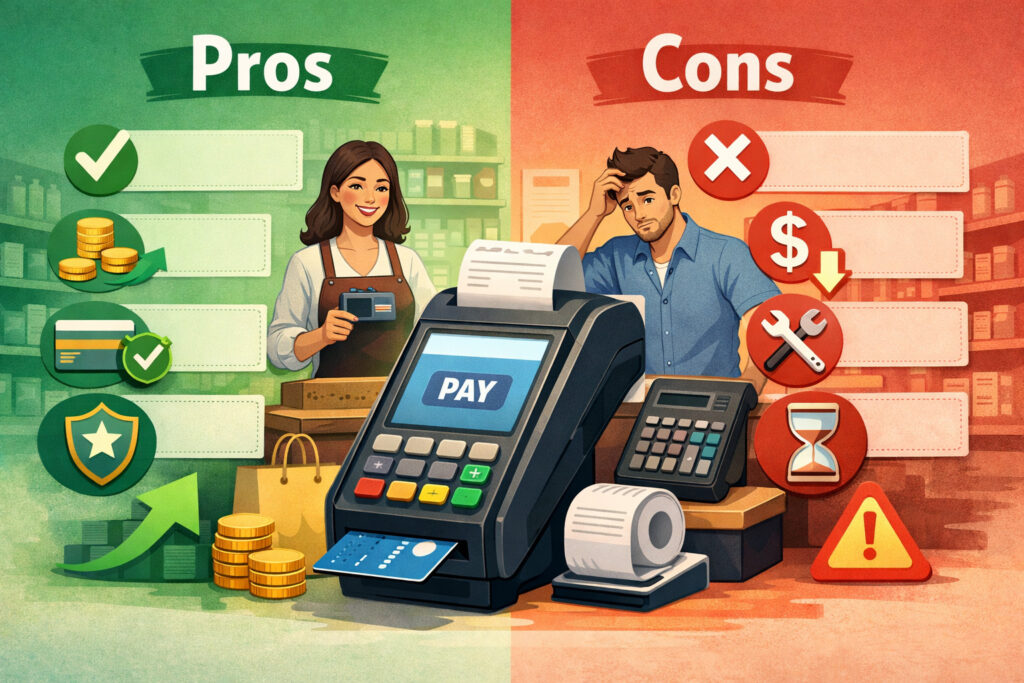
Buying tends to be the “boring” option—and boring is often good in operations. You pay once, you own the asset, and you avoid ongoing equipment payments. But it’s not always the best move, especially when cash is tight or your setup is changing rapidly.
Pros of buying: lower long-term cost and less contract exposure
For many businesses, buying offers the cleanest cost structure:
- You avoid long-term monthly equipment fees
- Your cost becomes predictable after the purchase
- Your TCO is often lower over a multi-year horizon
- You reduce the risk of being stuck in unfavorable merchant services contract terms
Buying can also reduce friction when negotiating processing. If you’re not tied to a lease, you can evaluate options like flat-rate vs interchange-plus pricing based on your actual volume and ticket size, rather than staying put because of equipment obligations.
Operationally, owning a terminal can make expansions easier. Need a second lane or a second location? You can buy another device that matches your system, rather than renegotiating a lease package.
Cons of buying: upfront cash and responsibility for support
The biggest downside is the upfront cost. If your business is new, seasonal, or going through a cash crunch, buying can feel like an unnecessary hit.
Other drawbacks:
- Repairs outside warranty are on you
- You need to manage replacements when devices age out
- Compatibility research is your job (POS, gateway, processor certification)
Also, buying the wrong terminal can be an expensive mistake. A device might technically support EMV and contactless, but still fail your workflow—slow checkout, poor Wi-Fi performance, weak battery life, or limited receipt printing.
Buying is best when you can verify compatibility and you have stable needs. If you’re uncertain, a short-term rental or a month-to-month option can be a smarter bridge than a multi-year lease.
Pros and Cons of Leasing a Terminal
Leasing can be helpful, but it’s also where most regret stories come from. The key is separating flexible rentals from long, non-cancelable equipment leases.
Pros of leasing: low upfront cost and bundled options
Leasing appeals for understandable reasons:
- Little to no upfront hardware cost
- Predictable monthly payment
- Sometimes bundled with replacement coverage
- Easier “all-in-one” onboarding for new businesses
If you’re launching and you need to preserve cash for essentials—inventory, payroll, signage, permits—leasing can keep things moving. Some providers bundle a terminal with a service plan that includes replacements, which can reduce downtime anxiety.
Leasing can also make sense when you have uncertainty: you don’t know whether you’ll need a countertop unit, handhelds, or a different POS setup after the first few months.
Cons of leasing: higher long-term cost and contract risk
The biggest downside is that leasing usually costs more over time. That may be acceptable if it solves a real constraint, but you should be aware of the trade-off.
Other risks:
- Non-cancelable lease clauses
- Auto-renewals that extend payments
- Hardware pricing that is far above market
- Obligations that continue even if you close
- Limited ability to switch processors (or you can switch but still pay the lease)
Leases can also create hidden lock-in. Even if your processing agreement is month-to-month, your equipment lease might not be. That’s how businesses end up stuck paying for hardware they no longer use.
If you lease, your job is to make the contract risk smaller: shorter term, clear cancellation, fair pricing, and verified support obligations.
Red Flags in Lease Agreements You Shouldn’t Ignore
Lease problems aren’t usually subtle. They often show up in plain language—just not in the sales pitch. If you’re comparing terminal rental vs purchase options, these are the red flags to watch for.
Non-cancelable clauses and “hell-or-high-water” language
Some leases include wording that you must pay “no matter what.” That includes business closure, dissatisfaction, or equipment issues.
Look for language like:
- “Non-cancelable”
- “Irrevocable”
- “Unconditional obligation to pay”
- “No right of setoff” (meaning you can’t withhold payments due to disputes)
If you see this, treat it as a high-risk commitment. It may still be workable in rare cases, but you should only proceed if the pricing and term are genuinely favorable and you’re confident your business will operate through the full term.
Auto-renewals and end-of-term traps
Auto-renewals can extend a lease unless you cancel within a narrow window. Sometimes the window is 30–90 days before the term ends.
Common traps:
- Required written notice via specific delivery method
- Renewal for a full additional term
- Renewal at the same payment even though the hardware is old
A lease that quietly rolls over can turn a 36-month obligation into a much longer one.
Inflated hardware pricing and vague model descriptions
If the contract doesn’t clearly identify the exact model, that’s a problem. You should know whether you’re getting a basic countertop unit or a premium smart terminal.
Watch for:
- Generic descriptions like “wireless terminal”
- No mention of LTE vs Wi-Fi
- No pricing breakdown for accessories
- High total lease cost compared to what similar devices sell for outright
You don’t need to be a hardware expert—you just need enough detail to compare fairly.
Maintenance promises that don’t match the contract
Sales conversations often imply that leasing includes everything. The paperwork may say otherwise.
Confirm:
- Who pays shipping for replacements
- Whether accidental damage is covered
- Whether batteries/printers are covered
- Whether support is 24/7 or business hours
- Whether software updates are included
If maintenance is important to you, get it spelled out clearly.
When Leasing May Make Sense (Yes, Sometimes It Does)
Leasing isn’t automatically wrong. It’s just frequently structured in a way that’s expensive and difficult to exit. If the lease is fair and your situation fits, it can be a reasonable tool.
Short-term cash constraints and new business launches
If buying hardware would force you to cut inventory, delay opening, or take on costly debt, leasing can preserve the cash you need to operate.
That said, “leasing” in this scenario is best when it’s:
- A short term
- Clearly cancelable
- Not tied to a separate finance company with a non-cancelable clause
If your provider offers a true rental plan or a low-cost installment plan without punitive ETFs, that can be a healthier version of “pay over time.”
Seasonal businesses and uncertain demand
Seasonal businesses often face a unique mismatch: your revenue is concentrated, but a 48-month payment is spread year-round.
If your volume is uncertain, consider:
- Month-to-month rental during peak season
- Owning low-cost mobile equipment as backup
- Buying a terminal after the first season proves demand
A fixed-term lease can be risky here because it persists in the off-season.
Short-term event rentals and pop-up vendors
For short-term events, buying a full smart terminal can be overkill—especially if you only need it a few weekends per year. This is where short-term event rentals can shine.
A true rental works when:
- You only need equipment temporarily
- You want a quick setup with minimal configuration
- You can return the device immediately after the event
- You don’t want to manage hardware storage or updates
The key is ensuring it’s an actual rental—not a multi-year lease in disguise.
When Buying Is Usually Better for Small Businesses
If your business is stable, buying often wins. Stability means predictable operations: consistent hours, consistent location(s), and a payment setup you’ll still want in 18–36 months.
Stable retail or restaurant operations
Retail and restaurants tend to keep the same core workflow for years. Even when you upgrade your POS, you usually have a clear timeline and budget for it.
Buying is usually better here because:
- Your device stays in daily use
- You avoid paying 36–48 months for a device that may be outdated midway through
- You can align upgrades with POS changes and growth plans
- You keep your options open if you want to reprice processing
If you operate multiple lanes, owned devices can be standardized and redeployed as needed.
Growing businesses and expansion plans
Growth changes hardware needs. You may add:
- Additional checkout stations
- Handheld devices for line-busting
- A second location
- Delivery or curbside workflows requiring LTE
A lease can slow down those changes if you’re stuck paying for equipment that no longer fits. Buying gives you more freedom to adapt and choose the right device for each role.
Multi-location operators and standardization
Multi-location businesses benefit from standardization: same devices, same training, same spares, same troubleshooting steps.
Buying supports that because you can:
- Purchase a consistent fleet
- Keep backup units ready
- Swap devices between locations without contract friction
- Avoid multiple overlapping lease terms
In multi-location environments, contract complexity is a cost. Ownership reduces that complexity.
“Free Credit Card Machine” Offers Explained (What’s Free—and What Isn’t)
“Free” terminal offers are common, and they can be legitimate—but they’re never free in the broad sense. The cost is usually recovered through processing margins, monthly program fees, contract commitments, or restrictions on switching.
The hidden cost paths behind free terminal programs
A free device offer typically recovers cost through one or more of these:
- Higher processing rates or less favorable pricing structure
- A required multi-year processing commitment
- Higher “monthly minimums” or program fees
- A requirement to return the device if you leave (often with replacement charges if damaged)
- A proprietary setup that increases payment processor lock-in
This doesn’t mean you should avoid every free offer. It means you should evaluate the full economics: a slightly higher rate can cost more than buying hardware if your volume is meaningful.
Processing rate trade-offs and pricing models
The biggest variable is pricing. A “free” terminal paired with higher flat-rate pricing may cost more than a purchased device paired with a competitive interchange-plus plan—or vice versa, depending on your tickets and card mix.
When comparing, ask for:
- A full schedule of rates and fees
- Whether pricing is flat-rate vs interchange-plus pricing
- Any monthly program fees
- Any minimums
- Any contract length and ETF details
What to check before accepting “free” hardware
Before you accept, confirm:
- Exact device model and whether it supports EMV/contactless
- Whether it’s new or refurbished
- Warranty terms and replacement process
- POS compatibility (if applicable)
- Whether you must return it if you leave
- Whether the provider can change pricing later and how notice works
A free terminal can be a helpful entry point—but only if the ongoing terms remain competitive and flexible.
Security and Compliance Considerations That Affect the Buy vs Lease Decision
Hardware isn’t just a payment tool—it’s a security endpoint. In 2026, security expectations are higher, and the way a terminal is deployed can affect cost and risk.
PCI compliance: what the terminal does (and what it doesn’t)
PCI compliance is not “solved” by owning or leasing a terminal. It’s a shared responsibility between your business, your processor, and your technology stack.
A terminal helps by:
- Supporting EMV chip transactions
- Supporting contactless payments in a secure flow
- Encrypting data in transit
But PCI compliance also depends on:
- Network security (especially if terminals use Wi-Fi)
- Access control (who can change settings)
- Software updates and firmware management
- Incident response plans if something goes wrong
Leasing sometimes includes compliance programs or scanning tools, but these can also appear as monthly fees. Buying avoids lease fees, but you may still have separate compliance costs depending on your environment.
P2PE and tokenization: when they matter most
P2PE and tokenization reduce the exposure of sensitive card data. For many small businesses, this can simplify risk and reduce the complexity of compliance activities.
However, there are two buyer considerations:
- Some P2PE solutions are tied to specific processors or platforms.
- Tokenization formats can affect POS compatibility, especially if you change systems.
If your strategy includes future processor or POS changes, ask how portable the setup is. Security is good; being trapped in a proprietary ecosystem is not.
Device updates, support windows, and upgrade cycles
Payment terminals must stay supported. A device that can’t receive updates can become unreliable or non-compliant with evolving requirements.
When evaluating buy or lease, ask:
- How long the model is expected to be supported
- How updates are delivered (automatic vs manual)
- Whether updates can disrupt operations (reboots, downtime)
- How long batteries and accessories are expected to last
- What replacement cost looks like after warranty
Leasing can sometimes make updates “someone else’s problem,” but only if replacement and support are clearly included. Otherwise, you may still be stuck paying while dealing with aging equipment.
POS Compatibility and Processor Lock-In: The Practical Reality
Many businesses aren’t buying “a terminal.” They’re buying a checkout workflow that includes hardware, POS software, and processing relationships. That’s why compatibility matters more than ever.
Countertop, mobile, and integrated setups
Most small businesses fit into one of these patterns:
- Countertop credit card terminal used standalone (keypad + receipt)
- Integrated terminal connected to a POS (cloud or local)
- Wireless/LTE credit card machine for mobile service, deliveries, tableside, or events
A standalone countertop unit can be the simplest, but it may not integrate with inventory or loyalty. An integrated setup can improve speed and reporting, but it introduces dependencies.
Buying can help you control those dependencies—if the hardware is compatible across providers. Leasing can make it harder to change if the hardware is tied to a platform.
Payment processor lock-in: where it comes from
Lock-in can come from:
- Proprietary terminals that can’t be reprogrammed
- Exclusive app ecosystems
- P2PE implementations tied to a provider
- POS contracts that bundle processing
- Lease agreements that outlast the processing relationship
The best way to reduce lock-in is clarity. Ask direct questions and get written answers:
- Can this device be re-boarded to a different processor?
- If yes, what does it cost and who performs it?
- If not, what happens to the device if we switch?
Integration costs and operational friction
Integrated setups can have hidden costs:
- Installation time
- Training staff
- Troubleshooting connectivity issues
- Re-certification when you switch processors or update POS software
If you’re leasing an integrated device, you may be paying for hardware while also paying for integration work later to adapt it. Buying doesn’t eliminate integration costs, but it reduces the chance you’re paying for unused hardware while you retool.
Total 3-Year Cost Example: Buy vs Lease (With Transparent Assumptions)
The best way to compare is to put both paths on the same timeline. The numbers below are illustrative examples to help you calculate your own TCO. Your actual pricing will vary by device type and agreement terms.
Assumptions for this example:
- You need one terminal for daily use.
- Buying includes a one-time purchase and optional warranty.
- Leasing is a fixed-term equipment lease.
- We exclude processing fees to focus on hardware economics.
- We include realistic “extras” businesses often pay.
| Cost Element (3 years) | Buy (Own) | Lease (Fixed Term) |
|---|---|---|
| Hardware cost | 1-time purchase | Included in monthly payment |
| Extended warranty / coverage | Optional (annual or one-time) | Sometimes included, often limited |
| Monthly equipment fees | $0 (typical) | Ongoing |
| Replacement / repair buffer | You decide (spare or repair) | Depends on contract coverage |
| Total 36-month hardware spend | Often lower | Often higher |
Now, a numerical illustration using common patterns (not a promise):
| Example Line Item | Buy (Own) | Lease (Fixed Term) |
|---|---|---|
| Upfront hardware purchase | 450 | 0 |
| Optional coverage (3 years total) | 150 | 0–(included or add-on) |
| Monthly lease payment | 0 | 35 |
| Lease add-on/insurance (if applicable) | 0 | 5 |
| Estimated replacement/repair buffer | 100 | 0–100 (depends on coverage) |
| Estimated 3-year total | 700 | 1,440–1,620 |
This example shows the pattern you should test: a “small” monthly payment can become 2–3× the purchase cost over three years, even before considering auto-renewals or end-of-term fees.
Best Option by Business Type (Practical Recommendations)
Different businesses have different constraints. The “best” option is the one that fits your cash flow, risk tolerance, and operational stability.
| Business Type | Typical Needs | Often Best Choice | Why |
|---|---|---|---|
| Retail shop | Stable checkout, minimal mobility | Buy | Lower TCO and easier long-term planning |
| Quick-service restaurant | Speed, integrated POS, possible handhelds | Buy (or flexible rental during transition) | Upgrades and expansions are common; avoid long lock-in |
| Full-service restaurant | Tableside, handhelds, durability | Buy | Device fleets and standardization matter |
| Mobile contractor | LTE, portability, quick setup | Buy (or month-to-month rental if uncertain) | Mobility devices benefit from ownership once workflow stabilizes |
| Seasonal/pop-up vendor | Short bursts, event-based usage | Rental or buy a simple mobile setup | Avoid long leases; match cost to usage |
| Multi-location operator | Standardization, spares, scalable deployment | Buy | Reduces contract complexity and improves flexibility |
These are “often” recommendations, not universal rules. The decision framework later in this guide helps you evaluate your exact situation.
Step-by-Step Decision Framework for 2026
If you want a decision you won’t regret, don’t start with the monthly payment. Start with your operational reality and your contract risk.
Step 1: Evaluate cash flow and runway
Ask yourself:
- Can we comfortably pay for hardware upfront without affecting inventory, payroll, or critical marketing?
- If we buy, do we still have a buffer for unexpected costs?
- If we lease, does the monthly payment constrain growth later?
If cash is tight, consider a middle path: buy a lower-cost device that meets EMV/contactless requirements now, then upgrade later when volume stabilizes.
Step 2: Compare total cost of ownership (TCO)
Build a simple 36-month view:
- Upfront purchase price + warranty/coverage + expected replacements
- Versus total lease payments + add-ons + end-of-term fees/buyout + potential renewal
Include any non-obvious equipment-related charges and credit card terminal leasing costs like insurance add-ons or “program fees.”
Step 3: Review contract terms like you’re planning to exit
Even if you intend to stay, review terms as if you might leave:
- Is there an ETF on the processing agreement?
- Is the equipment lease separate from the processor?
- Is the lease cancelable?
- Are there auto-renewals?
- What happens if you close the business?
If it’s a non-cancelable equipment lease, treat it as a high commitment.
Step 4: Confirm processor compatibility and lock-in risks
Before you sign:
- Confirm POS compatibility (certified models, integration method)
- Confirm re-boarding options if you buy
- Confirm return conditions if you rent
- Ask whether P2PE/tokenization choices affect portability
Step 5: Validate support, updates, and upgrade cycles
Make sure your plan includes:
- How updates are delivered
- Replacement timelines if the terminal fails
- Warranty coverage details
- Your upgrade plan over the next 2–4 years
In 2026, hardware that can’t stay updated is a risk—even if it’s paid off.
Decision Framework Checklist (Print-Friendly)
Use this checklist before you commit to buying vs leasing payment terminals for small business:
- I know the exact terminal model(s) I’m getting (not a generic description).
- I confirmed EMV and contactless payment support is included.
- I confirmed PCI compliance responsibilities and any monthly PCI-related fees.
- I asked whether P2PE and tokenization are used and whether they affect portability.
- I confirmed POS compatibility (if integrated) and who supports troubleshooting.
- I calculated 36-month total cost for both options (not just month one).
- I checked for auto-renewal language and cancellation notice requirements.
- I checked for non-cancelable equipment lease language.
- I understand all early termination fees (ETF) on processing and equipment.
- I verified whether I can switch processors and what happens to the hardware.
- I confirmed replacement and maintenance terms in writing.
- I have a plan for upgrades and device support windows.
Real-World Scenarios: What the Decision Looks Like in Practice
Below are four common scenarios that reflect how payment hardware decisions actually happen. Use them to sanity-check your own situation.
Scenario 1: Retail shop with a stable checkout counter
A small retail shop uses one primary checkout lane and a backup lane during peak season. They rarely change their workflow, and they want predictable costs.
In this case, buying is often the cleaner path. A reliable countertop credit card terminal (or an integrated terminal with their POS) will be used daily, which makes the economics of ownership strong.
The shop also benefits from flexibility: if they renegotiate processing or change providers, they aren’t simultaneously stuck in a lease payment.
Leasing could still work if the business is brand new and cash is tight. But they should avoid a non-cancelable lease. A month-to-month rental or a short-term arrangement can help them ramp up without signing a multi-year contract that outlasts their early learning phase.
Scenario 2: Quick-service restaurant upgrading to a new POS
A quick-service restaurant is migrating to a new POS that supports online ordering, kitchen routing, and faster checkout. They aren’t sure whether they’ll add handheld devices next quarter.
Buying often wins here too, but the timing matters. If the restaurant is in the middle of a system change, they may want flexibility for 60–120 days while the workflow settles. A short-term rental can be reasonable during a transition.
A long equipment lease is risky because restaurant technology changes quickly. New ordering channels, loyalty programs, and integrated payments can trigger a need to change terminals sooner than expected. If you’re locked into a lease, you could pay for older devices while buying new ones anyway.
Scenario 3: Mobile contractor taking payments on-site
A contractor needs to accept payments at job sites and wants a reliable wireless/LTE credit card machine. They may operate in areas with inconsistent Wi-Fi.
Buying is often the practical choice once the contractor confirms the device works in their service area. A mobile workflow depends on battery reliability, LTE performance, and simple receipts. Ownership keeps the contractor from paying long-term for hardware that gets heavy wear and may need replacement sooner.
Leasing might make sense as a short-term bridge if the contractor is testing whether customers prefer card-on-file invoicing, tap-to-pay options, or immediate payment at completion. But again, the safer version is a flexible rental, not a fixed-term lease.
Scenario 4: Pop-up vendor with occasional events
A pop-up vendor works weekend markets and a few seasonal festivals. Their volume spikes during events, but they don’t need hardware daily.
This scenario is where long leases almost never fit. The vendor risks paying for hardware through months of little or no usage. Instead, they should compare:
- Short-term event rentals (when available and truly short-term)
- Buying a simple mobile setup that they own and reuse
- Choosing a lightweight acceptance method that matches their event schedule
If the vendor expects to do frequent events year-round, ownership often becomes cheaper quickly. If events are occasional, rental can keep costs aligned to actual use.
FAQs
Q1) Is it cheaper to buy or lease a credit card terminal?
Answer: In many cases, buying is cheaper over a 2–3 year period because you avoid long-term monthly equipment fees. Leasing can cost more when you add up the full term and any add-ons. The exception is when you truly need short-term flexibility or cash preservation and the lease terms are fair.
Q2) Are credit card terminal leases cancelable?
Answer: Some are, many aren’t. A fixed-term equipment lease may be written as a non-cancelable agreement. Always check the contract language and ask for the exact cancellation policy in writing.
Q3) What happens if I close my business during a lease?
Answer: With a non-cancelable lease, you may still owe the remaining payments even if the business closes. Some leases also add additional fees. This is why it’s critical to understand your obligations before signing.
Q4) Are “free” credit card machines really free?
Answer: Usually “free” means no upfront cost, not no cost at all. The cost is often recovered through processing rate trade-offs, monthly program fees, or contract requirements. Compare the full 12–36 month cost, not just month one.
Q5) How long do credit card terminals last?
Answer: It depends on usage, support windows, and update availability. Some devices last several years, but the practical limit is often software support and compatibility, not physical durability.
Q6) Can I switch processors if I lease equipment?
Answer: Sometimes you can, but you may still owe the lease payments. Also, the terminal may be configured in a way that’s not reusable with another processor. This is a common form of payment processor lock-in.
Q7) Do leased terminals include maintenance?
Answer: Sometimes, but don’t assume. “Maintenance included” can mean limited phone support only. Confirm replacement coverage, shipping, accidental damage terms, and turnaround time.
Q8) What is a non-cancelable lease?
Answer: A non-cancelable lease is a contract where you’re obligated to make payments for the full term regardless of changes in your business—such as closing, switching providers, or changing equipment needs.
Q9) How do I calculate total cost of ownership (TCO)?
Answer: For buying: purchase price + warranty/coverage + expected repair/replacement costs over your timeline. For leasing: (monthly payment × term months) + add-ons + end-of-term fees/buyout + any required program fees tied to the lease.
Q10) What is the best option for a small startup?
Answer: If cash is stable, buying often reduces long-term cost and contract risk. If cash is tight, consider a flexible rental or a lower-cost purchased option before signing a long lease.
Q11) Is terminal rental vs purchase different from leasing?
Answer: Yes. A rental is often month-to-month and returnable. A lease is often a fixed-term financing agreement. The risk profile is very different—ask which one it is.
Q12) Will buying a terminal guarantee I can use it with any processor?
Answer: No. Compatibility depends on model certification, re-boarding capability, and security configuration. Always confirm with the processor you plan to use and your POS provider if integrated.
Q13) How do early termination fees (ETF) apply to equipment?
Answer: ETFs can exist in the processing agreement and separately in an equipment lease. You might exit processing but still owe the equipment lease. Identify both obligations before signing.
Q14) Should I choose flat-rate or interchange-plus pricing when I buy hardware?
Answer: It depends on your ticket size, card mix, and volume. The hardware decision is separate from pricing, but owning equipment can make it easier to shop pricing without lease obligations.
Q15) How can I reduce risk if I decide to lease?
Answer: Prefer month-to-month rental, avoid non-cancelable language, demand clear end-of-term terms, confirm total cost over the term, and ensure support obligations are written and specific.
Conclusion
For most stable small businesses, buying tends to deliver lower total cost of ownership and fewer contract surprises. Leasing can make sense when it’s truly flexible or when cash constraints are real and short-term—but fixed-term, non-cancelable equipment leases introduce risks that many owners underestimate.
A smart 2026 decision isn’t about whether leasing is “bad.” It’s about whether the specific agreement is fair, cancelable, compatible with your POS and processor strategy, and aligned with your upgrade cycles.