If you’re trying to buy a credit card machine for your business, it’s easy to get overwhelmed fast: “free terminal” offers, confusing contracts, and a maze of device types that all sound the same.
In 2026, the reality is simpler than it looks—as long as you match the hardware to how you actually take payments and you understand the long-term costs.
This credit card machine buying guide is written for owners of retail shops, restaurants, service businesses, and mobile vendors who want a practical, buyer-focused plan—without hype.
You’ll learn how today’s “credit card machines” really work (terminal vs POS vs mobile reader), how compatibility can lock you in (or not), what security features matter now (including PCI DSS 4.0-era expectations), and how to compare providers and contracts with confidence.
If your goal is buying a credit card machine for small business use—without overpaying or getting stuck—use this guide as your step-by-step playbook.
What a “credit card machine” means in 2026
A “credit card machine” used to mean one thing: a countertop terminal with a keypad, a receipt printer, and a phone line. In 2026, the term covers several device categories—each with different costs, capabilities, and tradeoffs. Getting this definition right is the first way to avoid buying the wrong equipment.
At a high level, you’ll see three common paths:
- Card terminals (standalone): Purpose-built devices that run payment transactions. They can be countertop, wireless (Wi-Fi), or cellular/LTE. They’re often paired with a receipt printer and can include a PIN pad and debit acceptance features.
- Point-of-sale systems (POS): Software-first systems (often tablet-based or “smart terminals”) that handle payments and business operations like items, taxes, inventory, employees, and reporting. This is where the “credit card terminal vs POS system” decision matters most.
- Mobile readers and phone-based acceptance: Small readers that connect to a phone/tablet, or “tap to pay” / “tap on phone” options where an NFC-capable phone can accept contactless payments directly, depending on your provider and eligibility.
The best device for you depends on how you sell: counter checkout vs tableside service, job sites vs storefront, quick tickets vs high-ticket invoices, and whether you need features like tip adjustment, itemization, or offline mode.
Step 1: Define your business needs before you shop
Before comparing devices, outline your needs like you’d outline equipment for your kitchen or tools for your crew. This step prevents the classic mistake: buying a machine that looks affordable, then discovering you need add-ons, upgrades, or a different setup to run your business.
Start with your selling environment:
- Counter-based checkout: You may want a countertop credit card machine with a fast EMV chip reader, strong receipt options, and reliable power and internet.
- On-the-go / at customer locations: You’ll likely need a wireless credit card machine (Wi-Fi) or a cellular/LTE credit card terminal, or a mobile card reader setup with a phone/tablet.
- Mixed environments: Many businesses do both. In that case, prioritize consistency: the same provider, the same reporting, and compatible devices that sync.
Then map your transaction profile:
- Monthly volume + busy hours: Higher volume means you should prioritize stability, speed, and support. If lines form quickly, a slow device costs more than it saves.
- Average ticket size: Higher tickets may justify stronger fraud tools, more robust receipts, and better dispute support.
- Debit + PIN needs: If customers expect debit acceptance, confirm PIN pad and debit acceptance is supported on your chosen hardware and pricing plan.
- Tips and tip adjustment: Restaurants and service businesses need tip prompts and “tip adjust” functionality that fits your workflow (e.g., adding tips after authorization). Tip adjustment is a major reason some basic terminals fail in real-world restaurant use.
Now list the “operational needs” that often get overlooked:
- Inventory and item detail: If you track SKUs, modifiers, or categories, a terminal alone may feel limiting. A POS may be more efficient long-term.
- Online payments + in-person payments: If you want the same system for invoices, online checkout, and in-person card present, select a provider ecosystem that supports both.
- Receipts: Decide if you need printed receipts, text/email receipts, or both. Receipt preferences affect whether you need an integrated receipt printer or a separate one.
Counter vs mobile: what “friction” looks like in real life
A device can be “feature-rich” and still be a bad fit if it adds friction at checkout. Think about the small stuff:
- Do you need to hand the customer a device to tap/insert, or will it stay fixed?
- Will Wi-Fi be reliable where the device sits (near the front windows, outdoors, or in a metal kiosk)?
- Are your staff comfortable with split checks, tip flows, voids, and refunds?
- Do you need quick item buttons, or is “enter amount” good enough?
If your operation is simple, a terminal can be perfect. If you’re constantly doing itemized sales, tips, discounts, and reports, a POS workflow can reduce errors and speed up checkout.
Types of credit card machines by business type (comparison table)
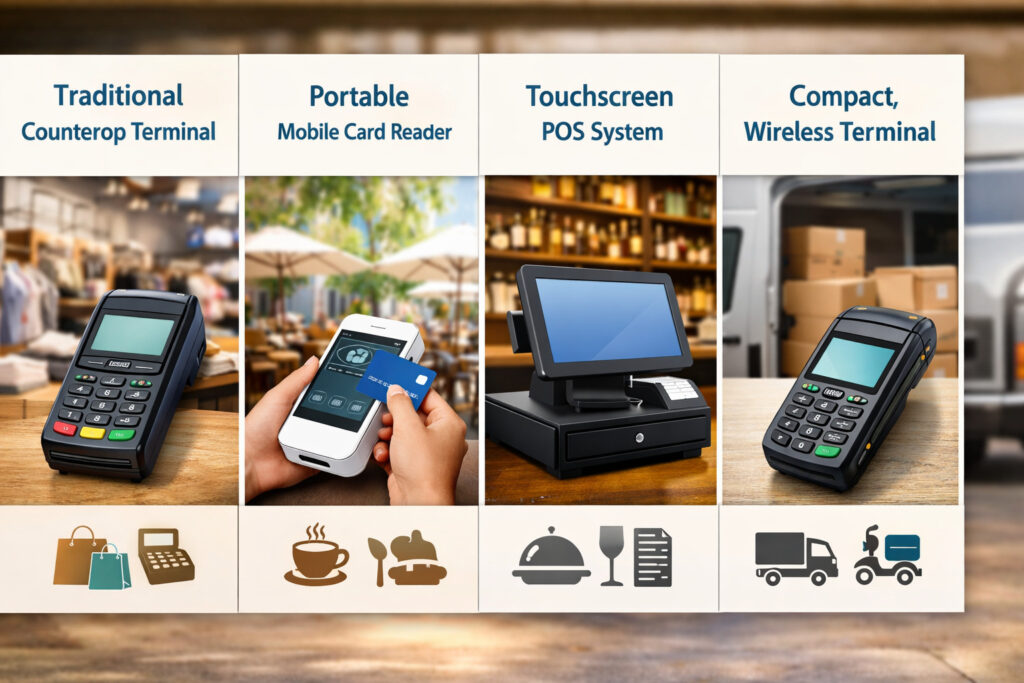
This table focuses on device types and best-fit use cases—so you can choose confidently without getting pulled into brand hype.
| Business type | Best-fit device type | Why it fits | Watch-outs |
|---|---|---|---|
| Retail counter (low–mid SKU complexity) | Countertop terminal or smart terminal | Fast checkout, stable setup, easy training | Make sure it supports contactless/NFC and receipts |
| Retail counter (inventory-heavy) | POS system with integrated payments | Inventory, returns, reporting, barcode workflows | Subscription costs; hardware lock-in |
| Restaurant (counter service) | POS or smart terminal with tipping | Tip prompts, itemization, modifiers | Confirm tip adjustment + refund/void flows |
| Restaurant (tableside) | Wireless/Wi-Fi terminal or handheld POS | Tableside pay, faster table turns | Wi-Fi coverage; device durability |
| Service business (on-site) | Cellular/LTE terminal or mobile reader + tablet | Works at job sites; easy receipts | LTE reliability; offline/store-and-forward policies |
| Mobile vendor (markets/events) | Cellular/LTE terminal or mobile reader | Portable, quick setup | Battery life; peak-hour connectivity |
| Pop-up seasonal | Rent short-term or buy a low-cost mobile setup | Avoid long commitments | Rental fees add up; confirm compatibility |
| Appointment-based services | Terminal or POS with invoice links | Smooth checkout; can combine in-person + invoice | Need unified reporting and customer management |
Step 2: Choose the right device type
Once you’ve defined needs, pick a device category that matches the workflow. This is where many buyers get upsold—either to a POS they don’t need, or to a “cheap terminal” that can’t handle their real-life checkout.
Countertop credit card machines
A countertop terminal is the classic “plug it in and run cards” device. Modern countertop machines typically support:
- EMV chip reader (insert)
- contactless/NFC payments (tap)
- Swipe (still used as fallback in certain scenarios)
- Optional receipt printing (built-in or external)
- Optional PIN pad capability for debit
Countertop terminals are ideal when you have a dedicated checkout location and stable power/internet. They can also be a great fit for service businesses that run payments at a front desk.
Where countertop terminals can fall short is workflow complexity. If you need detailed item lines, inventory, or robust employee tools, a POS can reduce chaos.
Wireless/Wi-Fi terminals
A wireless credit card machine (Wi-Fi) is built for mobility within a location: tableside, curbside, patio, or moving around a showroom. It connects to your Wi-Fi network and often has a battery designed for shift-long use.
Wi-Fi terminals are a strong fit for:
- Tableside payment in restaurants
- Busy retail floors where staff meet customers where they are
- Service counters with limited space
The downside is Wi-Fi dependency. Dead zones, congestion, or router problems can create “it worked yesterday” headaches. If Wi-Fi is unreliable, you’ll want either a dual-connectivity setup (Wi-Fi + cellular) or a cellular-first terminal.
Cellular/LTE credit card terminals
A cellular/LTE credit card terminal uses a mobile network connection, which can be more reliable than Wi-Fi in some environments—especially temporary setups, outdoor kiosks, or job sites.
Cellular terminals are best for:
- On-site service work
- Mobile vendors at events
- Backup connectivity when Wi-Fi is down
But cellular is not magic. Performance depends on signal strength and network conditions. Also confirm:
- Whether the data plan is included or billed separately
- Whether the device can fall back to Wi-Fi when available
Mobile card readers and phone/tablet-based options
A mobile card reader (small reader paired with a phone/tablet) can be the cheapest and most flexible way to start. It’s popular for:
- New businesses testing a concept
- Appointment-based service providers
- Low-volume mobile vendors
In 2026, many providers also support phone-based tap to pay options where an NFC-enabled device can accept contactless payments without a separate reader, depending on eligibility and provider. This is often described as “tap on phone” or SoftPOS.
The tradeoff: phone/tablet acceptance can be extremely convenient, but it’s not always the best for high-volume environments. Screen prompts, receipt handling, staff controls, and durability can become issues when you scale.
Integrated POS terminals vs standalone terminals
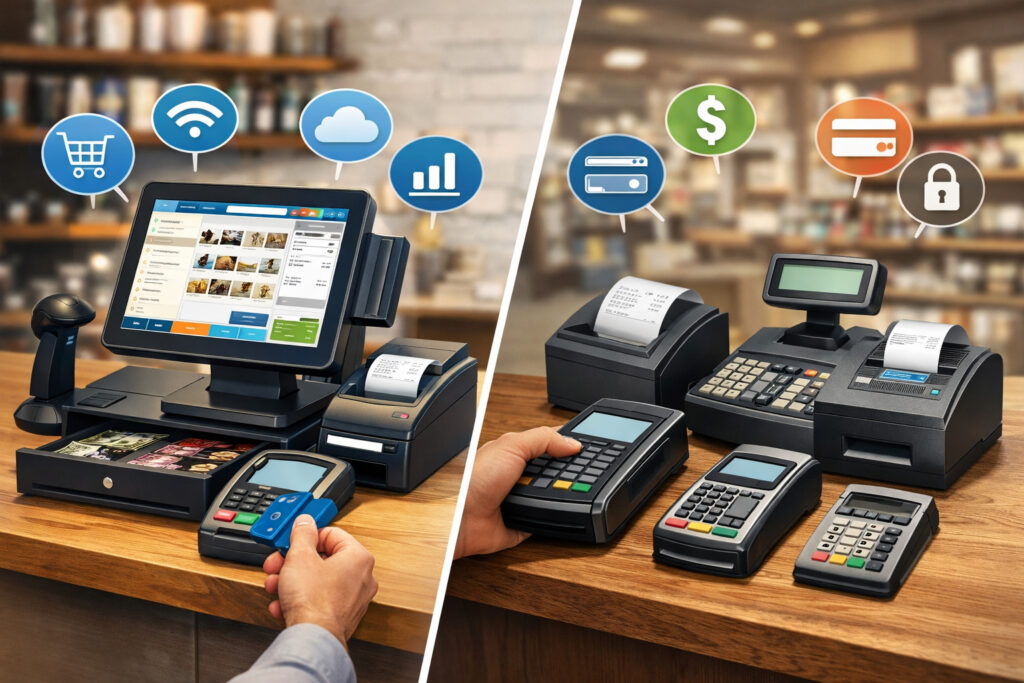
An integrated POS terminal (sometimes called a “smart terminal”) combines payment acceptance with POS software on the device. A standalone terminal focuses on payments only.
- Choose standalone if you primarily need payments with minimal operational features.
- Choose POS if you need inventory, itemization, employee controls, reporting, and integrations.
Step 3: Understand compatibility and avoid accidental lock-in
Compatibility is one of the most expensive “hidden” issues when you buy hardware. Some machines are open and can work with multiple providers. Others are locked to a specific processor or platform.
The key question: Is the device processor-locked, or can it be reprogrammed (or onboarded) to another provider?
Processor lock-in vs open/compatible devices
Some providers supply proprietary devices that only work within their ecosystem. This can be fine—if you like the ecosystem and the long-term pricing and support. But it becomes a problem when you want to switch.
“Open” devices may be compatible with multiple processors, but compatibility still depends on:
- The device model and certification
- The provider’s supported device list
- The gateway/software used
- Whether the provider supports the feature set you need (tips, offline mode, debit, etc.)
Even when hardware is technically “open,” your provider may require specific firmware or a specific configuration. Compatibility is not just physical—it’s operational.
Why some machines won’t work with every provider
Here’s what often blocks compatibility:
- Certification and security requirements: Providers typically only support devices that meet their security and certification standards.
- Software integrations: A POS may only integrate with select payment processors.
- Feature support: Some providers don’t support tip adjustment on certain devices, or don’t support certain receipt workflows.
- Device management: Providers often deploy updates, encryption keys, and remote settings—this can be ecosystem-specific.
When buying, don’t ask “Will it work?” Ask: “Will it work with my provider, with the features I need, in my environment?”
Step 4: Security must-haves in 2026
Security is not just a compliance checkbox. Strong security reduces fraud exposure, lowers the risk of data incidents, and can make dispute resolution easier. In 2026, buyers should understand the basics of modern terminal security and what to require from both device and provider.
EMV and contactless/NFC are non-negotiable
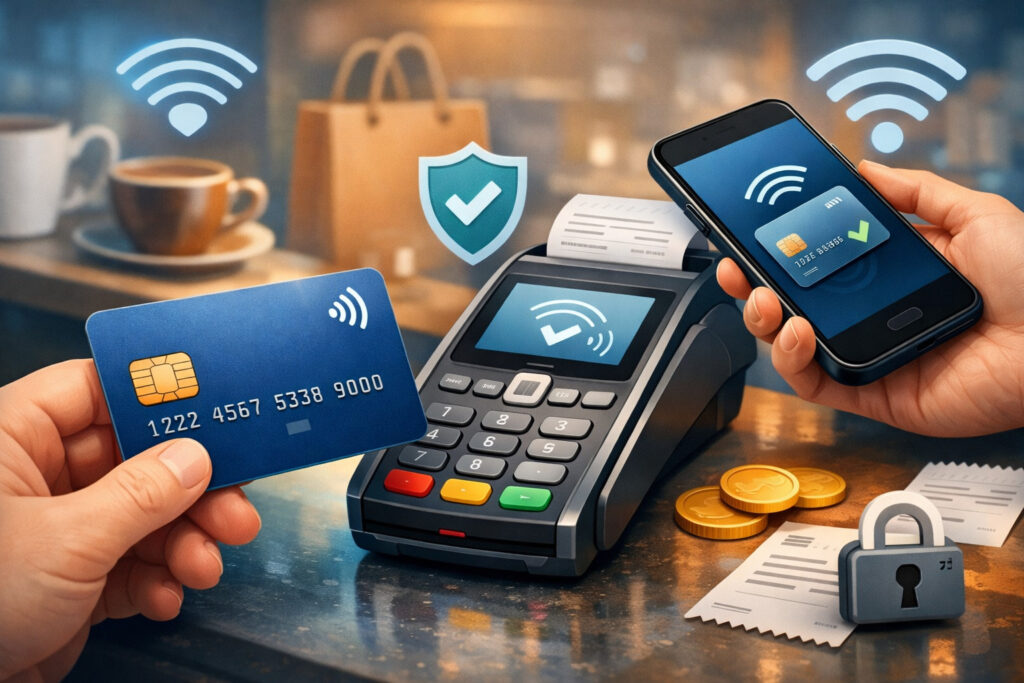
At minimum, your device should support:
- EMV chip reader (chip insert)
- contactless/NFC payments (tap)
- Mobile wallet taps (where supported)
Contactless acceptance has expanded dramatically, including phone-based tap solutions in many ecosystems. If your device can’t tap, you’re creating unnecessary friction at checkout and potentially losing customers who expect it to “just work.”
PCI compliance basics (what you should actually care about)
“PCI compliance” can sound intimidating. For most small businesses, the practical goal is:
- Use validated, secure payment hardware/software
- Don’t store card data
- Follow basic security hygiene (passwords, access, updates)
PCI DSS has continued to evolve, and PCI DSS v4.0 introduced changes with phased timelines; requirements designated as best practices became mandatory after the future-dated deadline. The buyer takeaway is simple: choose a provider and device setup that makes compliance easier, not harder.
Ask your provider:
- What level of PCI support is included?
- Are there PCI fees, and what do they cover?
- What do you provide (tools, scans, documentation), and what is the merchant responsible for?
P2PE and tokenization: what they are and when they matter
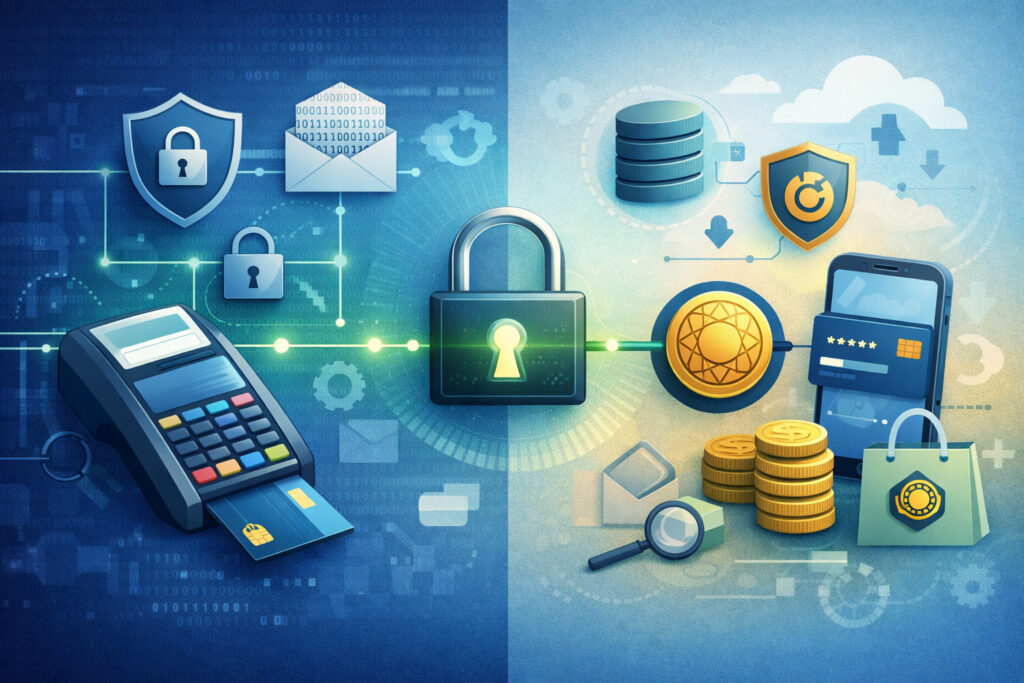
Two terms you’ll hear a lot:
- P2PE (point-to-point encryption): Card data is encrypted at the point of interaction (the device) and stays encrypted until it reaches a secure decryption environment. This can reduce the “scope” of what you must protect.
- Tokenization: Sensitive card data is replaced with a non-sensitive token in downstream systems (receipts, saved customer profiles, reporting). Tokens reduce exposure if other systems are compromised.
You don’t need to become a security engineer to shop wisely. The practical approach is:
- Prefer solutions that minimize your exposure to card data.
- Use devices and providers that support modern encryption, tokenization, and secure updates.
Device tamper protection and staff permissions
Security isn’t only about hackers. It’s also about preventing accidental misuse and reducing internal risk.
Look for:
- Tamper-resistant device design and tamper detection
- User roles/permissions (especially for POS systems)
- Audit logs for refunds, voids, discounts
- The ability to restrict manual key-entry when appropriate
Step 5: Understand the real costs (not just the sticker price)
One of the biggest mistakes in buying a credit card machine is focusing on the device price and ignoring the costs that show up month after month. The right way to shop is to calculate the total cost of ownership over at least 24–36 months.
Hardware price and what “included” really means
Hardware costs can range from low-cost mobile setups to higher-cost smart terminals and full POS bundles. The important part is not the price—it’s what you’re getting:
- Does it include a receipt printer?
- Does it include a PIN pad or debit acceptance?
- Is a docking station required?
- Is there a warranty, and how long?
- Are replacements available quickly if the device fails?
A cheaper device can become expensive if it breaks during peak hours and support is slow.
Software subscriptions and add-ons
If you’re using a POS or a payment app with advanced features, you may pay a monthly subscription for:
- POS software licenses (per location or per device)
- Inventory and employee modules
- Online ordering or invoice tools
- Advanced reporting or loyalty
Make sure you understand whether those tools are optional or required to operate the device.
Processing fees: what affects rates
Processing fees typically depend on:
- Card-present vs card-not-present: In-person EMV/tap is generally lower risk than keyed-in, invoice, or online payments.
- How the card is captured: Chip and contactless can reduce certain fraud risks vs magstripe.
- Business type and risk profile: Some business models are higher risk and may see different pricing structures.
- Pricing model: The big distinction is often interchange-plus vs flat-rate pricing.
A practical comparison:
- Flat-rate pricing is simpler and predictable, often good for low volume or newer businesses.
- Interchange-plus can be more transparent and potentially more cost-effective for stable volume and certain ticket profiles, but it can look complex.
Monthly and annual fees to watch
Fees vary widely by provider. Ask for a full fee schedule and look specifically for:
- Monthly fees (gateway, PCI, statement)
- Minimum processing requirements
- Annual fees
- Chargeback fees and retrieval fees
- Next-day funding fees (if applicable)
- Batch fees or “non-qualified” surcharges (if they still appear in your market)
- Support fees (rare, but they exist)
Step 6: Buy vs lease vs rent (comparison table)
Most owners who get burned on “credit card machines” get burned on the agreement, not the device. Leasing is the most common trap because it sounds affordable upfront—but often costs far more long-term.
Here’s a practical comparison.
| Option | Pros | Cons | Best for | Who should avoid |
|---|---|---|---|---|
| Buy | Lowest long-term cost; you own the hardware; easier to switch strategies later | Higher upfront cost; you must manage warranty/replacements | Most stable businesses that plan to accept payments long-term | Anyone who isn’t sure the device is compatible |
| Lease (hardware lease) | Low upfront; can include replacement clauses | Often very expensive over time; can be hard to cancel; may be non-cancellable | Rare cases where cash flow is extremely tight and terms are truly fair | Most small businesses—especially new owners |
| Rent (short-term) | Great for short events; minimal commitment | Monthly cost can add up; device selection may be limited | Pop-ups, seasonal booths, short projects | Long-term operations (rent becomes costly) |
Why leasing often costs more than you think
Leases can bundle equipment cost plus financing plus service terms. The payment may look small, but total cost over the term can exceed the device price many times over. Leasing can also come with restrictive terms that outlast your actual needs.
If you’re considering leasing, ask:
- Is it cancellable? Under what conditions?
- What is the total cost over the full term?
- Who provides support—leasing company or processor?
- What happens if you change processors?
When renting makes sense
Renting can be smart if you need a terminal for a short period and you don’t want a long contract. Examples:
- Seasonal events
- Temporary locations
- One-off pop-ups
But watch for: shipping fees, insurance requirements, and minimum rental periods. If your “short-term” becomes long-term, run the math quickly—buying can become cheaper within a few months.
Step 7: Compare providers and contracts like a buyer (not a target)
Hardware is only one part of the decision. Your provider relationship controls your processing rates, support experience, funding times, and how painful it is to fix problems.
What to ask providers before you commit
Ask these questions in writing:
- Pricing model: Is it interchange-plus or flat-rate? What’s the markup or flat rate?
- All recurring fees: List every monthly/annual fee (gateway, PCI, statement, software, support).
- Funding times: When do deposits hit your bank? Are there extra costs for faster funding?
- Chargebacks and fraud protection: What tools do you provide? How do you support representation?
- Hardware compatibility: Can I use my own machine? Which exact models are supported?
- Support: Is support available during your business hours? What’s the typical replacement time if hardware fails?
- Contract term: Month-to-month or term commitment? Are there early termination fees?
Contract red flags to watch for
These are the patterns that usually cause regret:
- Long auto-renewals that you must cancel in a narrow window
- ETFs (early termination fees) that are large or unclear
- “Free terminal” offers that require a long commitment or offset costs with higher fees
- Leasing presented as the default option
- Vague fee disclosures (“small monthly fee” without a schedule)
If a provider can’t give you a clear fee schedule, don’t move forward.
“Free credit card machine” offers: how to evaluate them
A free device isn’t automatically bad. It can be fine if:
- You’re on a fair month-to-month processing agreement
- The device is current, secure, and supports EMV + contactless
- You understand what happens if you switch providers or close the account
But many “free” offers are simply a different pricing strategy. The device cost is recovered through:
- Higher processing margins
- Extra monthly fees
- Long contract terms
Step 8: Implementation that prevents checkout disasters
Buying the right device is only half the job. Implementation is where many businesses lose time, create staff frustration, and accidentally increase fraud risk.
Setup basics: receipts, paper, and connectivity
Plan your physical setup:
- Place devices where customers can comfortably tap/insert without awkward reach.
- Keep extra receipt paper (if you print) and test the printer before day one.
- If you use Wi-Fi, verify signal strength at the terminal location.
- If you use cellular/LTE, test it during peak hours in your exact location.
Staff training: avoid “button-mashing” mistakes
Train staff on:
- Chip vs tap vs swipe fallback
- Voids vs refunds (and when to use each)
- Tip prompts and tip adjustment (if applicable)
- Split payments and partial refunds (if your business does these)
- End-of-day batch/settlement steps (if required)
Even a 20-minute structured training can eliminate most “oops” refunds.
Testing and backups: your plan when internet fails
In 2026, some solutions support offline mode / store-and-forward, where eligible transactions can be captured during connectivity loss and forwarded when the connection returns—often with risk controls and limits.
Offline capability can be valuable, but it carries risk: approvals may occur later, and some transactions may be declined after the fact. Treat offline mode as a continuity tool, not a default way to operate.
Your backup plan might include:
- A secondary connection type (Wi-Fi plus cellular)
- A second device ready to go
- A manual fallback process for rare cases (with clear rules to reduce fraud risk)
Recommended best-fit picks (category-based, not hype)
Rather than pushing specific models, here are practical “best-fit” categories. The best credit card machines for businesses are the ones that match your workflow and cost structure.
Best for retail counter
Look for a modern countertop or smart terminal that supports:
- Fast EMV + contactless/NFC payments
- Simple SKU/item options (if needed)
- Reliable receipt handling (printed and/or digital)
- Refund/void controls and basic reporting
If you have inventory complexity, consider a POS setup that integrates payments and inventory so returns and reporting stay clean.
Best for restaurants and tipping
Restaurants should prioritize:
- Tip prompts and tips and tip adjustment workflows that match your service style
- Options for tableside (wireless) and counter service
- Employee permissions and audit logs
- Split checks and partial payments (if relevant)
If tableside is a major part of your business, a handheld POS or wireless terminal category is usually worth the investment.
Best for mobile service businesses
Mobile businesses do best with:
- Cellular/LTE credit card terminal (for job sites and variable connectivity), or
- A mobile reader + tablet setup that supports digital receipts and invoices
Look for durable hardware, long battery life, and clear offline/store-and-forward policies if you work in low-signal areas.
Best budget starter option
For new businesses validating a concept, the best budget category is often:
- A mobile reader paired with a phone/tablet, or
- A provider-supported tap to pay phone option if eligible
The goal at this stage is to start accepting payments quickly while keeping commitments flexible. As volume grows, you can upgrade to a more durable, faster workflow.
Step-by-step buying checklist (use this before you purchase)
Use this checklist to keep the decision practical and avoid contract surprises.
- Define where you take payments
- Counter, tableside, on-site, events, mixed
- List must-have features
- EMV chip, tap/contactless, debit + PIN, receipts, tipping, offline backup, itemization
- Choose the device category
- Countertop, Wi-Fi wireless, cellular/LTE, mobile reader, POS/smart terminal
- Confirm payment processor compatibility
- Exact device model compatibility list; required software/gateway
- Validate security expectations
- PCI support, tokenization, P2PE availability, updates, user permissions
- Price the total cost (24–36 months)
- Hardware + software + processing + monthly/annual fees
- Compare buy vs lease vs rent
- Don’t accept leasing without total-cost math
- Review contract terms
- Term length, auto-renewal, ETFs, equipment return policies
- Plan implementation
- Receipts, staff training, testing, connectivity backup
- Run a live test
- A real transaction, refund/void, tip flow (if relevant), settlement
FAQs
Q.1: What’s the difference between a credit card machine and a POS system?
Answer: A credit card machine (terminal) primarily runs payments—tap, chip, swipe, and sometimes debit PIN. A POS system includes payments plus business operations like items, taxes, inventory, staff roles, reporting, and sometimes online ordering.
If you mostly enter amounts and need simple checkout, a terminal can be perfect. If you need itemization, inventory, detailed reports, and employee controls, a POS is often the better fit. The important decision is not which is “better,” but which matches your workflow and growth plans.
Q.2: Do I need a merchant account to buy a credit card machine?
Answer: Not always. Some setups use a traditional merchant account, while others use a payment facilitator model where onboarding is streamlined and the provider aggregates merchants under a larger master account.
This is often summarized as merchant account vs payment facilitator. The practical difference for most owners is onboarding style, support structure, and sometimes funding and risk policies. Ask your provider which model they use and how it affects funding holds, chargeback handling, and account stability.
Q.3: Should I buy or lease a credit card machine for my business?
Answer: In most cases, buying is cheaper long-term and gives you more flexibility. Leasing can look affordable upfront but often costs significantly more over the term and can be difficult to cancel.
Renting can make sense for truly short-term needs like temporary events, but becomes expensive if you keep renting for months. If you’re considering leasing, insist on the total cost over the full term and compare it to buying outright.
Q.4: Are “free credit card machines” really free?
Answer: Sometimes the device cost is simply recovered through other pricing components—higher processing margins, monthly fees, or long contract terms.
A free machine can still be a fair deal if your ongoing fees and terms are transparent and competitive. The key is to evaluate total cost over 24 months, not just the upfront price. Also ask what happens if you leave: do you return the device, pay for it, or lose support?
Q.5: Can I use my own credit card machine with any processor?
Answer: Not always. Many devices are processor-locked or require specific certifications and firmware. Even “open” devices may not work with every provider because of gateway, software, or feature limitations.
Before buying hardware independently, request the provider’s exact compatible model list and confirm required features like tips, debit PIN, receipts, and offline/store-and-forward.
Q.6: What fees should I watch for when buying a credit card machine?
Answer: Watch for:
- Monthly fees (gateway, PCI, statement)
- Software subscriptions for POS features
- Annual fees
- Chargeback and retrieval fees
- Early termination fees and auto-renewal clauses
- “Non-cancellable” lease terms
Always ask for a full fee schedule in writing and calculate total cost over at least 24 months.
Q.7: Do credit card machines work without the internet?
Answer: Some can operate in limited ways using offline mode / store-and-forward, where transactions are captured and forwarded once connectivity returns—often with risk controls and limits.
Offline acceptance can help during outages, but it’s not risk-free: approvals can fail later. If reliable connectivity is a concern, consider a cellular/LTE terminal or a dual-connectivity setup, and treat offline mode as a backup plan.
Q.8: What is EMV and why does it matter?
Answer: EMV refers to chip card transactions that use dynamic data and stronger security than older magstripe swipes. An EMV chip reader helps reduce certain fraud risks and is now a baseline expectation for in-person payments.
If your device can’t support EMV properly, you may face higher fraud exposure and a worse customer experience. In 2026, EMV plus contactless is a practical minimum for most businesses.
Q.9: How do I accept contactless payments?
Answer: You need hardware (or an eligible phone-based setup) that supports contactless/NFC payments. That includes taps with contactless cards and mobile wallets. Many modern terminals and smart POS devices support NFC by default.
Some ecosystems also support phone-based “tap to pay” acceptance for eligible merchants. When shopping, confirm that contactless is enabled and test it during setup.
Q.10: What is P2PE and do I need it?
Answer: P2PE (point-to-point encryption) encrypts card data at the device and keeps it encrypted until it reaches a secure environment. It can reduce your exposure and simplify aspects of compliance.
Whether you “need” it depends on your risk tolerance, environment, and provider offerings. If you’re handling high volume, operating multiple lanes, or want maximum reduction of card-data exposure, ask your provider about P2PE options and what it changes for your compliance responsibilities.
Q.11: What’s the difference between interchange-plus and flat-rate pricing?
Answer: Interchange-plus breaks pricing into the underlying interchange costs plus a provider markup. It can be more transparent and may be cost-effective for steady volume.
Flat-rate pricing charges a consistent rate that’s easier to understand and predict, often helpful for low volume or newer businesses. The “best” model depends on your ticket size, volume, and desire for simplicity versus granular transparency.
Q.12: Will I need a receipt printer?
Answer: Not always. Many businesses now use digital receipts via text or email. But if your customers expect paper receipts, or you operate in environments where digital receipt capture is inconvenient, a printer matters.
Some terminals include built-in printing; others require an external printer. Confirm compatibility, paper type, and whether the printer is included or an add-on.
Q.13: How do chargebacks and fraud protection differ by provider?
Answer: Some providers offer strong tools: transaction notes, customer verification options, clear dispute workflows, and dedicated support. Others treat disputes as mostly self-serving.
Ask about chargeback fees, representment support, and what fraud tools exist for card-present vs keyed-in payments. Your provider’s response quality matters as much as the fee schedule.
Q.14: What does “payment processor compatibility” mean for POS systems?
Answer: With POS systems, compatibility often means the POS software only integrates with certain payment processors. Even if a terminal is technically compatible, the POS may not support it.
If you’re buying a POS, confirm which processors are supported and whether switching later is possible—or whether the POS is tied to one ecosystem.
Q.15: Is “tap to pay” the same as contactless?
Answer: “Contactless” describes the payment method (NFC tap) using a card or mobile wallet. “Tap to pay” is commonly used to describe enabling that acceptance on certain devices, including phones in some setups.
In practice, you want to ensure your checkout can accept NFC tap payments reliably, whether through a terminal, smart POS, or an eligible phone-based solution.
Conclusion
To buy a credit card machine for your business wisely in 2026, focus on best-fit—not buzzwords. Start by defining your real-world checkout environment and must-have features (EMV, contactless, receipts, tipping).
Then choose the right device category (countertop, Wi-Fi wireless, cellular/LTE, mobile reader, or POS) and verify payment processor compatibility before you spend a dollar. Finally, compare providers by total cost and contract terms, not just headline rates.
Security matters too. Choose modern EMV + contactless acceptance and work with a provider whose setup supports practical PCI hygiene and up-to-date security expectations. And remember: the deal that looks cheapest on day one can be expensive if it locks you into bad fees, weak support, or an inflexible ecosystem.