
By John Burton August 19, 2026
A receipt has to contain enough information to document a legitimate sale without exposing cardholder data that should never leave the secure payment environment. The challenge continues after printing: businesses also need to know which copies to retain, where to store them, and when they can be securely destroyed.
For merchants, retailers, restaurants, service businesses, bookkeepers, payment managers, and POS administrators, effective Receipt Configuration and Retention therefore covers an entire information lifecycle:
Transaction → Receipt Generation → Customer Copy → Merchant Record → Secure Storage → Retrieval if Needed → Secure Disposal
There is no single rule that determines every field on every receipt or one retention period that applies to every business record. Federal law, PCI DSS, card-network rules, processor agreements, tax requirements, state and local laws, and a merchant’s own operational needs can all apply to different parts of the process.
One rule is particularly important for U.S. merchants. Under the Fair and Accurate Credit Transactions Act, or FACTA, electronically printed credit and debit card receipts provided to cardholders at the point of sale may show no more than the last five digits of the card number and must not show the expiration date.
The Federal Trade Commission emphasizes that the rule concerns electronically printed customer receipts, not handwritten or manually imprinted receipts or the merchant’s retained transaction record.
PCI DSS addresses a different issue: protecting payment account data wherever organizations store, process, transmit, or display it. PCI DSS is an industry security standard, not a federal law. It also does not create a universal receipt-retention period.
The practical goal is straightforward: configure receipts to expose as little payment data as necessary, preserve the transaction evidence the business legitimately needs, and destroy records securely once their applicable retention purpose has ended.
What Is a Payment Receipt?
The term “receipt” can refer to several documents that serve different purposes. Understanding those differences is the foundation of sound receipt configuration because a payment-terminal receipt is not automatically the same thing as the store’s itemized sales receipt, an invoice, or the accounting record supporting a tax return.
A payment-card or terminal receipt documents the card transaction. Depending on the network, processor, transaction type, and terminal, it may identify the merchant, transaction date, transaction type, amount, masked card identifier, authorization reference, and other payment information.
Mastercard’s current transaction-processing rules, for example, specify transaction-receipt elements including the merchant’s doing-business-as name and location, transaction type, truncated PAN, purchase information, total, date, authorization information when applicable, and certain chip information.
A POS sales receipt generally documents what was sold. It can contain item descriptions, quantities, discounts, subtotal, tax, tip, fees, total, order number, cashier or location identifiers, and return-policy information.
A POS may send the payment request to a separate payment terminal, meaning the business can have both a detailed POS record and a payment-network transaction record for one sale.
An invoice is typically a request or record of an amount owed for identified goods or services. Depending on the business model, payment might occur when the invoice is issued, later through a payment link, by ACH, by card, or through another method.
A tax receipt or tax invoice is a document used to meet particular federal, state, local, or industry tax requirements.
Required tax invoice receipt elements vary considerably by jurisdiction and transaction type, so merchants should not assume that a compliant card receipt automatically satisfies every sales-tax, lodging-tax, VAT-like, or other recordkeeping requirement.
Finally, a merchant transaction record is the retained evidence of the payment. It may exist only electronically in a processor portal, POS database, settlement system, or accounting platform rather than as a printed merchant copy.
What Information Should Appear on a Receipt?
There is no nationwide rule making one identical collection of POS receipt mandatory fields applicable to every merchant and every payment method. Receipt printing requirements can come from several sources, including card-network standards, consumer-protection laws, tax rules, local regulations, processor agreements, and the particular transaction being processed.
For ordinary retail and restaurant receipts, useful information commonly includes the merchant name, transaction date, amount, applicable tax, transaction type, payment method, a safely masked card identifier, an order or invoice number, and information needed to understand a refund or return.
Current Mastercard rules provide a useful example of how network requirements can be more specific: its transaction-receipt rules call for merchant identification and location, transaction type, truncated PAN, sufficient purchase and tax detail, transaction amount and currency, transaction date, and authorization approval information where obtained.
That does not mean every field in the following checklist is universally required. A merchant should determine the actual payment receipt requirements applicable to its network, processor, POS, jurisdiction, and transaction type.
| Receipt Field | Usually Useful | Legal/Network Requirement? | Security Note |
| Merchant name | Yes | Often required by network or other applicable rules | Use a recognizable business identity |
| Transaction date | Yes | Common network requirement | Important for returns and reconciliation |
| Total amount | Yes | Common network/operational requirement | Must match the authorized/final transaction |
| Tax | Where applicable | Depends on transaction and tax rules | Clearly distinguish from subtotal |
| Masked card digits | Often | Subject to FACTA/network rules when shown | Never exceed applicable display limits |
| Expiration date | No | Prohibited on FACTA-covered customer receipts | Configure it not to print |
| Authorization/reference | Often | Network-dependent | Prefer transaction identifiers over PAN |
| CVV/CVC/CID | No | Must not be retained after authorization under PCI DSS | Never print or retain |
| PIN/PIN block | No | Prohibited sensitive authentication data | Never print or retain after authorization |
FACTA establishes a federal ceiling for the electronically printed customer receipt: no more than the last five card-number digits and no expiration date.
Card-network rules can be stricter. Mastercard, for example, currently requires electronically generated cardholder transaction receipts to show only the last four PAN digits and omit the card expiration date.
Merchant Name and Address on Receipts
A recognizable merchant identity helps customers understand the charge, locate the business, request a return, and distinguish a legitimate transaction from an unfamiliar one.
Depending on the applicable network rules, the receipt may require a merchant name plus city, state or province, country, or other location information. Mastercard’s general transaction-receipt rule identifies the merchant’s DBA name and location among required receipt elements.
The merchant name address on receipt should not be confused with the cardholder’s billing-statement descriptor. Although those identifiers should be consistent enough to avoid confusion, they may be formatted differently because payment networks and processors impose specific transaction-message rules.
Visa’s Merchant Data Standards likewise emphasize consistency between merchant data used through the transaction lifecycle and information reflected on the transaction receipt.
During terminal receipt setup, merchants should therefore test what customers actually see rather than assuming the legal business name stored in an administrative account is automatically the best customer-facing identifier.
Transaction Date, Time, Amount, Tax, Tip, and Total
Transaction date and time provide a useful reference for refunds, chargeback research, staff review, end-of-day reconciliation, bookkeeping, and fraud investigations.
A network may require the transaction date even when time is optional for a particular transaction. Mastercard, for example, expressly includes the transaction date among general POS receipt elements.
Amounts deserve equally careful POS receipt configuration. Where relevant, a customer should be able to distinguish merchandise or service charges, subtotal, tax, gratuity, permitted surcharge or convenience fee, adjustments, and final total.
Whether a particular fee is permitted and how it must be disclosed depends on applicable law, card-network requirements, and the merchant’s acceptance arrangement; businesses should not add or label card-related fees merely because the POS offers a configurable field.
A restaurant provides a simple example. If a customer has a $50 meal, applicable tax, and a $10 gratuity, the receipt and payment record should make it possible to understand how the final amount was derived rather than leaving an unexplained total that complicates a later dispute.
FACTA and Credit Card Number Truncation

FACTA’s receipt rule is one of the clearest federal credit card receipt requirements affecting U.S. merchants.
The law, implemented through the Fair Credit Reporting Act, states that a person accepting credit or debit cards for business may not print more than the last five digits of the card number or the card’s expiration date on a receipt provided to the cardholder at the point of the sale or transaction.
The Federal Trade Commission’s FACTA receipt guidance summarizes the rule in operational terms: electronically printed customer receipts must be truncated to no more than the last five account-number digits and have the expiration date removed.
The statutory scope matters. The FTC explains that the provision applies to electronically printed receipts, not handwritten or manually imprinted receipts, and applies to the receipt provided to the customer rather than the transaction record retained by the merchant.
That distinction does not make retained merchant records unrestricted; PCI DSS, payment-brand requirements, privacy obligations, processor rules, and other laws may still control what can be stored and how it must be protected.
How Many Card Digits Can Print?
For a FACTA-covered electronically printed receipt provided to a cardholder, the federal standard is no more than the last five digits of the card number. That is a maximum, not a recommendation to print five digits.
In practice, network rules can require stronger card receipt masking. Mastercard’s current rules say an electronically generated cardholder receipt must show only the last four digits of the PAN, with preceding positions represented by nonnumeric fill characters, and must omit the expiration date.
A safe customer-facing format might therefore read:
Card ending in 1234
That avoids publishing a full example PAN and gives the customer enough information to recognize the payment credential. Merchants should use the masking configuration approved by their processor or payment application instead of manually altering security-sensitive terminal parameters.
Old hardware is not a defense for outdated receipt configuration. Businesses should test every terminal, lane, mobile reader, kiosk, backup device, and receipt-reprint workflow because a forgotten device can produce a different receipt template.
Expiration Dates on Receipts
For FACTA-covered electronically printed customer receipts, the card expiration date must not be printed. The federal requirement is separate from PAN truncation: a merchant does not satisfy FACTA merely by masking the account number while leaving the expiration date visible.
Network rules reinforce the same approach. Mastercard’s current general rule states that electronically generated transaction receipts must not include the card expiration date.
Merchants should therefore configure expiration-date fields so the date is omitted rather than relying on an employee to notice and remove it. Reprints and merchant-copy templates should also be reviewed because they may be generated by a different subsystem.
FACTA itself is specifically directed at electronically printed receipts given to cardholders at the point of sale, so businesses should avoid turning that provision into an unsupported claim about every electronic document, manually created record, or retained file. Other security, contractual, or network requirements may still prohibit or restrict the same data.
PCI DSS Receipt Masking and Sensitive Authentication Data

PCI DSS complements receipt security but should not be confused with FACTA. The PCI Security Standards Council describes PCI DSS as a baseline of technical and operational requirements for protecting payment account data.
It applies to organizations that store, process, or transmit cardholder data or sensitive authentication data and to systems that can affect the security of the cardholder-data environment.
For display purposes, current PCI DSS Requirement 3.4.1 requires PAN to be masked unless the viewing party has a specific business need to see the full number. PCI SSC specifically identifies receipts, reports, logs, and screens as examples of displays. The standard’s masking rule does not override stricter receipt requirements imposed by law or a payment brand.
PCI SSC also distinguishes masking from truncation. Masking conceals digits when PAN is displayed or printed; PCI uses truncation as one method of rendering electronically stored PAN unreadable. FACTA commonly uses “truncate” when discussing printed receipts, so merchants may encounter both terms in compliance materials.
| Issue | FACTA | PCI DSS |
| What it is | Federal law affecting specified cardholder receipts | Payment-industry security standard |
| Main purpose | Limit card information on electronically printed customer receipts | Protect payment account data across systems and processes |
| Receipt truncation/masking | No more than last five PAN digits; no expiration date on covered receipts | Masks PAN displays while recognizing stricter legal/network requirements |
| Card-data storage | FACTA receipt provision does not set the full PCI storage framework | Requires protection and data-minimization controls |
| Enforcement/compliance context | Federal statutory obligations and potential legal liability | Compliance programs administered through payment brands, acquirers, and related entities |
What Must Never Print on a Receipt?
A properly configured payment receipt should never become a storage mechanism for sensitive authentication data. PCI SSC identifies full track data or equivalent chip data, card verification codes, and PIN/PIN block information as sensitive authentication data that merchants may not store after authorization. The prohibition applies even if the merchant encrypts the data.
Therefore, a receipt or retained receipt image should never contain:
- CVV, CVV2, CVC, CVC2, CID, or comparable card verification values
- a cardholder PIN or any portion of the PIN
- a PIN block
- full magnetic-stripe track data or equivalent sensitive chip data
- passwords, terminal administrator credentials, encryption secrets, or similar security credentials
- an unnecessary full PAN
Mastercard independently prohibits PIN information and CVC2 from appearing on transaction receipts or other acquirer or merchant documents.
The PCI SSC guidance on card-verification codes is especially clear: merchants may collect those codes when needed for authorization, but PCI DSS prohibits storing them after authorization, even when encrypted.
Customer Copies, Merchant Copies, Signatures, EMV, and Wallets
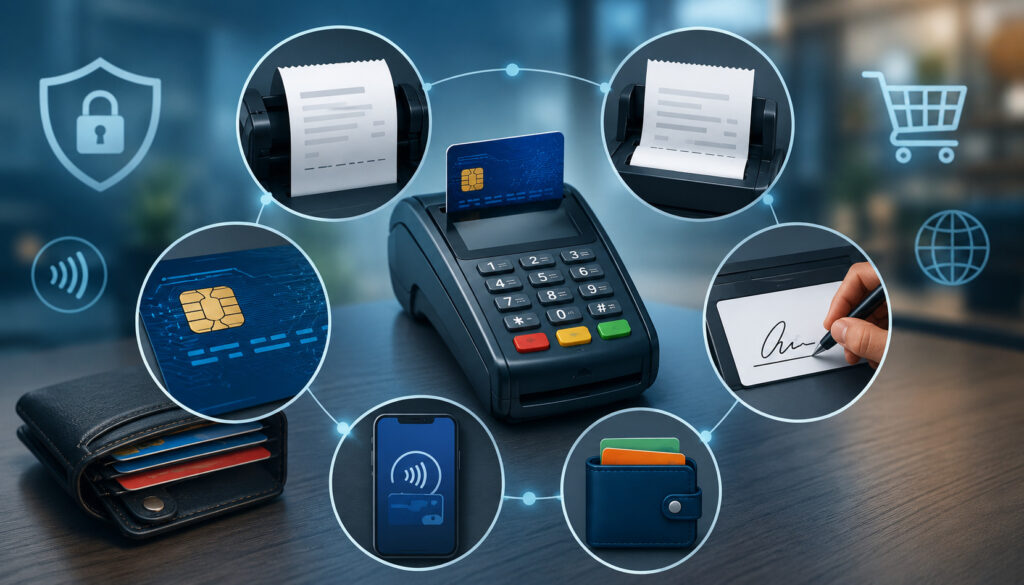
Customer and merchant copies can legitimately contain different operational information. A merchant copy, for example, may contain a staff identifier, internal order reference, or a signature area when signature collection is appropriate. But “merchant copy” does not mean unrestricted copy.
FACTA’s specific truncation provision concerns the customer-facing electronically printed receipt rather than the record the merchant retains, but PCI DSS and card-network requirements still govern stored and displayed account data.
Visa has also long recommended minimizing PAN on merchant copies rather than assuming the full card number is necessary for dispute management.
Current Mastercard rules strongly recommend that merchant copies generated by electronic POS terminals also display only the last four PAN digits. Its rules additionally prohibit PIN information and CVC2 from merchant documents.
Signature Lines and EMV Receipt Configuration
Signatures are not universally required for every modern card transaction. Mastercard’s current rules state that signature collection is optional in the circumstances addressed by its cardholder-verification provisions.
Its receipt requirements call for signature space on the merchant copy when the merchant chooses or is legally required to collect a signature for a signature-based transaction, while directing that the signature area be omitted when PIN, a consumer-device cardholder verification method, or no CVM is used.
For EMV transactions, merchants should allow the certified payment application, processor, and terminal configuration to control EMV-related data. Network rules may permit or require ordinary transaction identifiers such as an application label or AID on certain receipts, but that does not justify exposing secret cryptographic information or authentication data.
Do not manually change secure EMV parameters to make a receipt “more detailed.” Terminal receipt settings that interact with certified payment functionality should be changed through documented processor or vendor procedures.
Contactless and Mobile Wallet Receipts
A mobile-wallet receipt can show the last-four digits that differ from the digits printed on the physical card. That can be normal because a tokenized wallet transaction may use a payment credential associated with the account rather than exposing the original physical-card PAN.
Mastercard’s receipt rules expressly address this possibility: when an access device is presented, the receipt uses the truncated PAN associated with the account accessed through that contactless device, which may differ from the PAN on a linked physical card.
Employees should be trained on this point. A cashier investigating a refund should not automatically conclude that a transaction is fraudulent simply because the last four digits on a wallet receipt differ from the plastic card later presented.
Use the transaction ID, order record, amount, date, processor search tools, and approved refund workflow to locate the original transaction. Avoid bypassing those controls by manually typing card details merely to make numbers “match.”
Digital Receipts and Paper Receipts
Digital receipts can reduce paper handling and make records easier to search, but they introduce their own privacy and security considerations. Email addresses and mobile numbers collected for receipt delivery are personal information and should not be treated as automatic consent for unrelated marketing.
A digital receipt should avoid unnecessary payment-account data just as a printed receipt should. Secure links, authenticated customer portals, limited retention, controlled employee access, and properly protected receipt databases can all reduce exposure. Sending a receipt electronically does not create an exemption from payment-data security requirements.
Card-network rules also demonstrate why merchants should not assume that every card transaction requires a paper receipt.
Visa has published transaction-receipt changes providing greater flexibility in several environments, while Mastercard permits digital receipts in circumstances covered by its rules and expressly states in its Europe provisions that a merchant’s retained copy can be stored digitally.
Actual customer receipt rules remain dependent on transaction type, network, merchant agreement, and applicable law, including any state or local requirements.
| Issue | Paper Receipt | Digital Receipt |
| Customer convenience | Immediate physical copy | Easy remote delivery and retrieval |
| Storage | Requires physical space | Can be centralized electronically |
| Searchability | Often manual | Usually easier to index and search |
| Security risk | Theft, discarded copies, printer waste | Unauthorized access, account compromise, misdirected delivery |
| Disposal | Secure shredding/destruction | Secure deletion and lifecycle management |
| Audit retrieval | Depends on filing discipline | Often faster if records are indexed correctly |
Payment Terminal and POS Receipt Configuration
Good payment terminal receipt settings should be treated as controlled payment configuration rather than cosmetic formatting. Receipt templates affect privacy, customer service, accounting, disputes, and potentially legal compliance.
A practical terminal receipt setup review should include the following workflow:
- Confirm the correct merchant or DBA identity.
- Verify transaction date and time.
- Confirm approved PAN masking on the customer copy.
- Confirm the expiration date is omitted where required.
- Verify that CVV, PIN, PIN blocks, and track data cannot print.
- Configure subtotal, tax, tip, and permitted fee fields correctly.
- Configure return or refund wording where appropriate.
- Test customer and merchant copies separately.
- Review email, SMS, app, and web receipt settings.
- Verify the finished configuration against processor and POS-provider guidance.
The POS and payment terminal may each create a transaction record, which is why integrated merchants need additional reconciliation controls. A standalone terminal might authorize $74.25 while the POS order accidentally records $72.25 because of an integration or manual-entry error. The receipt may look normal even though the systems disagree.
POS Receipt Configuration and Test Receipt Audit
An effective POS receipt configuration review looks beyond masking. Administrators should verify merchant identity, tax rules, gratuity behavior, discounts, fees, order IDs, payment type, refund references, and whether duplicate receipt generators are active.
Test legitimate processor-approved transaction scenarios rather than experimenting with hidden menus or undocumented service codes. A useful test set includes:
- card-present purchase
- contactless or wallet purchase
- tipped transaction where applicable
- properly disclosed fee scenario where applicable
- void
- full refund
- partial refund
- receipt reprint
For every test, compare the POS order, terminal receipt, processor portal, settlement record, and accounting import when applicable. The transaction amount, order reference, payment state, and merchant identity should remain consistent.
A receipt audit trail should also preserve changes rather than silently replacing history. If a $100 sale is later partially refunded by $30, the system should retain evidence of the original $100 transaction and the separate $30 refund instead of rewriting the original sale as $70.
What Is Receipt Retention and How Long Should Businesses Keep Receipts?
Receipt retention means preserving transaction records for a legitimate operational, contractual, tax, accounting, dispute, audit, or legal purpose. It does not mean keeping every receipt forever.
There is no single universal receipt retention period for business records. The correct period depends on what the record proves and why the business needs it.
PCI SSC explicitly states that PCI DSS does not specify a minimum or maximum period for storing cardholder data; instead, Requirement 3.2.1 requires a retention and disposal policy that limits storage to what is needed for legal, regulatory, or business purposes.
Sensitive authentication data remains prohibited after authorization regardless of an ordinary retention schedule.
Possible retention drivers include card dispute rules, a merchant-acquirer agreement, processor portal availability, federal and state tax documentation requirements, warranties and returns, contract terms, accounting policies, litigation holds, state law, and industry-specific regulations.
That is why Financial record keeping duration should be determined by record category rather than by a slogan such as “keep all receipts for seven years.”
Card Disputes and Receipt Retention
Transaction evidence can help a merchant respond to retrieval requests and payment disputes, but the receipt retention period business owners select should not be based on an invented universal chargeback number.
Network dispute timelines vary by reason, transaction circumstances, and contractual rules, and processors may impose operational deadlines for merchants to submit supporting evidence.
A useful dispute file may contain more than a merchant copy receipt. Depending on the sale, supporting material may include:
- order or invoice details
- transaction and authorization references
- proof of delivery or service
- customer communications
- relevant terms accepted by the customer
- refund and cancellation records
- signed acknowledgment where legitimately applicable
- evidence linking the customer to a digital transaction
A basic receipt does not guarantee that a chargeback will be successfully defended.
Some network rules impose recordkeeping requirements on acquirers rather than establishing a merchant’s universal retention period.
For example, Mastercard’s current rules require an acquirer to retain each transaction record it receives or sends for at least 13 months or longer when applicable law requires it. That rule should not be misquoted as “every merchant must keep every receipt for 13 months.”
Tax Record Retention
Federal tax recordkeeping is another separate retention driver. The IRS explains that businesses generally should retain records supporting income, deductions, or credits until the applicable period of limitations has expired.
The usual federal income-tax period is three years in many situations, but the IRS lists longer periods for circumstances such as substantial omitted income, bad-debt or worthless-security claims, employment taxes, fraudulent returns, or unfiled returns.
That guidance does not mean every thermal card slip must physically survive for the full tax period. The issue is whether the business retains adequate records supporting the relevant income, expense, tax, or accounting entry.
A POS report, invoice, processor settlement report, bank record, and properly retained digital receipt may collectively document a transaction without requiring an unnecessary paper card slip. Businesses should nevertheless confirm federal, state, local, industry, processor, and professional-adviser requirements before destroying originals.
Financial Record-Keeping Duration and Receipt Retention Matrix
A defensible receipt recordkeeping policy starts by identifying record types and assigning each one its own retention driver. This is far more effective than giving employees a single instruction to “keep receipts.”
A business may need a POS sales record to support revenue reporting, a card transaction record to reconcile processor settlements, a refund record to connect a credit to the original sale, and chargeback evidence for a dispute. Those records can have different useful lives and different security classifications.
The retention schedule should document the reason for keeping a record, the system of record, access permissions, disposal trigger, and any event that suspends normal deletion. A litigation hold, tax examination, regulatory inquiry, active dispute, or unresolved customer claim may require otherwise eligible records to be preserved.
| Record Type | Why Retained | Retention Driver | Storage Method |
| POS sales record | Revenue, returns, inventory, accounting | Tax/accounting policy and applicable law | POS/database/archive |
| Card transaction record | Reconciliation and payment research | Processor/acquirer and business need | Processor portal or secured database |
| Merchant receipt | Transaction evidence where needed | Operational, contractual, or dispute need | Secure digital or physical storage |
| Refund record | Links credit to original sale | Accounting, customer service, dispute requirements | POS/payment platform |
| Tax invoice | Supports tax treatment | Applicable tax law | Approved recordkeeping system |
| Chargeback evidence | Supports dispute response | Network/processor dispute process | Controlled case repository |
| Deposit/settlement report | Reconciles card batches to bank deposits | Accounting and tax requirements | Accounting/document archive |
PCI SSC’s current guidance also reinforces the principle of data minimization: stored cardholder data should be limited to what is genuinely required, while stored sensitive authentication data such as full track data, card-verification values, and PIN block information is prohibited after authorization.
Electronic and Paper Receipt Storage
Secure payment receipt storage requires more than choosing between a filing cabinet and cloud storage. The controls should match both the sensitivity of the record and its legitimate retention purpose.
For electronic receipt retention, businesses should use role-based access, authenticated accounts, encryption where appropriate, backups, documented retention rules, tamper-resistant audit logging where needed, and reliable deletion procedures.
Searchability matters too: retaining millions of receipt files provides little operational value if staff cannot quickly locate the transaction connected to an order, refund, settlement, or dispute.
Stored PAN brings additional PCI DSS obligations. PCI SSC states that cardholder data must be protected under applicable PCI DSS requirements wherever it is stored and that data no longer required should be securely deleted or rendered unrecoverable.
Paper records deserve equivalent attention. A merchant should restrict access to stored receipt boxes or files, avoid leaving merchant copies beneath terminals, protect archives from theft and deterioration, and use secure destruction rather than ordinary waste disposal for records containing sensitive customer or transaction information.
Can Paper Receipts Be Scanned and Destroyed?
Scanning can improve searchability and reduce physical storage, but merchants should not assume that digitization automatically authorizes destruction of an original document. The answer depends on what the record represents and which legal, tax, contractual, processor, evidentiary, or industry rules apply.
Before destroying an original, confirm that the electronic image captures the necessary information accurately, remains readable throughout the applicable retention period, has appropriate access controls, and can be retrieved in a usable form if needed.
The same security rules apply to scanned images. PCI SSC warns that entities should remove or obscure prohibited sensitive authentication data before creating stored images rather than preserving scanned documents containing information that cannot lawfully remain after authorization.
Digitization should therefore be treated as a controlled records process, not simply as photographing old merchant slips and placing the images in an unrestricted shared folder.
Audit Trail Storage Requirements, Refunds, and Voids
Effective Audit trail storage requirements focus on reconstructing the transaction lifecycle. An auditor, bookkeeper, manager, or dispute analyst should be able to follow the progression:
Sale → Refund/Void → Settlement → Deposit → Accounting Record
The objective is not to expose more card data. It is to preserve enough non-sensitive identifiers to connect business events.
For a refund, the business should ideally be able to identify the original transaction reference, refund transaction reference, refund amount, date, employee or system user responsible, and final status. A void should similarly remain linked to the authorization or sale that was canceled.
Current Mastercard rules illustrate the importance of transaction-specific refund evidence: its refund receipt requirements include the refund date, a description of the returned products, canceled services, or adjustment, and the refund amount.
A strong POS transaction record retention design should preserve the original transaction instead of overwriting it whenever a change occurs. If an employee voids a payment, reopens an order, reprints a receipt, or issues a partial refund, the audit record should make that sequence visible.
Employee Access to Stored Receipts
Least privilege should govern receipt access. Cashiers may need to retrieve recent sales for returns; accounting personnel may need settlement reports; managers may need refund and reprint logs. None of those roles automatically needs unrestricted access to every stored receipt or full cardholder-data environment.
Access controls also make investigations more reliable. If twenty employees share one administrator account, the business may be unable to determine who retrieved, reprinted, changed, exported, or refunded a transaction.
Consider restricting high-risk functions such as bulk exports, receipt reprints, administrative configuration changes, and deletion to specifically authorized personnel. Where the system supports audit logs, review whether it records refund creation, voids, reprints, permission changes, and access to historical transaction data.
The safest retention strategy begins before storage: do not print, collect, or retain unnecessary card data in the first place.
Secure Receipt Disposal and Incident Response
A retention policy is incomplete without a disposal policy. Once a receipt or transaction record has satisfied all applicable legal, contractual, operational, tax, and hold requirements, the business should dispose of it in a way that makes unauthorized recovery appropriately difficult.
For paper receipts, that may mean cross-cut shredding or an approved secure-destruction service. Locked destruction bins can help prevent discarded documents from sitting unprotected before collection. Third-party destruction services should be selected and managed with appropriate contractual and operational controls.
Electronic deletion requires more thought than dragging a file to a trash folder. Copies can remain in document archives, exports, backups, email attachments, POS databases, synchronized devices, or disaster-recovery systems. Organizations should design deletion processes around their actual storage architecture and retention obligations.
Receipt printers themselves also create risk. Test transactions, failed prints, abandoned customer copies, merchant reprints, and paper removed during printer jams should be handled as business records rather than casual trash.
Lost or Stolen Merchant Receipts
When stored merchant receipts are lost, stolen, or accessed by an unauthorized person, respond according to what was actually exposed rather than assuming either that nothing happened or that every lost receipt is automatically a reportable data breach.
A defensive workflow is:
- Determine what records are missing and what information they contained.
- Secure remaining receipt files, systems, credentials, and physical records.
- Notify appropriate management, security, privacy, or incident-response personnel.
- Preserve logs and evidence needed to investigate the event.
- Follow the organization’s documented incident-response process.
- Contact the processor, acquirer, qualified security professional, insurer, or legal counsel when appropriate.
- Evaluate notification and reporting requirements based on the data involved and applicable law.
PCI DSS obligations can become particularly significant if the exposed records contained cardholder data. Sensitive authentication data appearing in stored receipts would also indicate a configuration or collection problem that requires correction, not merely replacement of the missing paperwork.
Common Receipt Configuration Mistakes and Checklists
Many receipt problems are preventable. Common failures include printing too many PAN digits, allowing expiration dates to appear on customer receipts, storing CVV or track data, assuming a merchant copy can contain unrestricted payment information, displaying the wrong merchant name, miscalculating taxes or fees, leaving paper copies unsecured, granting excessive reprint permissions, and retaining old receipt images indefinitely.
Another frequent problem is fragmentation. The terminal, POS, gateway, accounting software, and processor portal may all hold separate representations of the same transaction. If nobody knows which system is authoritative, refund research and audit work become unnecessarily difficult.
Use the following receipt configuration checklist during implementation and periodic reviews.
| Setting | What to Verify |
| Merchant name | Customer recognizes the business |
| Location/contact | Accurate and appropriate |
| Date/time | Correct timezone and transaction timing |
| Amount/tax | Totals and applicable tax agree with POS |
| PAN truncation/masking | Meets FACTA plus stricter network/processor rules |
| Expiration date | Not exposed on covered receipts |
| CVV/PIN | Never printed or retained after authorization |
| Tip/fee fields | Correct, lawful, and properly disclosed where applicable |
| Refund reference | Links correctly to original transaction |
| Digital receipt | Protects customer contact and payment information |
| Merchant copy | Does not contain unnecessary sensitive data |
| Reprint security | Correct template and authorized access |
A separate receipt retention checklist should require the business to identify record types, document legal and contractual drivers, assign a retention period by category, minimize card data, limit access, maintain required backups, apply litigation or regulatory holds, securely destroy eligible records, document the policy, and review it periodically.
Questions to Ask Your Processor or POS Provider
A processor or POS provider is often in the best position to explain exactly how a particular payment application generates customer copies, merchant records, and reprints. Configuration options can differ substantially among terminals, semi-integrated systems, cloud POS platforms, mobile readers, and unattended devices.
Ask specific operational questions rather than simply asking whether the system is “compliant.” Useful questions include:
- How is the PAN masked on customer receipts?
- Does the terminal ever print a card expiration date?
- Can customer and merchant copies be configured separately?
- Where are merchant receipt records stored?
- Can digital receipts be delivered securely?
- Which employees can retrieve or reprint historical receipts?
- Are receipt reprints logged?
- How are voids and refunds linked to the original transaction?
- How long are transactions available through the merchant portal?
- Can transaction and receipt records be exported?
- What records should be retained for dispute responses?
- Which receipt settings are controlled by the processor rather than the merchant?
- How should historical receipt records be securely deleted?
- What happens to archived records after an account is closed?
For network-specific questions, merchants can also consult current Visa rules and Mastercard transaction-processing rules. Visa’s current public rules are periodically revised, and Mastercard’s detailed receipt standards demonstrate why merchants should verify their own acceptance configuration instead of relying on generic assumptions.
Frequently Asked Questions
What information must be on a credit card receipt?
There is no single universal U.S. list for every card receipt. Required information can depend on the card network, processor, transaction type, state or local law, and tax rules.
Common elements include merchant identification, transaction date, transaction type, amount, safely masked card information, and an authorization or transaction reference. Mastercard, for example, publishes detailed transaction-receipt requirements.
How many digits of a card number can appear on a receipt?
For a FACTA-covered electronically printed receipt given to the cardholder, federal law permits no more than the last five digits. A card network may impose a stricter limit. Mastercard’s current general rule for electronically generated cardholder receipts permits only the last four PAN digits.
Can a credit card expiration date print on a receipt?
Not on an electronically printed customer receipt covered by FACTA. The expiration date must be removed. Mastercard’s current electronically generated receipt rules also prohibit displaying the card expiration date.
What does FACTA require for receipts?
FACTA limits account information on electronically printed credit and debit card receipts provided to cardholders at the point of sale. Such receipts may not show more than the last five PAN digits and may not show the expiration date.
FTC guidance notes that the provision does not apply in the same way to handwritten or manually imprinted receipts or to a merchant’s retained transaction record.
Is FACTA the same as PCI DSS?
No. FACTA is federal law. PCI DSS is a payment-industry data security standard that establishes technical and operational requirements for protecting payment account data. The two can overlap operationally—for example, both encourage limiting PAN exposure—but their legal status, scope, and compliance mechanisms are different.
Can CVV ever appear on a merchant receipt?
It should not. PCI DSS prohibits storing card-verification codes after authorization, even if encrypted. Printing the code on a retained merchant receipt would create prohibited post-authorization storage. Mastercard also expressly prohibits CVC2 on merchant or acquirer documents.
Can a merchant copy contain more card information than the customer copy?
Sometimes applicable rules distinguish the two copies, but a merchant copy is not an unrestricted data record.
PCI DSS storage and display requirements still apply, and card-network requirements or recommendations may call for strong masking. Mastercard strongly recommends only the last four PAN digits on electronically generated merchant copies.
Are signatures still required on credit card receipts?
Not universally. Cardholder verification can involve PIN, consumer-device verification, signature, or no CVM depending on the transaction and network rules.
Mastercard currently states that signature collection is optional in the circumstances addressed by its acceptance rules. Merchants should follow their processor, network, and applicable legal requirements.
Are digital receipts legally acceptable?
Digital receipts are permitted in many payment situations, and card-network rules increasingly accommodate them, but merchants should not assume electronic delivery satisfies every state, local, tax, warranty, or industry requirement.
The answer depends on the transaction and applicable rules. Digital receipts must also protect payment information and customer contact data.
How long should businesses keep credit card receipts?
There is no universal period. Retention can depend on processor contracts, dispute needs, accounting requirements, tax rules, warranties, litigation, state law, and industry regulation.
PCI DSS does not set a minimum or maximum cardholder-data retention period; it requires businesses to limit retention to legitimate legal, regulatory, or business needs.
How long should receipts be kept for chargebacks?
Use the applicable processor and network dispute requirements rather than an assumed universal deadline. Dispute periods differ by reason and circumstance.
The record retained should also include appropriate supporting evidence—such as order, delivery, refund, or customer-communication records—because a receipt alone may not prove that a disputed transaction was valid.
Do businesses need to keep paper receipts if records are electronic?
Not necessarily, but businesses should confirm tax, contractual, evidentiary, industry, and state-law requirements before destroying originals.
The important question is whether the retained electronic record accurately preserves the information required for the relevant purpose and remains accessible and protected throughout its retention period.
Can old receipts simply be thrown in the trash?
Receipts containing customer or transaction information should be securely destroyed rather than discarded intact. Paper records may require shredding or controlled destruction.
Electronic records require deletion methods appropriate to the underlying storage technology, including consideration of archived copies and backups. PCI SSC states that cardholder data no longer required should be securely deleted or rendered unrecoverable.
What should a receipt retention policy include?
A useful policy identifies record categories, the reason each is retained, its authorized storage location, retention period, access roles, applicable legal or contractual driver, backup requirements, hold procedures, and disposal method.
It should distinguish ordinary receipts from records containing payment card data and prohibit post-authorization retention of sensitive authentication data.
What should a merchant do if stored receipts containing card data are lost?
Identify exactly what information was exposed, secure remaining records and systems, preserve investigative evidence, notify appropriate internal personnel, and follow the documented incident-response plan.
Depending on the data and circumstances, the merchant may also need assistance from its processor, acquirer, PCI professional, insurer, privacy counsel, or other qualified adviser.
Conclusion
Effective Receipt Configuration and Retention balances two needs that can appear to compete with each other: maintaining enough information to prove and manage a legitimate transaction while exposing and storing as little sensitive payment data as possible.
For customer-facing electronically printed receipts covered by FACTA, the federal rule is clear: print no more than the last five PAN digits and do not print the expiration date. Card-network requirements may be stricter, which is why many properly configured receipts use a format such as Card ending in 1234.
PCI DSS addresses a broader security environment. PAN displays must be appropriately masked, retained cardholder data must be protected and minimized, and sensitive authentication data—including card-verification codes, full track data, and PIN/PIN block information—must not be stored after authorization.
Receipt retention deserves the same disciplined approach. Instead of keeping everything forever or deleting everything after an arbitrary number of months, build a schedule by record type.
Consider dispute requirements, processor agreements, taxes, accounting, warranties, state law, litigation holds, and industry-specific obligations. The IRS itself emphasizes that recordkeeping duration depends on the underlying transaction or tax event rather than one universal period.
The strongest receipt program ultimately follows a simple principle: collect and display only what the transaction genuinely requires, retain records only for a documented reason, control who can retrieve them, and destroy them securely when that reason ends.
This article provides general educational information about receipt configuration, payment security, and business recordkeeping. It is not individualized legal, tax, accounting, PCI compliance, or payment-processing advice.
Requirements can differ by jurisdiction, card network, processor, merchant agreement, business type, and transaction, so businesses should verify the rules that apply to their specific operations with appropriate qualified advisers and payment providers.