By John Burton September 18, 2026
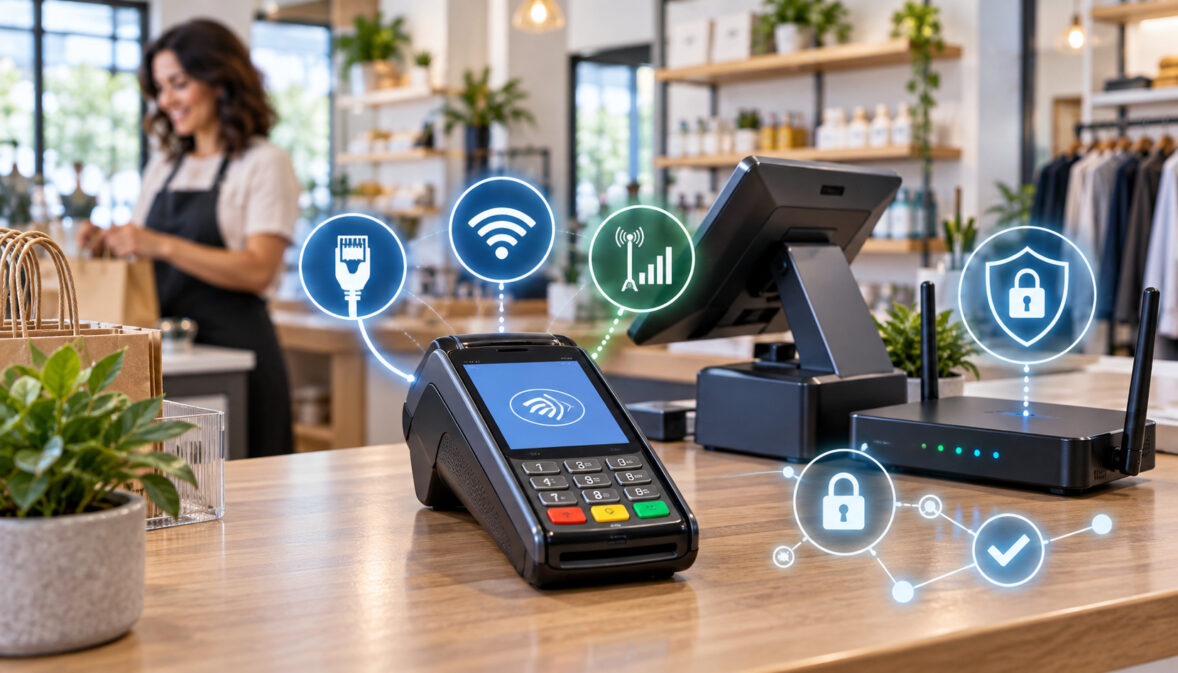
Choosing credit card terminal connectivity is not simply a matter of finding whichever connection produces the highest speed-test number. For a fixed checkout counter, Ethernet is often the most predictable starting point, but secure WiFi and cellular can be equally appropriate when the environment calls for them.
The bigger issue is network architecture: the payment terminal should not casually share a flat network with customer guest WiFi, employee phones, cameras, smart TVs, printers, and unrelated office systems.
A well-designed small-store network starts with the payment use case, then works outward. Identify how the terminal communicates, decide whether it is fixed or mobile, choose Ethernet, WiFi, or LTE, isolate the payment environment where appropriate, decide how IP addresses will be assigned, and allow the processor or terminal manufacturer’s required communications without creating unnecessary exposure.
That matters for both reliability and PCI DSS. Proper segmentation can help reduce the number of systems that fall within PCI scope, but only when the segmentation actually prevents out-of-scope systems from connecting to or affecting the cardholder data environment. A second SSID with a different name does not prove isolation.
The practical goal is therefore not “Ethernet at all costs” or “move everything to LTE.” It is a payment network that is stable, supportable, appropriately isolated, compatible with the processor’s technical requirements, and easy to explain on a network diagram six months after the person who installed it has forgotten what they changed.
Credit Card Terminal Connectivity: Ethernet, WiFi, or LTE?
The three common connection paths for a modern countertop terminal are Ethernet, WiFi, and cellular. Some terminals support only one or two of them, while others can use several depending on firmware, processor configuration, accessories, and region.
Before selecting anything, verify the exact terminal model and processor-supported configuration. Hardware that physically contains a WiFi or cellular radio does not necessarily mean every processor enables that connection method.
For a fixed lane with an accessible cable path, Ethernet remains a strong default because it removes radio interference from the equation. The terminal has a physical link to a switch or router, and troubleshooting can start with tangible questions: Is the port active? Is the cable damaged? Did the terminal receive an IP address?
WiFi trades some of that predictability for placement flexibility. It can be an excellent choice when the counter cannot be cabled cleanly, when terminals move around a restaurant, or when remodeling would make new cable runs disproportionately difficult. The WiFi payment terminal still needs a properly designed network underneath it.
Cellular is different because it may bypass the store LAN entirely. A 4G LTE credit card terminal can be useful at markets, temporary retail sites, mobile service businesses, outdoor counters, or stores where the local internet connection is unreliable. Cellular can also be a failover path rather than the primary connection.
The best credit card terminal connectivity choice therefore depends on placement, mobility, network reliability, integration requirements, troubleshooting ability, and the consequences of an outage.
| Factor | Ethernet | WiFi | LTE/cellular |
| Typical strength | Stable wired link | Flexible placement | Independence from store LAN |
| Interference | Very low RF exposure | Subject to wireless conditions | Subject to carrier signal |
| Mobility | Low | Good | Very good |
| Cabling | Required | Usually only power | Usually only power/charging |
| Troubleshooting | Often straightforward | Requires RF and network checks | Requires carrier/signal checks |
| Segmentation | Easy with ports/VLANs | Easy with correctly mapped SSIDs/VLANs | May bypass local LAN |
| Outage exposure | Depends on wired LAN and ISP | Depends on AP, LAN, and ISP | Depends on carrier |
| Common role | Fixed checkout | Flexible in-store terminal | Mobile, temporary, or failover |
Before designing the network around a device, confirm that its terminal connectivity, security features, and integration options match the way payments will actually be accepted. A fixed counter may favor Ethernet, while a roaming or mobile workflow may require WiFi, LTE, battery operation, or multiple connection paths.
Credit Card Terminal Ethernet vs WiFi: Reliability and Placement Trade-Offs
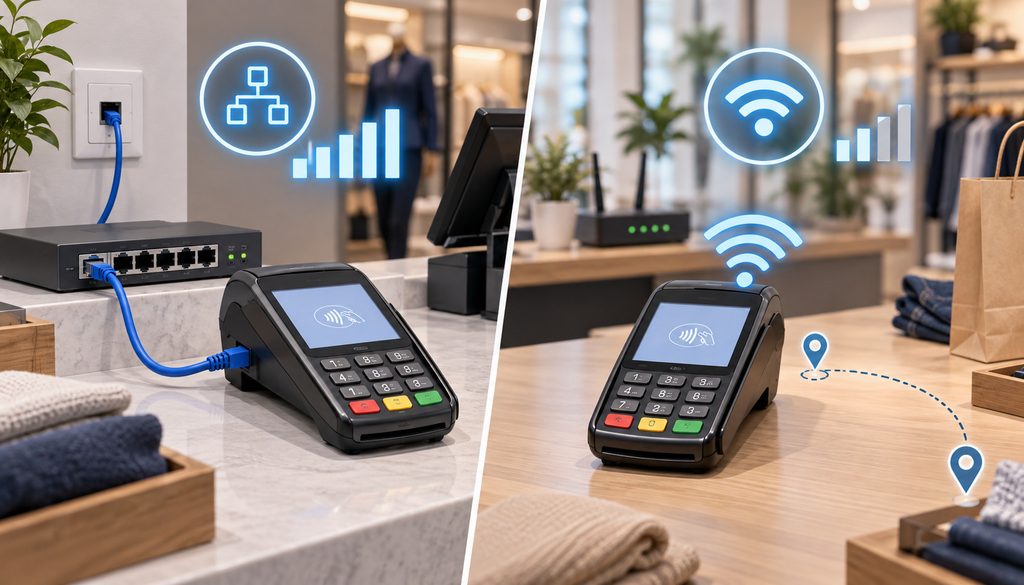
The credit card terminal ethernet vs wifi decision usually becomes important after the merchant has already decided where the checkout equipment will live.
At a permanent checkout lane, Ethernet often has an operational advantage because the connection does not depend on RF conditions. Metal shelving, neighboring access points, kitchen equipment, wall construction, channel congestion, and changes in access-point placement cannot weaken an Ethernet signal.
That does not mean Ethernet is failure-proof. Cables get pinched behind counters. A connector latch breaks and the cable works loose. Staff unplug the terminal to connect another device. An inexpensive switch hidden behind a cabinet loses power.
WiFi eliminates those cable-path problems but adds another layer of variables. A terminal can display a WiFi icon while still lacking usable internet access because DNS, the default gateway, firewall policy, or WAN connection is failing.
The strongest way to approach credit card terminal ethernet vs wifi is therefore not “wired good, wireless bad.” Ask which failures are most likely in the actual location and which your staff can realistically diagnose.
Ethernet: When Wired Is the Better Default
Ethernet makes particular sense when the terminal is permanently mounted or rarely moved, the router or switch is reasonably close, and a protected cable path can be installed without disrupting the business.
The benefits are modest but meaningful: fewer RF variables, a consistent physical connection, easier switch-port identification, and often simpler fault isolation.
Use quality cabling appropriate for the installation environment. Protect runs from being crushed by furniture or repeatedly kicked under a counter, and avoid leaving accessible patch cables where customers can disconnect or replace them.
Label both ends. A cable labeled TERM-1 at the counter and TERM-1 at the switch saves considerably more time during an outage than trying five anonymous blue cables until the payment device drops offline.
The drawback is loss of mobility. Running cable through a historic storefront, island counter, finished concrete floor, or leased space may also be impractical.
Managed vs Unmanaged Switches
An unmanaged switch can be perfectly reasonable in a simple design where the payment devices are already physically isolated on a dedicated router/firewall interface.
A managed switch becomes useful when VLANs are carrying several logical networks across the same switch infrastructure. It lets the installer assign individual switch ports to the payment VLAN, office VLAN, guest infrastructure, or other defined segments.
A small merchant does not need enterprise hardware merely because a product brochure contains the phrase “PCI ready.” What matters is whether the equipment provides the functions needed for the intended architecture and whether those functions are configured correctly.
For example, if the store intends to carry payment, back-office, and guest traffic through one switch, VLAN-aware equipment is normally required to maintain those logical boundaries. If the store uses physically separate interfaces and separate switches, the design can be simpler.
When WiFi Is Acceptable for a Payment Terminal
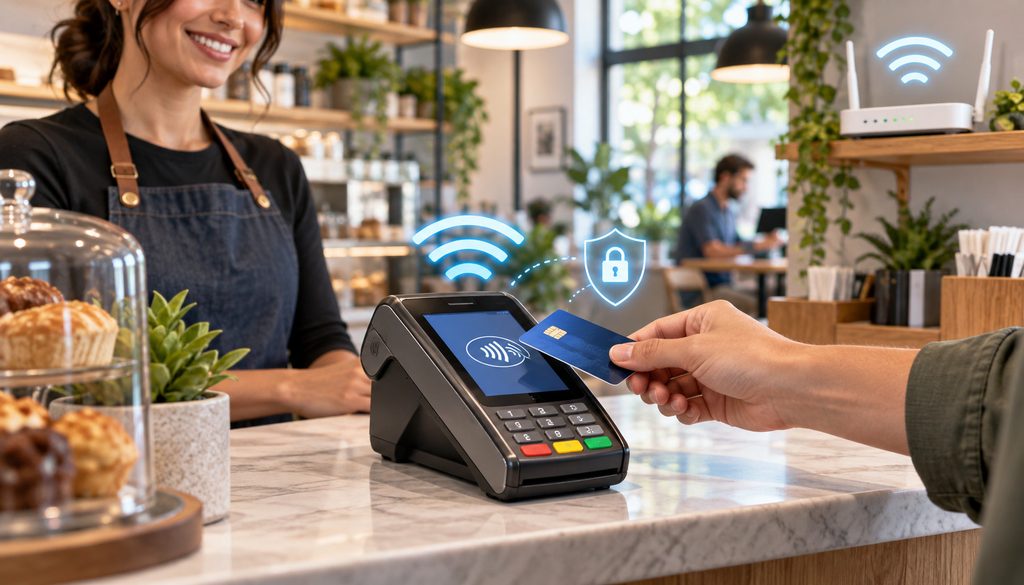
Wireless connectivity does not automatically make a payment-terminal environment noncompliant or exclude it from every IP-terminal SAQ scenario.
PCI SSC has clarified that wireless or cellular connectivity can be compatible with SAQ B-IP eligibility when all applicable eligibility criteria are satisfied. That clarification should not be interpreted to mean that every WiFi terminal automatically qualifies for SAQ B-IP.
What matters is how the wireless network is secured and how it connects to the rest of the environment.
The payment terminal should use a controlled business or payment wireless network rather than an SSID offered to customers. Use the strongest secure WiFi configuration supported by both the terminal and the wireless infrastructure, following current terminal-manufacturer and processor requirements.
Do not assume that WPA3 is universally mandatory for every payment terminal. Device capabilities vary. Current first-party terminal documentation, for example, shows combinations of WPA/WPA2/WPA3 support depending on hardware.
Stripe’s current Terminal network requirements specify supported wireless security modes for its own compatible readers and also demonstrate why the hardware-specific documentation needs to control the configuration.
The important operational rule is to avoid obsolete or weak configurations merely to keep an aging device connected. If the terminal cannot work with the store’s supported secure wireless design, discuss the supported replacement or network options with the processor.
Access-point placement also matters. Do not install a terminal at the edge of usable coverage and assume that two bars on the display are enough because a test transaction worked once.
Busy 2.4 GHz environments can suffer from interference and congestion, but 5 GHz is not automatically superior in every store. Its propagation characteristics differ, and the terminal must actually support the selected frequency and channels.
Guest WiFi Separate From Payment Terminal: Why SSIDs Alone Are Not Enough
Keeping guest wifi separate from payment terminal traffic is one of the most useful architectural decisions a small merchant can make.
Customer phones and laptops are untrusted devices. They change continuously, are outside the merchant’s administration, and have no operational reason to communicate with the checkout terminal.
The important word, however, is separate.
Creating an SSID called Store-Payments and another called Store-Guest does not prove there are two networks. Some consumer routers can advertise several SSIDs but bridge them into the same internal LAN unless guest isolation or VLAN mapping has been explicitly configured.
A sound design might look like this:
Payment SSID → Payment VLAN → payment-specific firewall policy
Guest SSID → Guest VLAN → internet only
Back-office SSID → Office VLAN → business systems
The firewall should then enforce the intended boundaries.
That is what makes guest wifi separate from payment terminal traffic meaningful. The names on the WiFi menu are merely labels; the routing and firewall policy determine whether one network can actually reach another.
PCI Network Segmentation for a Small Business
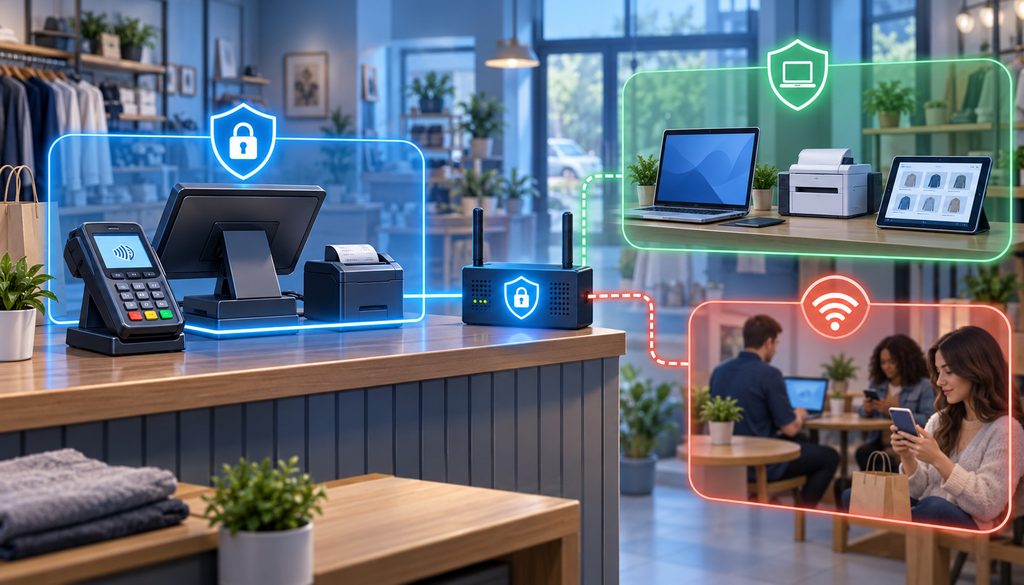
The objective of PCI network segmentation small business design is straightforward: the payment environment should not automatically become the same security zone as every internet-connected device in the store.
Properly implemented segmentation can help reduce the number of systems included in PCI DSS scope, but only when the isolation works in practice.
PCI SSC’s guidance on PCI DSS scoping and network segmentation explains why systems that can connect to or affect the cardholder data environment may still need to be considered when defining scope. A VLAN name, separate subnet, or firewall screenshot by itself does not prove effective isolation.
PCI SSC also makes clear that segmentation is not a magic feature tied to one technology. Properly configured firewalls, routers, access-control mechanisms, VLANs, and other controls may be used depending on the environment.
A practical PCI network segmentation small business design may distinguish these groups:
| Segment | Typical devices | Should reach payment network? | Reason |
| Payment | Terminals, necessary payment/POS components | As required | Core payment environment |
| Back office | PCs, accounting devices, office printers | Usually only if required | Avoid unnecessary pathways |
| Guest | Customer phones/tablets | No | Untrusted devices |
| IoT | Cameras, smart TVs, speakers, thermostats | Usually no | Unrelated and often difficult to manage |
| Staff/BYOD | Personal employee phones/tablets | No | Not needed for payment processing |
| Management | Authorized network administration systems | Only as architecture requires | Powerful systems can affect security |
The boundaries must reflect actual traffic. If a back-office PC administers the firewall protecting the payment VLAN, for example, it may be security-relevant even if it never processes a card number.
The same issue arises with network printers. A receipt printer required by an integrated POS architecture may legitimately sit in a payment-related environment. A general office printer used for shipping labels probably does not need to.
Separate VLAN vs Separate Router Port
There are two realistic approaches for a small store.
VLAN-based segmentation uses a firewall/router, managed switch, and possibly VLAN-aware wireless access points. Payment traffic might occupy VLAN 10, back-office systems VLAN 20, and guest WiFi VLAN 30.
The advantage is infrastructure efficiency. Several isolated networks can travel through the same managed switch and AP hardware while the firewall controls communication between them.
The disadvantage is configuration complexity. A trunk port, native VLAN, access-port assignment, or firewall rule configured incorrectly can create unintended connectivity.
Physical separation uses separate router/firewall interfaces or physically distinct equipment. One firewall interface might connect to an isolated payment switch, while another supports office and guest infrastructure.
This can be easier for a very small merchant to understand because the separation is visible. It may require more cabling or equipment and can become awkward as the store grows.
Neither design is automatically superior for PCI purposes. The relevant question is whether the isolation is effective and supportable.
A simple text network diagram could be:
ISP modem/ONT → business firewall/router → Payment interface/VLAN → TERM-1 and payment-required POS devices
Separately:
business firewall/router → Office VLAN → back-office PCs and approved printers
Separately:
business firewall/router → Guest VLAN → guest wireless access point/SSID → internet only
If cameras and other IoT devices are present, place them in another appropriate segment rather than casually adding them to Payment.
PCI SSC’s current scoping and segmentation guidance is worth consulting when defining boundaries because segmentation used to reduce scope must be more than a drawing.
Block Unnecessary East-West Traffic
“East-west” traffic is communication between devices or networks inside the store rather than traffic traveling out to the internet.
A payment VLAN ordinarily should not have unrestricted connectivity to the guest or IoT VLAN just because they share the same firewall.
Start with the supported business flow. Does the terminal need to communicate with the POS? Does the POS need the terminal’s local IP address? Does a specific management service require access? Allow what is required by the approved architecture and avoid broad permissions without a business reason.
Do not treat “allow all internal” as the easiest long-term configuration.
DHCP, Reservations, and Credit Card Terminal Static IP Setup
IP addressing is often made more complicated than it needs to be.
With DHCP, the router or DHCP server gives a device its IP address, subnet information, default gateway, and DNS settings automatically. Many standalone payment terminals work perfectly well this way.
A static IP is different. The terminal itself is manually configured with a fixed address and associated network settings.
A DHCP reservation sits between the two. The terminal still uses DHCP, but the DHCP server recognizes its MAC address and consistently assigns the same address.
| Method | Best use | Advantage | Risk |
| Dynamic DHCP | Standalone terminals that do not need a predictable local address | Simple and centrally managed | Address may change |
| DHCP reservation | Integrated terminals that benefit from a consistent local IP | Stable address with centralized configuration | Requires router/DHCP support |
| Static IP | Integrations or vendor designs explicitly requiring manual addressing | Predictable device address | Conflicts and configuration errors possible |
The correct addressing method should come from the supported terminal and processor architecture rather than from a blanket preference for static IP. For example, Adyen’s terminal network configuration guidance documents dynamic DHCP, DHCP reservations, static addressing, DNS, segmentation, and platform-specific connectivity requirements for its supported deployments.
Those settings are useful as an example of first-party documentation, but they should not be copied to terminals running through another processor unless that processor publishes the same requirements.
Static addressing becomes useful when the payment architecture actually depends on a consistent terminal address. A local POS application may initiate communication directly to a terminal IP. A semi-integrated lane may be paired to a particular device. Monitoring software may expect the terminal at a predictable address.
First-party processor documentation reflects this distinction. Adyen, for example, documents dynamic DHCP, DHCP reservations, and static addressing as valid terminal-addressing approaches, with the appropriate choice depending on the integration.
For many stores, a DHCP reservation is an attractive compromise. The terminal stays configured for automatic addressing while the router consistently gives that terminal the same address.
This also makes network changes easier. If the payment subnet changes later, the administrator can modify the DHCP configuration centrally rather than visiting every terminal to reprogram the gateway, DNS server, and subnet.
Credit Card Terminal Static IP Setup: When It Is Actually Useful
A credit card terminal static IP setup may make sense when:
- The approved POS integration connects to the terminal using its local IP address.
- The processor or integration documentation explicitly calls for a predictable address.
- A locally managed semi-integrated configuration is paired by IP.
- A monitoring or management system relies on a consistent terminal location.
Before manually entering anything, confirm whether a DHCP reservation will accomplish the same goal.
Static addresses introduce several common mistakes. A technician can type the wrong subnet mask or default gateway. The chosen address may already belong to another device. Someone may place the static address inside a DHCP pool, allowing the DHCP server to later assign the same address to a laptop.
A router replacement can also change the entire subnet. A terminal hard-coded for the previous gateway may then appear mysteriously “offline” even though the Ethernet cable and switch are functioning.
For an orderly credit card terminal static IP setup, document the payment subnet, any reserved address range, terminal name, terminal IP, MAC address, gateway, DNS method, and the reason a fixed address is needed.
Do not create random handwritten IP assignments under the counter.
Firewall and Outbound Port Requirements for Payment Terminals
A payment terminal must be able to communicate with whatever processor, gateway, terminal-management service, update service, or local POS components its approved architecture uses.
That does not justify opening the firewall broadly.
The safe workflow is to obtain the current processor or terminal-manufacturer network requirements for the exact deployment, then create only the necessary policy.
Current first-party documentation often identifies some combination of:
- required outbound destinations or domain names;
- transport protocols;
- required TCP or UDP ports;
- DNS behavior;
- software-update endpoints;
- remote-management services;
- local POS-to-terminal communication;
- certificate or TLS requirements;
- time synchronization where applicable.
The exact requirements vary significantly between platforms. That is why a generic article should not publish an “open these payment ports” list and imply that it applies to every terminal.
Adyen provides one useful example of how specific these requirements can be. Its current Terminal API network documentation publishes required domains and ports for that platform, describes DHCP/reservation/static options, recommends a segmented POS network, and explains DNS and cellular failover considerations.
Merchants using another processor should use that processor’s equivalent documentation rather than copy Adyen settings.
| Requirement | Source to verify | Why needed | What not to do |
| Processor destinations | Processor/acquirer | Authorization and platform communication | Guess IP ranges |
| Outbound ports | Processor/device documentation | Required service connectivity | Open all ports |
| DNS | Approved network design/vendor requirements | Resolve processor/update endpoints | Hard-code arbitrary DNS without need |
| Local POS communication | Integration documentation | Semi-integrated/local workflows | Allow every LAN device |
| Update/management endpoints | Terminal vendor/processor | Firmware and management | Expose management interfaces publicly |
| Time/NTP | Device/processor documentation if specified | Correct device/service operation | Invent generic NTP requirements |
A terminal normally initiates connections outbound. Do not create an inbound internet port forwarding to a terminal simply because a help forum suggested it.
Directly exposing a payment device or management interface to the public internet creates risk and is rarely the correct troubleshooting method. If a specific supported architecture genuinely requires inbound connectivity, obtain the exact vendor instructions and implement them deliberately.
When a terminal suddenly stops connecting, check:
- power;
- Ethernet link, WiFi association, or LTE signal;
- IP assignment;
- subnet and gateway;
- DNS resolution;
- ISP/WAN connectivity;
- current processor endpoints;
- recent firewall changes;
- device diagnostics or logs.
Do not jump directly to “turn the firewall off.”
When a 4G LTE Credit Card Terminal Should Be Primary or Backup
A 4G LTE credit card terminal is valuable because its path to the processor can be independent of the store’s local Ethernet and WiFi infrastructure.
That independence is particularly useful when the business itself is mobile or temporary.
A farmers-market vendor cannot rely on a permanent wired LAN. Neither can a contractor taking payment at customer locations, a pop-up store operating for a weekend, or a temporary outdoor sales counter.
Cellular can also make sense in a permanent location where installing broadband is impractical or the local fixed connection has poor reliability.
A 4G LTE credit card terminal should be considered as a primary connection when:
- the business regularly moves locations;
- there is no practical wired broadband connection;
- WiFi at the site is outside the merchant’s control;
- the terminal must operate independently of local network infrastructure;
- the installation is temporary.
The tradeoff is dependence on cellular coverage. Radio conditions inside a building can differ dramatically from conditions in the parking lot.
Metal structures, concrete, underground locations, equipment rooms, shelving, and energy-efficient coated glass can all affect signal.
LTE as a Backup Path
For a permanent store, cellular often has even more value as a backup.
The design might be:
Terminal → Ethernet → router → primary ISP
During a WAN outage:
router → cellular WAN failover → processor
Another design uses a terminal with built-in cellular capability:
Terminal → Ethernet/WiFi primary → integrated cellular failover
Whether either approach works depends on the terminal, processor, router, and integration architecture.
First-party processor documentation shows why that distinction matters. Adyen, for example, supports cellular failover for specified terminals and also documents cellular-router failover, but the behavior differs by local versus cloud integration and failure type.
Do not assume a terminal containing a SIM will automatically fail over in every situation. Verify the supported behavior.
Terminal-Integrated LTE vs Router Failover
With terminal-integrated LTE, the payment device contains or uses its own SIM/eSIM and reaches the processor through the carrier network.
That can keep the terminal operating even when the local store LAN has a problem, depending on the implementation.
With router-based failover, the store network remains intact while the router switches its WAN path from broadband to cellular. That may preserve connectivity for terminals and other approved systems simultaneously.
The two approaches create different dependencies. A locally integrated POS may still need LAN communication with the terminal even if the terminal itself has working cellular connectivity.
SIM ownership and data-plan responsibility should also be documented. Confirm whether the processor supplies the SIM, whether a merchant-provided plan is supported, what happens when a SIM fails, whether roaming is relevant, and who handles replacement.
Do not assume a cellular terminal has “no PCI scope.” LTE may reduce interaction with the local LAN, but PCI responsibilities can still apply to payment-device handling, physical protection, policies, inventories, and the broader payment architecture.
Connectivity options can also affect hardware and ongoing operating costs. When comparing devices, include WiFi, cellular capability, accessories, software, and recurring terminal costs rather than comparing the hardware purchase price alone.
A Concrete Small-Store Payment Network Setup
Consider a retail shop with two countertop payment terminals, two office PCs, a network printer, four security cameras, an employee WiFi network, and guest WiFi.
A practical architecture could be:
Internet modem/ONT
↓
Business router/firewall
↓
VLAN 10 — Payment
- TERM-1
- TERM-2
- POS components required by the payment architecture
↓
VLAN 20 — Back Office
- manager PC
- accounting PC
- approved printer
↓
VLAN 30 — Guest
- customer WiFi only
- internet access
- no access to payment or office systems
↓
VLAN 40 — IoT
- cameras
- music system
- smart TV or other building devices
The router/firewall enforces boundaries between these segments. A managed switch assigns wired ports to the correct VLAN, while the access point maps each wireless SSID to the intended network.
If the shop is too small to justify VLAN-capable switching, the payment environment might instead use a physically isolated firewall interface and dedicated small switch.
Small-Store Hardware Checklist
| Component | Role | Configuration check |
| ISP modem/ONT | Internet handoff | Confirm bridge/router behavior and who administers it |
| Router/firewall | Routing, segmentation, filtering | VLAN/interface support, firewall policy, updates |
| Managed switch | Port/VLAN control | Correct port assignments and labels |
| Wireless AP | Payment/business/guest WiFi | Correct SSID-to-VLAN mapping |
| Payment segment | Contains necessary payment systems | No unnecessary guest/IoT access |
| Guest network | Customer internet | Isolated from payment network |
| Back-office segment | Business systems | Only necessary payment access |
| Cellular backup | WAN or terminal failover | Coverage and failover tested |
| UPS | Power continuity where useful | Router/switch/AP/payment equipment included as appropriate |
| Documentation | Supports operations and PCI scoping | Diagram, ports, VLANs, IP plan, device inventory |
The ISP gateway deserves particular attention. Do not assume it provides all the segmentation and firewall functions required just because it has four Ethernet ports and a guest WiFi checkbox.
Some ISP equipment can support an adequate small-business design. Some cannot. Confirm its actual features.
Likewise, avoid accumulating daisy-chained consumer switches under the counter. Each unplanned switch makes the physical topology harder to understand and easier to disrupt.
Label switch ports explicitly:
- TERM-1
- TERM-2
- POS-1
- AP-1
- OFFICE
- CAMERA
- UPLINK
If a technician sees those labels during an outage, troubleshooting starts from known topology rather than guesswork.
Network planning should follow the supported payment architecture rather than force an incompatible terminal into an existing setup. Before assigning VLANs, switch ports, or wireless coverage, confirm that the payment equipment is compatible with the POS, processor, and operating workflow.
DNS, Gateway Access, and Time Services
A terminal needs more than an IP address.
It typically needs a functioning route to the services used by its processor. DNS may be necessary for resolving processor, management, and update endpoints. Some device ecosystems also depend on correct time synchronization for certificates, logging, or service operation.
Do not hard-code public DNS or NTP servers merely because a troubleshooting article says all terminals should use them. Follow the approved vendor architecture.
A terminal showing 192.168.x.x on its status screen proves only that it has an address. It does not prove that DNS works, the gateway is reachable, the WAN is functioning, or the processor endpoint can be contacted.
Access Point Placement
For wireless terminals, design around the actual payment location.
Measure or test signal at the checkout counter during normal business conditions. Refrigerators, microwave ovens, neighboring networks, dense crowds, and physical layout can change the wireless environment.
If a roaming restaurant terminal moves between rooms, test each operational area. Do not assume the terminal handles roaming between access points exactly like a modern smartphone.
The processor or manufacturer documentation should control any roaming configuration.
How Terminal Connectivity Affects PCI Scope and SAQ Questions
The strongest PCI lesson in this topic is that credit card terminal connectivity does not determine SAQ eligibility by itself.
An Ethernet cable does not automatically make a terminal environment compliant. WiFi does not automatically make it noncompliant. Cellular does not eliminate the merchant’s obligations.
The applicable validation method depends on the payment architecture: where card data is captured, which systems store, process, or transmit it, what systems can affect the cardholder data environment, what type of terminal is used, whether other systems connect to that environment, and what eligibility criteria the merchant satisfies.
PCI SSC explicitly states that merchants should confirm SAQ eligibility and reporting requirements with their acquirer or payment brands. A 2026 PCI SSC FAQ also emphasizes that SAQ eligibility criteria should not simply be treated as a universal guide for deciding which PCI DSS requirements apply outside their intended validation context.
| Architecture | Network impact | PCI scope consideration | Verify |
| Standalone IP terminal | Terminal directly reaches processor | Local network relationship still matters | SAQ eligibility and terminal type |
| Wireless/cellular terminal | May reduce physical LAN dependency | Wireless/cellular does not itself determine SAQ | Acquirer/brand criteria |
| LAN-connected integrated terminal | Terminal and POS may communicate locally | POS and network path may be relevant | Integration design |
| Semi-integrated payment | POS generally exchanges transaction/order information with terminal while terminal handles card interaction | Can reduce direct card-data exposure in POS, but not automatically scope | Processor/integration documentation |
| Validated PCI P2PE | Card data protected within validated solution | Can significantly reduce applicable requirements when all conditions are met | Current PCI listing, PIM, SAQ eligibility |
PCI SSC guidance regarding SAQ B-IP, for example, explains that the permitted PTS-approved POI devices must meet the SAQ’s eligibility conditions and may need to be isolated from other types of systems. Segmentation may be used for that isolation when properly implemented.
That is quite different from saying, “An Ethernet terminal uses SAQ B-IP.”
SAQ Is About Architecture, Not Just Cable Type
A standalone terminal communicating directly to a processor over an IP network has a very different architecture from a POS application that itself processes account data.
A semi-integrated terminal changes the flow again. In a typical semi-integrated arrangement, the POS can send information such as the transaction amount to the payment device while card interaction happens on the secure terminal.
That may keep clear-text card details away from the POS application, but “semi-integrated” is not itself an SAQ.
Similarly, ordinary encryption should not be labeled P2PE.
PCI P2PE refers to a solution validated and listed under the PCI SSC P2PE program. PCI SSC says use of a PCI-listed P2PE solution can significantly reduce the number of PCI DSS requirements applicable to a merchant environment, but does not eliminate PCI DSS responsibilities altogether.
SAQ P2PE has specific eligibility criteria, including use of a validated PCI-listed P2PE solution and implementation of the solution provider’s P2PE Instruction Manual.
Network scope is easier to evaluate when the underlying payment-processing flow from the terminal through authorization and settlement is understood first. A terminal that sends payments directly to a processor presents a different network relationship from a POS application that participates more deeply in transaction processing.
Network Inventory and Diagram for PCI
Maintain a basic inventory that includes:
- router/firewall;
- switches;
- wireless access points;
- payment terminals;
- relevant POS systems;
- device owner or administrator;
- VLAN or subnet;
- IP assignment method;
- MAC address where operationally useful;
- connection type;
- management method.
Then keep a simple diagram showing the internet edge, payment environment, office environment, guest network, and any segmentation boundaries.
This does not need to resemble an enterprise architecture poster. It needs to reflect reality.
PCI segmentation cannot safely be assumed from configuration screenshots alone. Where segmentation is used to reduce scope, the organization needs confidence that the controls actually work as intended. PCI SSC guidance repeatedly emphasizes verification of segmentation effectiveness.
Common Store-Network Mistakes That Hurt Payment Reliability or PCI Scope
Many terminal outages are not really “terminal failures.” They are network-design problems that happened to become visible at the terminal.
The same weaknesses can also make PCI scoping harder.
| Mistake | Reliability/PCI risk | Better approach |
| Payment terminal placed on guest WiFi | Untrusted devices share or can reach payment environment | Use a controlled payment/business network with real isolation |
| Different SSIDs bridged to one flat LAN | Cosmetic separation only | Map SSIDs to isolated VLANs/networks |
| POS, cameras, TVs, office PCs, and terminals all on one subnet | Large attack surface and potentially broader scope | Segment systems according to function |
| Hard-coded IP inside DHCP pool | Duplicate-address conflict | Reserve address or use documented static range |
| Opening broad firewall access | Unnecessary exposure | Follow current first-party requirements |
| Internet port-forward to terminal | Exposes internal device | Use documented outbound/management architecture |
| Consumer WiFi extender added as payment bridge without review | Unknown segmentation and roaming behavior | Use supported AP/network design |
| LTE selected without indoor testing | Transactions fail at actual counter | Test carrier signal at operating location |
| Static IP assumed mandatory | More configuration to maintain | Use DHCP unless integration needs consistency |
| Ethernet assumed automatically PCI compliant | Ignores architecture and segmentation | Assess full card-data flow |
| WiFi assumed automatically noncompliant | Eliminates valid secure designs | Apply approved wireless security and isolation |
| No port/cable labels | Slow troubleshooting | Label both cable ends and switch ports |
Another subtle mistake is connecting employee phones to the payment SSID because staff already know its password.
Keep BYOD devices on an employee or other appropriate network. The payment network should contain only systems that genuinely belong there.
IoT devices deserve similar treatment. Cameras, thermostats, speakers, TVs, digital signage, and music systems do not become more useful simply because they share a subnet with payment equipment.
Credit Card Terminal Connectivity and PCI Network Checklist
Use this checklist as an operational review, not as a substitute for your processor’s implementation documentation or PCI validation requirements.
- Confirm the exact terminal model.
- Confirm supported Ethernet, WiFi, and cellular options.
- Confirm processor network requirements.
- Identify whether the terminal is fixed or mobile.
- Choose the primary connection.
- Choose a backup path if the business requires one.
- Prefer stable Ethernet for fixed counters where practical.
- Test WiFi coverage before relying on wireless.
- Use currently supported secure wireless configuration.
- Create a dedicated payment SSID, VLAN, or isolated segment where appropriate.
- Keep guest wifi separate from payment terminal traffic.
- Confirm separate SSIDs map to genuinely separate networks.
- Separate office, guest, IoT, and employee devices from payment systems where appropriate.
- Configure router/firewall inter-segment policy.
- Avoid unnecessary inbound access.
- Never port-forward directly to a terminal unless the supported vendor architecture explicitly requires it.
- Use only current processor-published outbound requirements.
- Confirm DNS and default-gateway functionality.
- Confirm any vendor-documented update, management, or time-service dependencies.
- Decide between DHCP, reservation, or static addressing.
- Document terminal IP and MAC address where useful.
- Keep manually assigned static addresses outside the DHCP pool.
- Label switch ports.
- Label payment cables.
- Document the modem/ONT, router, firewall, switches, and APs.
- Test a transaction using the approved test procedure.
- Test terminal reboot and reconnect behavior.
- Test WiFi movement/roaming only if the operational use case needs it.
- Test cellular or WAN failover if supported.
- Verify guest devices cannot reach the payment network.
- Record terminal and network inventory.
- Update the network diagram.
- Maintain router, firewall, switch, and AP software/firmware under the vendor’s supported process.
- Review network configuration after ISP equipment changes.
- Review network configuration after terminal or POS replacements.
- Confirm PCI scope and SAQ obligations using the actual payment architecture.
- Revalidate segmentation where applicable.
Practical Credit Card Terminal Connectivity Workflow
A repeatable credit card terminal connectivity workflow keeps installation choices from turning into one-off technical guesses.
- Identify the exact terminal model. Record the hardware model, processor deployment, and relevant integration type.
- Confirm supported connection methods. Verify whether the processor-supported configuration allows Ethernet, WiFi, cellular, or more than one.
- Obtain the processor’s network requirements. Use current first-party documentation rather than copied port lists.
- Identify whether the terminal is fixed or mobile. A fixed register and a restaurant tableside device have different priorities.
- Evaluate cable availability. Determine whether a protected Ethernet run can realistically reach the checkout.
- Evaluate WiFi coverage. Test where transactions actually happen.
- Evaluate cellular coverage. Test the intended carrier indoors at the terminal position.
- Choose the primary path. Select Ethernet, WiFi, or LTE based on operational needs.
- Choose a backup path if needed. Confirm that the proposed terminal or router actually supports the intended failover behavior.
- Document the payment architecture. Identify the terminal, POS, processor connection, and any local communications.
- Create the payment network. Use an isolated router interface, VLAN, or other suitable design.
- Create a separate guest network. Guest clients should not have a path into the payment environment.
- Configure the router/firewall. Enforce boundaries between segments.
- Configure the managed switch and APs. Map ports and SSIDs to the correct VLANs where VLANs are used.
- Choose DHCP, reservation, or static addressing. Do not default to static without a reason.
- Reserve or document the terminal address if needed. Record the reason for fixed addressing.
- Apply required outbound policy. Follow the current processor/manufacturer documentation.
- Avoid unnecessary inbound exposure. Do not create internet-facing terminal management paths casually.
- Connect the terminal. Confirm the expected physical or wireless link.
- Test IP, gateway, DNS, and processor connectivity. An IP address alone is not enough.
- Run the processor-approved test transaction.
- Reboot the terminal. Confirm it reconnects correctly after power loss.
- Test roaming if the terminal is genuinely mobile inside the building.
- Test WAN or cellular failover if the architecture supports it.
- Verify guest-to-payment isolation. Do not assume it from SSID names.
- Label cables and ports.
- Update the network diagram.
- Update the device inventory.
- Confirm PCI scope and SAQ requirements with the appropriate qualified guidance, acquirer, or compliance-accepting entity.
- Repeat the review after significant router, firewall, AP, ISP, POS, or terminal changes.
Before replacing a terminal, verify processor compatibility, connectivity options, security support, and integration requirements. A device change that introduces WiFi, LTE, a new local POS connection, or different management requirements can also change the store’s network design.
Frequently Asked Questions
Is Ethernet or WiFi better for a credit card terminal?
For a fixed terminal with practical cabling, Ethernet is often the most predictable starting point because it avoids wireless interference and provides a direct physical link.
WiFi can be equally appropriate when mobility or building layout makes cabling difficult. The credit card terminal ethernet vs wifi decision should be based on the real location, integration, network design, and supportability rather than an assumption that one is always compliant and the other is not.
Can a credit card terminal use guest WiFi?
A payment terminal should not normally share a customer guest network. Guest devices are untrusted and have no reason to reach payment infrastructure.
Keeping guest wifi separate from payment terminal traffic means more than creating two WiFi names. Confirm that the guest SSID is isolated by the underlying VLAN, network, and firewall design.
Is WiFi PCI compliant for payment terminals?
WiFi itself is not automatically compliant or noncompliant. PCI implications depend on the wireless security, architecture, card-data flow, network boundaries, and the requirements that apply to the merchant’s environment.
PCI SSC has specifically acknowledged wireless-capable PTS devices in the context of SAQ B-IP eligibility when all applicable criteria are met.
Should my payment terminal have its own SSID?
A controlled payment SSID can be useful, especially when it maps to an isolated payment VLAN or network. An SSID by itself does not provide segmentation. Confirm what network the SSID actually connects clients to and what the firewall allows between networks.
What is PCI network segmentation for a small business?
PCI network segmentation small business architecture separates payment systems from unrelated systems such as guest devices, IoT equipment, and office computers.
When properly implemented, segmentation can help limit which systems fall within PCI scope. The effectiveness of that separation must be based on actual connectivity and security controls rather than labels.
Does using a VLAN reduce PCI scope?
A VLAN can be one mechanism for segmentation, but simply creating a VLAN does not guarantee scope reduction. Firewall policy, routing, administration, connected systems, and the actual effectiveness of the boundary matter. PCI SSC recognizes VLANs as one possible segmentation technology when properly configured.
Is a separate router port enough to isolate a payment terminal?
It can be, if the router treats that interface as a genuinely separate security zone and firewall rules prevent unauthorized communication from other networks.
On some consumer devices, ports may all belong to the same internal LAN. Verify the router’s actual interface and firewall behavior rather than assuming separate sockets equal separate networks.
Does a credit card terminal need a static IP?
Not necessarily. Many terminals work normally with DHCP.
A credit card terminal static IP setup is mainly useful when an integration or vendor design depends on a predictable terminal address. A DHCP reservation may provide the same operational benefit with easier centralized management.
Is DHCP safe for payment terminals?
DHCP is a standard network-addressing mechanism and is not inherently inappropriate for payment terminals. What matters is that the terminal receives the correct network information and that the architecture remains secure. Some first-party processor documentation explicitly supports dynamic DHCP, reservations, and static addressing.
What firewall ports does a credit card terminal need?
There is no universal port list for every credit card terminal.
Use the current documentation for the exact processor, gateway, terminal, and integration. Do not copy generic firewall rules from another payment platform and do not disable firewall protections simply to make a terminal connect.
When should I use a 4G LTE credit card terminal?
A 4G LTE credit card terminal makes particular sense for pop-ups, markets, mobile businesses, temporary sites, outdoor operations, and locations without dependable local broadband. It can also be valuable as a backup for a permanent store. Test coverage at the actual operating location before relying on it.
Can LTE be a backup if my internet goes down?
Yes, when the terminal or router architecture supports cellular failover.
This may involve integrated terminal cellular service or a router with a secondary cellular WAN connection. Verify the specific failover behavior because a terminal’s LTE connection does not necessarily solve every local POS or LAN failure.
Does cellular connectivity reduce PCI scope?
Cellular may reduce a terminal’s dependency on the local store LAN, which can simplify some network relationships. It does not eliminate PCI DSS responsibilities. Scope and validation still depend on the full payment architecture, terminal handling, card-data flow, connected systems, and applicable eligibility criteria.
How does terminal connectivity affect which PCI SAQ I complete?
Credit card terminal connectivity can influence the environment, but Ethernet, WiFi, or LTE alone does not determine the SAQ.
SAQ eligibility depends on the payment channel and architecture, permitted system types, how account data is handled, and whether all eligibility requirements are met. Confirm the applicable validation method with the entity responsible for accepting the merchant’s PCI compliance.
What should a small store’s payment network diagram include?
Show the internet connection, firewall/router, payment terminals, relevant POS systems, switch or VLAN boundaries, wireless access points, payment network, guest network, office network, and any important inter-network communication. The diagram should represent the current environment rather than an idealized version of what was originally installed.
Conclusion
Reliable credit card terminal connectivity starts with choosing the connection that fits the operating environment, but it does not end there.
Ethernet is often the most predictable choice for a fixed checkout lane, while securely configured WiFi can solve difficult placement and mobility problems. LTE can serve as the primary connection for mobile or low-infrastructure locations or provide valuable failover when broadband fails.
The more important architectural decision is where the terminal sits relative to the rest of the store.
Payment equipment should not casually share a flat network with guest WiFi, cameras, smart devices, employee phones, and unrelated office systems. Separate SSIDs help only when genuine network isolation exists underneath them.
DHCP is sufficient for many terminals. Reservations and static addresses become useful when specific integrations require a predictable terminal IP, not because static addressing is inherently more PCI compliant.
Likewise, firewall policy should come from current processor or manufacturer documentation rather than generic port lists.
Ultimately, PCI scope and SAQ eligibility depend on the entire payment architecture: how card data is captured, what systems can affect the payment environment, whether segmentation works, and whether technologies such as validated P2PE are actually implemented. A cable type alone never tells the whole story.