
By John Burton September 18, 2026
Buying an unattended payment terminal is not the same exercise as choosing a card reader for a staffed checkout counter.
A vending machine, self-service car wash bay, parking station, laundromat machine, or kiosk needs a payment device that can survive its physical environment, communicate correctly with the machine, complete an approved payment flow, and tell the customer what happened when nobody is standing nearby to help.
That means evaluating several separate layers. The payment hardware needs appropriate security approval. The chip and contactless implementation needs to work with the processor and acquirer.
The housing needs to tolerate the real installation environment. The terminal has to communicate with the machine controller. Connectivity has to remain dependable from inside the final enclosure. Refunds, receipts, failed vends, declines, and field service all need an operating process.
There is no single specification that answers all of those questions.
A terminal can have strong payment-security credentials while being unsuitable for direct outdoor exposure. It can have an excellent IP rating but lack the interface needed by an older vending controller. It can contain an EMV chip reader yet still not be certified for the processor, gateway, payment application, and integration being deployed.
That workflow prevents the most expensive unattended-payment mistake: buying the reader first and discovering everything else afterward.
Unattended Payment Terminal: What Makes the Hardware Different?
An unattended payment terminal has to perform jobs that employees ordinarily absorb at a counter.
At a staffed register, a cashier can tell a customer to insert rather than tap, explain a decline, restart a transaction, replace receipt paper, move to another terminal, or call a supervisor when something looks wrong.
At a vending machine at 11:30 p.m., none of that help exists.
A self-service device therefore has to combine payment acceptance with dependable prompts, appropriate physical security, machine control, network connectivity, environmental durability, and a recovery path when something fails.
Consider a self-service wash bay. The payment device does not merely obtain authorization. Once payment succeeds, another system must correctly translate that result into wash time or credit. If the processor approves $10 but the timer controller never starts, the payment side technically worked while the customer experience failed.
The opposite failure matters too. A controller should not start a vend, wash cycle, parking session, or other paid service merely because a customer presented a card. The integration should operate according to the approved payment workflow supplied by the machine, payment-platform, and processor vendors.
That difference makes the following distinctions critical.
Table 1: Countertop vs Unattended Hardware
| Factor | Countertop | Unattended | Why It Matters |
| Physical environment | Usually climate-controlled | May face weather, dust, chemicals, vibration, heat or cold | Ordinary indoor hardware may fail prematurely |
| Staff presence | Employee available | Nobody may be present | Prompts and recovery flows must work independently |
| Physical access | Usually supervised | Often publicly accessible | Tamper and substitution risks increase |
| Machine integration | Often POS-to-terminal | Terminal may also interact with a controller | Payment approval must coordinate with vend/start logic |
| Connectivity | LAN/Wi-Fi commonly available | May require cellular or remote Ethernet | Network outages directly affect service availability |
| Receipts | Cashier can explain options | Printer or digital flow must work unattended | Receipt failure becomes a service incident |
| Refunds | Staff can initiate them | Usually handled remotely | Machine ID and transaction references become important |
| Service | Store staff notice faults | Fault can remain unnoticed | Remote monitoring and field inspection have greater value |
Before ordering hardware, match the terminal to the payment environment, processor, connectivity needs, and required transaction features. For an unattended installation, that same compatibility check must also include environmental exposure, machine-controller communication, physical security, and remote-service requirements.
PCI PTS, Weatherproofing, and Vandal Resistance
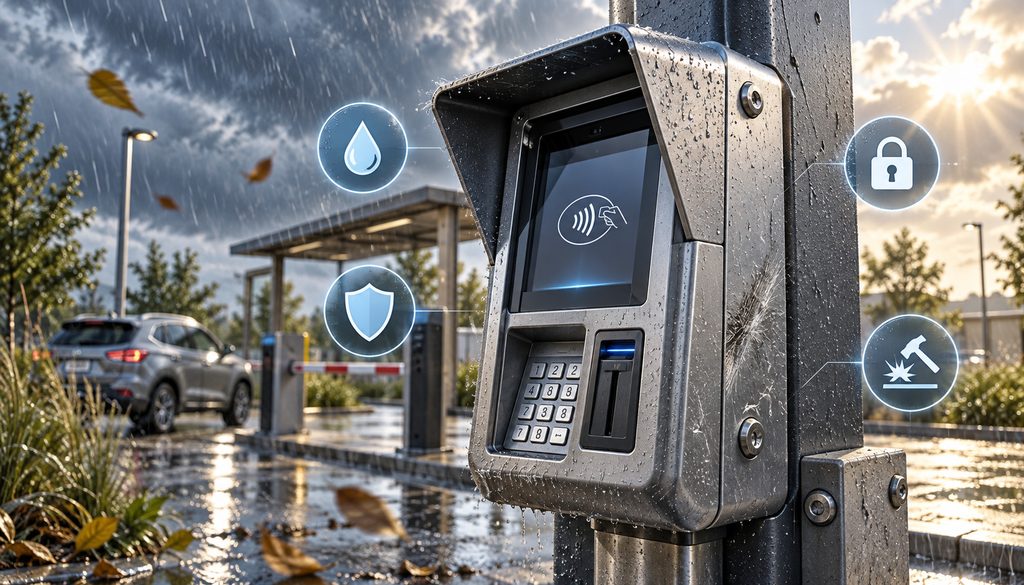
One of the easiest mistakes is treating all terminal specifications as if they describe the same thing.
They do not.
A payment-security approval answers a different question from an IP rating. An impact rating answers a different question from EMV certification. None of those tells you whether the reader can speak to your vending controller.
Think about the system in separate layers:
- PCI PTS: security characteristics of the point-of-interaction device.
- EMV approval/certification: how contact or contactless chip components conform and how the complete payment implementation is certified.
- Environmental rating: resistance to specified solids, water, temperature, humidity, and similar conditions.
- Physical protection: enclosure, impact resistance, mounting, access controls, and tamper handling.
- Machine interface: MDB, pulse, relay, serial, USB, Ethernet/API, or proprietary communications.
- Processor certification: whether that exact hardware/payment software/integration is supported on the intended processing platform.
- PCI DSS: the merchant’s larger responsibility for protecting the payment environment.
The PCI Security Standards Council’s current PTS Point of Interaction framework and approved-device listings explicitly include unattended payment terminals among covered POI categories. PCI SSC also encourages merchants and acquirers to use its listings when selecting approved devices.
That does not mean “PCI PTS approved” equals “ready for my machine.”
A buyer still needs the exact device model, applicable listing, hardware and firmware identifiers where relevant, approval status, processor support, and integration details. PCI listings also have approval-expiry information, which is one reason old stock deserves extra scrutiny.
Outdoor Payment Terminal Weatherproof Ratings and Environmental Limits
An outdoor payment terminal weatherproof requirement starts with understanding the actual exposure rather than shopping for the largest number printed on a datasheet.
An IP rating describes specified protection against ingress by solids and liquids. It does not certify the terminal’s EMV integration, network connectivity, processor compatibility, or suitability for every outdoor installation.
Nor does a higher IP number automatically make one terminal the right choice.
A reader recessed into a protected parking kiosk has different exposure from a reader mounted beside a self-service pressure-wash bay. The latter can face detergent mist, splash, direct spray, condensation, grit, freeze-thaw cycles, and customers handling the equipment with wet hands.
The enclosure around the payment component matters as well. Open seams, cable penetrations, mounting cutouts, drains, gaskets, and the angle of installation can change how the finished system behaves even when the payment module itself has a published ingress rating.
An outdoor payment terminal weatherproof assessment should consider:
Table 2: Environment and Hardware Requirements
| Condition | Requirement to Verify | Example Risk |
| Rain/splash | Device and installed-enclosure ingress specifications | Moisture reaches electronics |
| Pressure washing | Manufacturer placement/exposure limitations | Direct high-pressure spray exceeds expected protection |
| Dust/debris | Solids protection and enclosure design | Reader slots or cooling paths become obstructed |
| Heat | Rated operating range plus cabinet temperature | Enclosure becomes hotter than outdoor air |
| Freezing weather | Operating limits and approved heating approach | Display, seals, reader or electronics malfunction |
| Humidity | Published humidity/condensation limits | Moisture forms inside cabinet |
| Chemicals | Placement and manufacturer guidance | Detergent or cleaning products degrade surfaces/seals |
| Vandalism | IK/impact information where published; enclosure construction | Screen, bezel or mounting damaged |
| Sunlight | Display readability and thermal placement | Customer cannot read prompts; cabinet overheats |
For an example of why individual specifications matter, current Ingenico unattended-product information lists different IP, IK, temperature, connectivity, and payment configurations across the Self series rather than one universal outdoor specification.
Its current Self/3000 documentation, for example, describes IP65/IK10 protection, defined operating temperatures, contact/contactless capability, RS232, an MDB option in one configuration, Ethernet and optional cellular hardware—but also identifies the device as a no-PIN/no-CVM configuration.
That is exactly why buyers should avoid a generic requirement such as “all outdoor terminals need IP65.” Start with the exposure, then confirm that the complete installed system is appropriate for it.
Temperature Ratings and Cabinet Heat
Read both operating and storage specifications.
A parking meter in Arizona, car wash controller cabinet in Florida, or vending machine against a sun-heated wall can experience internal temperatures significantly different from the general weather report. Cold climates present the opposite problem.
If heating, ventilation, or cooling is needed, use only environmental controls approved for the installation. An improvised fan or heater can introduce condensation, electrical, fire, warranty, or security problems.
Vandal Resistance and Secure Mounting
A publicly accessible card reader may need more than environmental protection.
Depending on the site, useful features can include a reinforced or metal cabinet, recessed mounting, protective hood, security fasteners, controlled service access, and a payment module designed for the expected level of physical impact.
Some manufacturers publish IK impact ratings. Treat those as one specification among many rather than a guarantee against every vandalism scenario.
Payment devices can also have security mechanisms that react to tamper events. Field personnel should not attempt to defeat, reset, reopen, bypass, or improvise around those controls. Secure payment modules should be serviced only through procedures authorized by the terminal vendor, processor, or qualified service provider.
Unattended EMV Requirements and Fraud Liability
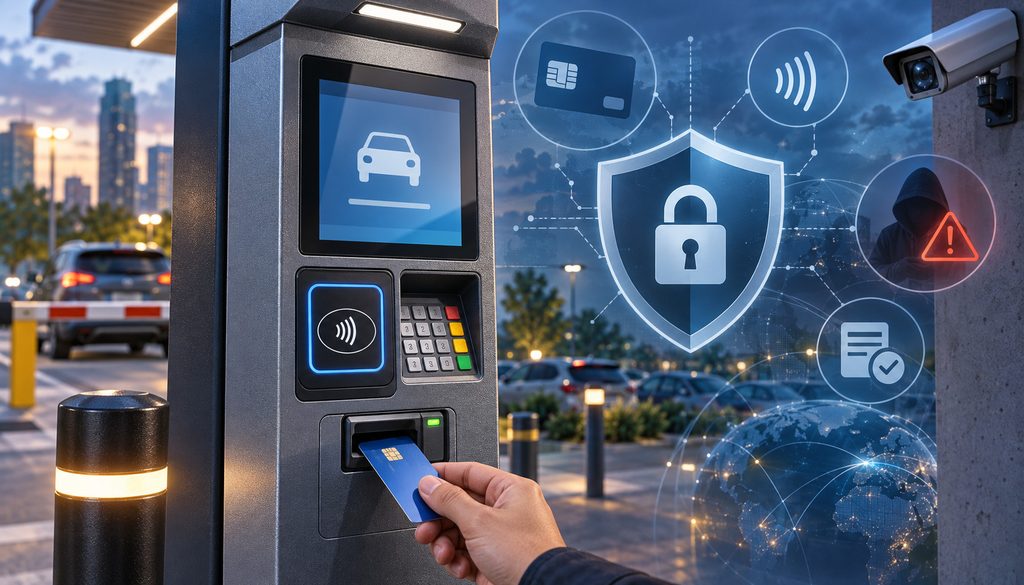
The phrase unattended EMV requirements is often treated as if it means “buy a terminal with a chip slot.”
That is not enough.
EMVCo distinguishes Level 1 functionality—the physical, electrical, and radio-frequency communications involved in contact or contactless interaction—from Level 2 software/kernel functionality used to process EMV transactions. Current EMVCo approval processes test these components against applicable specifications.
A merchant deployment then adds another layer: network, acquirer, processor, gateway, payment application, device configuration, and implementation certification.
Consequently:
“EMV-capable” does not mean “certified for my setup.”
A reader can contain an EMV chip interface and still be unusable with the merchant’s actual processing stack. Before purchasing, confirm the exact device model, processor compatibility, required software or gateway, connectivity, and supported payment features rather than relying on a product description that merely says “EMV.”
Before approving an unattended payment terminal, obtain confirmation for the actual stack:
terminal hardware → payment application → EMV kernel/configuration → integration → gateway → processor/acquirer → network acceptance.
The machine controller belongs in the operational stack as well because an approved card transaction is useless if the machine cannot reliably respond to it.
EMV Liability at Unattended Devices
EMV liability shift rules were created to allocate specified counterfeit-fraud losses based partly on whether the party capable of using chip technology actually did so.
Visa’s U.S. guidance describes the basic principle: when a counterfeit transaction involving chip-capable credentials is processed at a magstripe-only acceptance point rather than through chip technology, liability can move toward the non-chip side of the transaction.
The exact result depends on the network, transaction circumstances, region, acceptance configuration, and applicable dispute rules; EMV does not mean the merchant automatically wins every fraud dispute.
This makes a magstripe-only retrofit a poor long-term default where modern chip acceptance is supported and appropriate.
The initial hardware may be inexpensive, but the operator can inherit:
- counterfeit-fraud exposure,
- aging hardware,
- reduced processor support,
- customer frustration,
- another replacement project later.
It is also important not to misuse the word “required.” Chip acceptance and liability allocation are not identical concepts. The relevant unattended EMV requirements must be established with the processor/acquirer and certified solution, not inferred from a generic online statement.
Magstripe Fallback Is Not an Installation Strategy
Fallback is not a substitute for deploying working chip acceptance.
Card-network rules and certified payment applications control what happens when an attempted chip transaction cannot be completed normally. Operators should not manually alter terminal parameters to force fallback or create their own retry logic.
Monitor fallback in reporting instead.
An unusual increase can point to damaged readers, dirty interfaces, poor customer prompts, configuration problems, or other conditions that deserve investigation.
Contactless-Only vs Chip-Insert Readers for Self-Service Payments
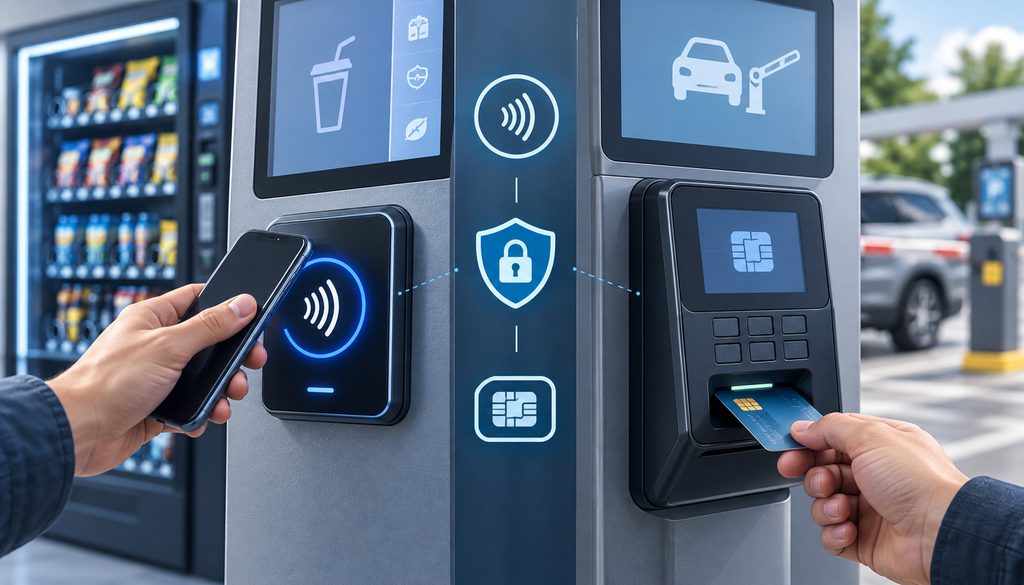
Contactless has obvious advantages in unattended locations.
There is no insertion slot for customers to repeatedly use. Tap transactions can be quick. NFC payments support contactless cards and, where enabled by the certified solution, mobile wallets using tokenized payment credentials.
That does not make contactless-only universally superior.
A customer carrying a chip card without usable contactless functionality may still expect to insert it. Acceptance patterns also differ by region, processor, card portfolio, merchant type, and customer population.
Table 3: Contactless-Only vs Chip + Contactless
| Factor | Contactless-Only | Chip + Contactless |
| Mechanical complexity | Fewer card-reader openings/moving components | Contact reader adds an opening and wear point |
| Mobile wallets | Strong fit where certified | Normally supported when appropriately configured |
| Card acceptance coverage | Depends on local/customer contactless availability | Broader physical-card options |
| Outdoor design | Can simplify exposed reader area | Insert mechanism needs environmental consideration |
| Customer recovery path | No insert option if tap is unavailable | Customer may have another EMV-capable path |
| Maintenance | Less insertion wear | Contact slot may need maintenance |
| CVM/PIN | Depends on device/configuration | Depends on device/configuration; chip slot alone does not imply PIN |
| Certification | Must be confirmed | Must be confirmed |
Contactless-only can make sense for modern parking installations, some vending fleets, transit-style environments, and kiosks with a strongly contactless customer base—provided the processor, network, device, use case, and certified integration support it.
For a higher-value kiosk or a location serving a broad customer population, contactless plus chip insertion may offer more acceptance flexibility.
The right choice therefore starts with expected payment credentials and certified support rather than a generic rule.
PIN, CVM, and Why “No PIN” Does Not Mean “No Rules”
CVM means cardholder verification method.
Card-network requirements can distinguish unattended acceptance from ordinary staffed checkout. Visa’s Transaction Acceptance Device Guide identifies separate device and cardholder-verification considerations for unattended cardholder-activated terminals, which is why merchants should verify the supported CVM configuration instead of relying on a generic PIN or contactless threshold.
Depending on transaction type and configuration, verification can involve online PIN, other EMV methods, a consumer-device cardholder verification method such as authentication on a mobile device, or a transaction where no CVM is required.
There is no durable global contactless dollar threshold that should be copied into an equipment-buying article and treated as universal. Networks, markets, issuer rules, currencies, terminal types, transaction values, and certified configurations can differ.
Visa’s current transaction-device guidance, for example, identifies separate minimum CVM capabilities for unattended contact and contactless acceptance rather than treating every self-service terminal identically.
If debit acceptance, specific transaction types, or local requirements make PIN support important, verify that the chosen hardware and processor implementation genuinely supports it.
Do not assume:
- a chip slot automatically means PIN support;
- a touchscreen automatically constitutes an approved PIN-entry mechanism;
- contactless means PIN can never be requested;
- mobile-wallet authentication eliminates all other transaction rules.
An unattended payment terminal needs the CVM capabilities required by its actual certified payment configuration.
Retrofitting a Vending Machine, Car Wash Bay, or Kiosk
For retrofit projects, the payment reader is only half of the job.
The other half is telling the machine that the customer paid—and doing so in a way the machine understands.
Table 4: Machine Interface Compatibility Matrix
| Machine Type | Common Interface | What to Verify | Retrofit Risk |
| Vending | MDB; older/proprietary alternatives | Machine model, controller and MDB compatibility | Medium |
| Car wash bay | Pulse, relay, serial or proprietary | Timer/controller and payment integration support | Medium-high |
| Kiosk | Serial, USB, Ethernet or API | SDK/payment application/device certification | Integration-dependent |
| Parking | Proprietary controller or software integration | Controller and processor/device certification | High when legacy |
| Laundry | Pulse, serial, networked controller or proprietary | Machine/controller generation and approved kit | Equipment-dependent |
These rows are starting points, not universal interface specifications.
Vending Machine Card Reader Retrofit: MDB and Legacy Interfaces
MDB, or Multi-Drop Bus, is widely used in vending to let peripherals and a vending-machine controller exchange information.
In a suitable vending machine card reader retrofit, the payment system can communicate with the vending controller so that an approved payment results in the appropriate vend workflow.
“MDB compatible,” however, is not a guarantee that every old vending machine is ready for a modern reader.
Verify:
- machine make and model;
- controller board/version;
- supported MDB level or implementation;
- power availability;
- physical mounting;
- payment-device requirements;
- telemeter/network equipment;
- processor-supported reader configuration.
Current first-party vending-payment documentation illustrates why these details matter: device settings may need to match the MDB level supported by the machine.
Older machines can require a controller upgrade, supported adapter, or a different interface. Some legacy equipment uses pulse or another protocol instead.
At that point, compare total retrofit cost with replacement.
A $300 reader is not a $300 project if the machine also needs a new control board, harness, mounting work, antenna, communications subscription, power supply, and field installation.
A successful vending machine card reader retrofit should also be tested for the hardest operational case: payment approved but product not delivered. Determine which system records the vend result and how customer support can identify and refund that transaction.
Car Wash Credit Card Payment System: Timer Boxes and Bay Controllers
A car wash credit card payment system can involve several different payment points:
- self-service wash bay;
- vacuum;
- automatic wash entry kiosk;
- tunnel pay station;
- dog wash or similar timed equipment.
An older bay may use pulse or relay signals. Another system may have a serial connection or proprietary wash controller. A newer machine may offer an OEM-approved integrated payment kit.
Never assume one reader can simply be connected to every timer box.
For a retrofit, the integrator needs to establish what signal or protocol represents paid credit and how the controller handles additional authorized purchases, time extensions, reversals, communications failures, and interrupted sessions.
A payment-ready machine can cost more upfront but may offer a cleaner support model because the equipment OEM has already designed around supported payment modules.
Retrofit remains valuable when the installed machinery has substantial useful life and a supported interface exists.
The economic comparison should include:
reader + controller upgrades + wiring + enclosure + connectivity + installation + certification/integration work + service calls + expected remaining machine life.
Treat the car wash credit card payment system as an industrial installation. Water spray, detergent, heat, freezing conditions, electrical noise, cabinet temperature, vandal exposure, and customer handling all influence the design.
Self-Service Kiosk Card Reader Integration
A self-service kiosk card reader often has a more software-intensive integration than vending or a basic timed machine.
The kiosk may contain:
- application touchscreen;
- payment module;
- barcode scanner;
- receipt printer;
- network interface;
- controller or PC;
- accessibility hardware.
Payment may be embedded directly into the kiosk fascia, or a separate secure terminal/PIN pad may be mounted alongside it.
In a more integrated architecture, kiosk software interacts with the payment solution through an approved SDK or API path. In a semi-integrated design, sensitive payment handling remains more contained within the secure payment terminal and payment platform.
Semi-integration can reduce the amount of payment data exposed to the kiosk application, but operators should not promise themselves a specific PCI scope reduction without evaluating the exact architecture.
A self-service kiosk card reader also needs usable prompts. The customer must know when to tap or insert, whether payment succeeded, when the transaction is still processing, and what to do when service does not begin.
Accessibility matters too. Screen readability, physical reach, tactile interaction, audio options where relevant, and applicable accessibility requirements should be considered during kiosk design rather than after fabrication.
Cellular vs Wired Connectivity for Outdoor Installations
The best terminal is useless if it cannot reliably reach the processing platform.
For outdoor machines, operators usually consider Ethernet, cellular, and sometimes Wi-Fi. Public or otherwise unsecured Wi-Fi should not be treated as an easy substitute for a properly designed payment network.
Table 5: Connectivity Comparison
| Connection | Strength | Limitation | Best Fit |
| Ethernet | Stable and predictable where properly installed | Cable/conduit/trenching expense | Fixed kiosks and facilities with network infrastructure |
| Cellular | Flexible for distributed machines | Coverage, antenna placement, SIM/data management | Vending routes, car washes, remote parking |
| Managed Wi-Fi | Avoids new cabling in suitable managed environments | RF interference and security/design dependencies | Controlled sites with properly administered networks |
| Multi-network/failover | Can improve resilience if solution supports it | Hardware, configuration and service complexity | High-uptime unattended estates |
Ethernet is attractive because a protected wired connection can be very stable. The installation may not be cheap, though. Outdoor cabling may require proper conduit, surge considerations, trenching, protected building entry, and network design.
Cellular removes much of that physical network work. It is useful for vending fleets and isolated installations, but “LTE available in the parking lot” does not prove the terminal will have a reliable connection.
Metal cabinets attenuate radio signals. Underground garages, concrete structures, machine rooms, and rural areas can also create difficult coverage.
Offline Transactions Need a Risk Decision
Offline or store-and-forward behavior sounds attractive when connectivity is unreliable.
It also changes risk.
A transaction accepted without normal online authorization may later fail, and not every processor, terminal, network, merchant category, or unattended configuration permits the same offline behavior.
Do not create homegrown offline thresholds or modify secure application settings. Ask the processor:
- whether offline transactions are supported at all;
- what approved configuration applies;
- what operational exposure the merchant accepts;
- how the machine should behave when authorization cannot be obtained.
For many unattended operations, stronger connectivity is preferable to relying on offline acceptance as normal operating procedure.
When comparing Ethernet with LTE or other wireless options, evaluate connectivity as part of the terminal-selection process rather than as an afterthought. An unattended site still needs a real signal test at the final mounting point, because enclosure material, antenna position, concrete structures, and local carrier coverage can change performance substantially.
Declines, Refunds, and Receipts With No Attendant Present
Unattended customer service begins before the first transaction.
Decide what the customer will see for each important failure state.
A decline is not the same as a network outage. Neither is the same as a machine-controller failure.
If the issuer or processor declines the transaction, the machine should not dispense product or begin service. The customer should receive a clear outcome and, where supported, be able to try another payment method.
If authorization cannot be attempted because the connection is down, the message should not misleadingly imply that the customer’s bank declined the card.
If payment succeeds but the machine fails to vend, the event needs a different support path.
Good logging therefore distinguishes:
- payment decline;
- communication timeout;
- payment host unavailable;
- terminal fault;
- machine-controller communication fault;
- approved payment followed by failed vend/start.
Refunds Without an Employee
An unattended location needs a refund procedure before launch.
Depending on the platform, options can include a centralized service representative, processor portal, machine-management platform, original-transaction lookup, or supported automated recovery logic.
Do not assume the terminal itself can automatically refund.
The important part is correlation.
Customer service should be able to find a transaction using information such as:
- machine ID;
- location;
- date and approximate time;
- amount;
- transaction/reference number;
- permitted masked card information where needed;
- customer contact details.
Do not ask customers to email or text a full card number, CVV, or PIN.
A well-designed estate passes machine identifiers into reporting wherever the certified systems allow it. “Transaction at Store 12” is much harder to investigate than “Washer 14, transaction reference X, 9:14 p.m.”
When an approved wash, vend, or kiosk purchase needs to be reversed, the refund or void should be tied to the original transaction and its current processing status whenever the platform supports that workflow. This gives support staff a cleaner audit trail and reduces the temptation to collect card details again simply to resolve a machine failure.
Receipts at Unattended Devices
Receipt choices include:
- printed receipt;
- email or SMS receipt;
- QR-accessed receipt;
- on-screen confirmation;
- combinations of these methods.
Do not assume digital-only receipt delivery is always permissible. Network rules, transaction type, processor requirements, and applicable law can affect what must be offered.
Visa, for example, states that receipts are generally required for Visa transactions but recognizes exceptions, including certain low-value unattended transactions; merchants are directed to their acquirer for the applicable requirements.
If the machine uses a printer, the printer is now a field-service component. Empty rolls, jams, cutters, moisture, and enclosure problems can generate support incidents even when payment processing is healthy.
Paperless designs reduce that mechanical burden, but digital receipts still need to provide the information required by the applicable payment and legal framework.
Whether the machine prints paper or delivers a digital receipt, receipt configuration should expose only the payment information needed for the customer and the business record. The receipt workflow should also account for masking, secure historical retrieval, refunds, reprints, and the retention rules that apply to the merchant’s records.
PCI Scope and Terminal Inspection Routines
Installing secure hardware does not end PCI responsibility.
PCI DSS applies to the broader environment in which payment account data is stored, processed, transmitted, or where systems can affect the security of that environment.
An unattended architecture may benefit from techniques such as validated point-to-point encryption or a well-designed semi-integrated payment path, but the merchant should not assume those technologies automatically remove every system from scope.
The actual result depends on the implementation and applicable PCI validation method.
An operator’s responsibilities can include:
- deploying supported payment hardware;
- following secure installation procedures;
- controlling administrative and physical access;
- maintaining appropriate network security;
- applying vendor-approved software and firmware updates;
- maintaining an asset inventory;
- inspecting POI devices for tampering or substitution;
- controlling service personnel;
- documenting incidents.
PCI DSS Requirement 9.5 specifically addresses deployed POI devices used for card-present transactions.
PCI SSC explains that the relevant controls include an up-to-date device list, periodic inspection for tampering or unauthorized substitution, and training personnel to recognize suspicious attempts to service or replace payment equipment. It does not establish a universal requirement that every POI device be tethered to a counter.
A Defensive Terminal Inspection Routine
For an unattended payment terminal, field staff can use a routine such as:
- Verify that the terminal is securely installed as designed.
- Examine the housing, fascia, bezel, and surrounding mounting area for unexplained changes.
- Look for loose, foreign, or unexpected overlays/components.
- Check security seals or indicators where the approved service procedure uses them.
- Compare the model and serial information with the asset record.
- Review firmware/application/device status through approved management tools where supported.
- Document who inspected the device, location, date, and result.
- Escalate any anomaly and follow the processor/vendor incident procedure before returning suspicious equipment to service.
That is deliberately an inspection process, not instructions for dismantling payment equipment.
Inspection frequency should reflect the site’s exposure, transaction volume, physical accessibility, history, acquirer guidance, PCI requirements, and organizational risk assessment. There is no sensible universal interval for every unattended installation.
A machine in a locked corporate lobby and a roadside reader accessible around the clock do not have the same exposure.
Table 6: PCI and Inspection Controls
| Control | Frequency/Trigger | Evidence |
| Device inventory | Update when installed/replaced/moved | Asset register |
| Physical inspection | Risk-based and per applicable PCI/acquirer procedure | Inspection record |
| Serial/model verification | During inspection/service | Asset comparison |
| Firmware review | Vendor/processor update cycle | Device-management record |
| Technician verification | Every service visit | Ticket and technician identity |
| Access/key review | Personnel/vendor changes | Access register |
| Incident escalation | Immediately on suspected anomaly | Incident ticket/case |
| Post-service check | After authorized work | Before/after inspection record |
A practical asset table might contain:
| Location | Machine ID | Terminal Model | Serial # | Firmware/App | Last Inspection | Connectivity |
| Site/Bay 1 | CW-001 | Recorded model | Recorded serial | Approved version | Date | Ethernet/Cellular |
| Route/Machine 22 | V-022 | Recorded model | Recorded serial | Approved version | Date | Cellular |
Remote Device Management
Fleet operators benefit considerably when a supported platform can report:
- online/offline status;
- cellular signal information;
- transaction health;
- application/firmware version;
- device alerts;
- remote diagnostic information;
- reboot or maintenance commands where supported.
Do not assume every terminal provides every function.
Remote management is not a replacement for physical inspection either. A dashboard can tell you that a device is online; it cannot always tell you that its mounting has been disturbed.
Firmware updates should use approved manufacturer/processor channels. Unattended devices are particularly easy to forget because nobody works beside them every day.
The same applies to key injection and cryptographic provisioning. Those functions belong within approved vendor, processor, and key-management processes—not field improvisation.
Technician Chain of Custody
Limit physical service access.
A practical process records:
- approved service company;
- service ticket;
- technician identity;
- arrival/departure time;
- reason for access;
- device serial;
- parts changed;
- before/after inspection;
- person accepting the completed work.
Keys to payment cabinets should not circulate without accountability.
Power deserves similar planning. Outdoor installations can encounter unstable feeds, lightning, surges, or noisy electrical environments. Follow terminal and machine manufacturer requirements for power supplies, grounding, surge protection, and isolation.
What to Ask Before Buying an Unattended Reader
A good hardware quotation should create fewer questions, not more.
Questions for the Hardware Vendor
- Is the exact device currently PCI PTS approved?
- What exact PCI listing applies to this hardware/firmware?
- Which EMV contact and contactless approvals or kernels apply?
- Is this configuration certified with my processor/acquirer?
- What environmental and IP rating applies?
- What is the published operating and storage temperature range?
- What impact/vandal-resistance rating is published, if any?
- Which machine interfaces are supported?
- Does the configured unit support contactless?
- Does it support chip insertion?
- Is approved PIN entry supported if my use case requires it?
- What wired and cellular connectivity options exist?
- Is remote device management available?
- How are firmware/security updates delivered?
- Who performs approved key injection or provisioning?
- What replacement and support SLA applies?
- Is the supplied hardware new, remanufactured, or refurbished?
An outdoor payment terminal weatherproof sales description should never substitute for those precise specifications.
Questions for the Machine Vendor or Integrator
- Which payment modules are approved for this machine?
- Does the controller support MDB, pulse, serial, relay, API, or another interface?
- Is a controller firmware upgrade necessary?
- Is there an OEM or certified integration kit?
- What happens if payment is approved but the machine fails to start or vend?
- How is a failed service correlated to the payment?
- How are refunds initiated?
- Can machine ID appear in payment records?
- What diagnostics are available remotely?
- What hardware changes affect machine warranty/support?
For a self-service kiosk card reader, ask an additional question: which exact SDK/payment application and terminal software versions have been validated together?
Questions for the Processor or Acquirer
- Is this unattended merchant/use case supported?
- Is the exact terminal model/configuration certified?
- Which EMV contact and contactless modes are supported?
- How is approved fallback handled?
- Are offline transactions supported?
- What PCI validation approach applies to this architecture?
- Are remote refunds supported?
- Can machine ID or site ID pass into reporting?
- What is the approved behavior during a network outage?
- What fraud/risk controls apply to this merchant category?
- Which terminal software/firmware versions are currently supported?
- What happens when a model reaches end of support?
This final processor check catches one of the industry’s recurring buying errors: purchasing technically sophisticated hardware that the merchant’s processing stack cannot board.
Common Unattended Payment Hardware Mistakes
Unattended projects are usually not derailed by one dramatic error. They fail through small assumptions that were never tested together.
Table 7: Common Mistakes
| Mistake | Operational/Security Risk | Better Approach |
| Buying on price before checking processor certification | Hardware cannot be deployed | Verify the complete certification stack first |
| Treating IP rating as payment compliance | Secure/payment requirements remain unchecked | Evaluate environmental and payment security separately |
| Using magstripe-only retrofit as the long-term plan | Counterfeit-liability and support exposure | Evaluate certified chip/contactless options |
| Assuming “MDB” guarantees compatibility | Legacy controller may not work | Verify exact machine/controller |
| Testing cellular service outside the cabinet | Installed signal may be poor | Test in final enclosure/location |
| No failed-vend process | Small failures become complaints/chargebacks | Correlate machine and transaction IDs |
| No field inventory | Substitution/service problems harder to detect | Track model, serial, location and status |
| Ignoring firmware after installation | Security/support lifecycle deteriorates | Maintain approved update process |
| Letting unknown technicians access terminals | Tamper/substitution exposure | Verify service identity and tickets |
| Assuming contactless-only fits everyone | Acceptance gaps | Review customer/payment mix and certification |
A car wash credit card payment system also fails when payment engineering is treated separately from wash operations. The best authorization rate in the world does not help if a worn relay, incorrect pulse mapping, or unsupported controller causes paid sessions not to start.
Likewise, a vending payment reader is not successful merely because it is online. Vend success, failed-vend reporting, reader health, refunds, and route-service diagnostics all belong in performance monitoring.
Unattended Payment Terminal Buying and Compliance Checklist
Use this checklist before approving a purchase order or deployment.
Machine and Environment
- Identify the machine and unattended use case.
- Record machine make, model, and controller version.
- Confirm indoor, protected-outdoor, or exposed-outdoor location.
- Document rain, splash, moisture, humidity, and dust exposure.
- Evaluate pressure-wash or chemical exposure where relevant.
- Check expected ambient and enclosure heat/cold.
- Evaluate vandal and physical-access risk.
- Review accessibility and customer interaction requirements.
Payment and Security
- Verify current PCI PTS approval/listing.
- Verify applicable EMV contact/contactless approvals.
- Verify processor/acquirer certification.
- Confirm contactless/NFC acceptance.
- Confirm chip insertion if needed.
- Confirm PIN/CVM capability required by the use case.
- Confirm merchant category/use case with the processor.
- Confirm approved fallback behavior.
- Determine whether offline transactions are permitted.
Machine Integration
- Identify MDB, pulse, serial, relay, USB, Ethernet/API, or proprietary interface.
- Confirm exact controller compatibility.
- Determine whether a controller upgrade or approved adapter is needed.
- Decide between retrofit and payment-ready replacement equipment.
- Confirm how approval causes the machine to vend/start.
- Confirm behavior when payment succeeds but machine action fails.
Connectivity and Power
- Confirm Ethernet/cellular options.
- Test cellular signal at the actual installation position.
- Repeat the test with the enclosure closed.
- Confirm approved antenna options.
- Confirm SIM/carrier/data-plan responsibility.
- Confirm power requirements.
- Confirm manufacturer-recommended surge protection.
- Verify any approved cabinet heating/cooling requirements.
Customer Operations
- Test an approved transaction.
- Test a decline.
- Test connectivity-loss behavior.
- Test controller communication failure.
- Test vend/start behavior.
- Test the refund procedure.
- Confirm support contact information.
- Confirm printed/digital/QR receipt method.
- Confirm receipt requirements with processor/acquirer.
- Confirm understandable error messages.
Field Security and Lifecycle
- Install using approved secure mounting/enclosure.
- Add device to asset inventory.
- Record terminal model and serial.
- Record approved firmware/payment application.
- Establish a tamper-inspection routine.
- Establish technician/service logs.
- Limit cabinet keys and service credentials.
- Establish firmware and security-update procedure.
- Confirm replacement/support SLA.
- Monitor early transaction, fallback and machine-error trends.
Practical 32-Step Deployment Workflow
For larger estates, turn the checklist into a repeatable installation workflow:
- Identify the unattended use case.
- Record the machine make/model/controller.
- Define the indoor/outdoor environment.
- Record moisture, temperature and vandal exposure.
- Define normal transaction-value range.
- Define chip, contactless and PIN/CVM needs.
- Confirm merchant use case with the processor.
- Verify current PCI PTS status.
- Verify relevant EMV approvals.
- Confirm processor/acquirer certification.
- Confirm the machine interface.
- Decide retrofit versus replacement.
- Plan Ethernet or cellular connectivity.
- Test signal at the actual installation point.
- Confirm approved antenna design.
- Confirm power and surge protection.
- Install the approved enclosure and mounting.
- Configure the payment application through approved channels.
- Configure the supported machine integration.
- Test payment approval.
- Test decline behavior.
- Test network-outage behavior.
- Test the refund workflow.
- Test receipt delivery.
- Confirm the machine starts or vends only according to the approved payment flow.
- Add the terminal to the asset inventory.
- Train field and service personnel.
- Start the tamper-inspection program.
- Establish the firmware/update procedure.
- Monitor the first weeks of transaction and machine errors.
- Review fraud, fallback and decline trends.
- Document escalation routes for payment, machine, and network faults.
That is a much safer purchasing process than choosing a product from a photograph and hoping the integrator can make it work.
Frequently Asked Questions
What is an unattended payment terminal?
An unattended payment terminal is a payment acceptance device designed for a transaction where the customer interacts with the machine without an employee completing the payment. Typical examples include vending machines, parking stations, self-service wash equipment, ticketing kiosks, and other automated machines.
The device may contain contactless, chip, PIN, display, connectivity, and machine-integration functions depending on its design and certified configuration.
How is an unattended card reader different from a countertop terminal?
A countertop device usually operates indoors under employee supervision. An unattended card reader may need tougher environmental protection, stronger physical installation, machine-controller integration, remote connectivity, automated customer prompts, remote monitoring, and a documented field-inspection process.
Putting ordinary countertop electronics into an outdoor cabinet does not automatically turn them into suitable unattended hardware.
What PCI PTS approval should an unattended reader have?
There is no single version number that every deployment can safely treat as a universal buying rule. Verify that the exact model and relevant hardware/firmware appear in the current PCI SSC approved-device information and confirm acceptable deployment/support status with the processor/acquirer. Approval expiry and processor lifecycle requirements matter too.
What IP rating does an outdoor payment terminal need?
There is no universal IP rating for every outdoor installation.
Determine the site’s exposure to water, dust, spray, condensation, chemicals and environmental conditions, then choose equipment and an installed enclosure designed for that use. An outdoor payment terminal weatherproof requirement should be based on the complete installation, not one specification on the payment module.
Do unattended machines have to accept EMV chip cards?
The answer depends on network, market, merchant type, processor, and acceptance configuration. Operators should evaluate current unattended EMV requirements with their processor/acquirer.
What is operationally important is that relying on magstripe-only acceptance when chip technology is available can create counterfeit-fraud liability exposure under applicable liability-shift rules.
Can I use a contactless-only reader on a vending machine?
Potentially, yes.
Contactless-only can reduce insertion wear and work well in environments with strong tap/mobile-wallet adoption. Before removing chip insertion, verify processor certification, network support, customer acceptance coverage, CVM requirements, and the specific machine integration.
Does a car wash payment terminal need a PIN pad?
Not necessarily.
PIN requirements depend on the transaction types, debit acceptance, networks, market, processor, terminal capabilities, and applicable CVM configuration. Do not assume a car wash credit card payment system needs PIN merely because it is unattended—or that a reader without PIN works for every deployment.
What is the best payment system for a self-service car wash?
The appropriate system is one whose payment hardware, processor certification, outdoor specifications, wash-controller interface, connectivity, service process, and customer workflow all match the site. There is no single best reader for every bay, automatic wash, vacuum, or tunnel kiosk.
Can an old vending machine be retrofitted with a card reader?
Often, but compatibility needs to be checked.
A vending machine card reader retrofit may use MDB on suitable equipment. Older machines can require a controller update, approved adapter, pulse interface, or other solution. Compare the complete retrofit cost with replacing a machine that has limited remaining life.
What is MDB on a vending machine?
MDB stands for Multi-Drop Bus. It is a communication system widely used between vending-machine controllers and peripherals, including suitable cashless payment devices. The existence of MDB does not guarantee that every controller and reader combination is compatible, so verify the machine/controller version.
Should an outdoor terminal use cellular or Ethernet?
Ethernet can provide highly stable connectivity when protected network infrastructure is available. Cellular is useful where running cable is difficult or where machines are distributed across remote sites.
For cellular installations, test signal with the terminal installed in the actual enclosure. Where resilient backup or multiple connectivity paths are important, verify which options the specific certified hardware supports.
How do refunds work when no attendant is present?
Most unattended businesses need a centralized process.
Customer support can identify the transaction using the location, machine ID, transaction reference, time, and amount, then use the processor or management platform’s approved refund function. Collect only the payment data actually required; do not request CVV or full PAN through insecure channels.
Does an unattended terminal need to print receipts?
Not universally.
Receipt requirements depend on the payment network, transaction, processor agreement, jurisdiction, and merchant environment. Some unattended use cases support electronic or other receipt options, while specific circumstances can require an available receipt. Verify the requirement with the acquirer rather than removing the printer based on assumption.
How does PCI compliance work for unattended payment terminals?
Using secure hardware does not remove the merchant’s PCI DSS responsibilities.
Scope depends on the full architecture, including networks, systems, integrations, storage and payment-data flows. Validated P2PE or suitable semi-integrated architectures can affect exposure and validation scope when correctly implemented, but the result must be determined from the actual solution.
How often should unattended card readers be inspected for tampering?
Use the frequency required by your applicable PCI/acquirer procedures and adjusted to the site’s risk.
Traffic, public accessibility, location, history and physical exposure can justify different schedules. The important requirements are to maintain an inventory, perform documented inspections, train relevant personnel, and escalate suspicious changes rather than trying to dismantle or repair secure payment components in the field.
Conclusion
Unattended payment hardware has to be purchased as a system, not as an isolated card reader.
Payment-security approval, EMV certification, processor support, environmental suitability, vandal protection, machine-controller compatibility, connectivity, and PCI responsibility are different checks. Passing one says very little about the others.
That distinction is especially important with older machines. A cheap magstripe retrofit can preserve counterfeit-fraud exposure and create another replacement project, while a modern reader can still be the wrong investment if the vending controller, timer box, kiosk software, or processor does not support it.
Contactless-only and contactless-plus-chip designs each have legitimate applications. The decision should follow customer acceptance needs, CVM requirements, environmental considerations, and verified certification rather than a blanket preference.
For outdoor installations, test communications where the terminal will actually operate—inside the enclosure, with the cabinet closed. Build decline, failed-vend, receipt, refund, and support workflows before customers encounter them.
Finally, security work continues after installation. Maintain the asset inventory, manage firmware through approved channels, control technician access, inspect devices for tampering, watch transaction and fallback trends, and keep the complete unattended estate within a documented maintenance lifecycle.